
Let’s be honest about something the software industry doesn’t want you to know: most businesses are paying for CRM features they will never use.
The market is full of platforms that lead with eye-catching feature lists, enterprise-grade capability, and pricing tiers that quietly balloon once your team grows past five seats. Small businesses, startups, and lean sales teams end up either overpaying for tools built for companies ten times their size, or limping along with spreadsheets because “CRM seems complicated and expensive.”
Neither of those outcomes is acceptable. And neither is necessary.
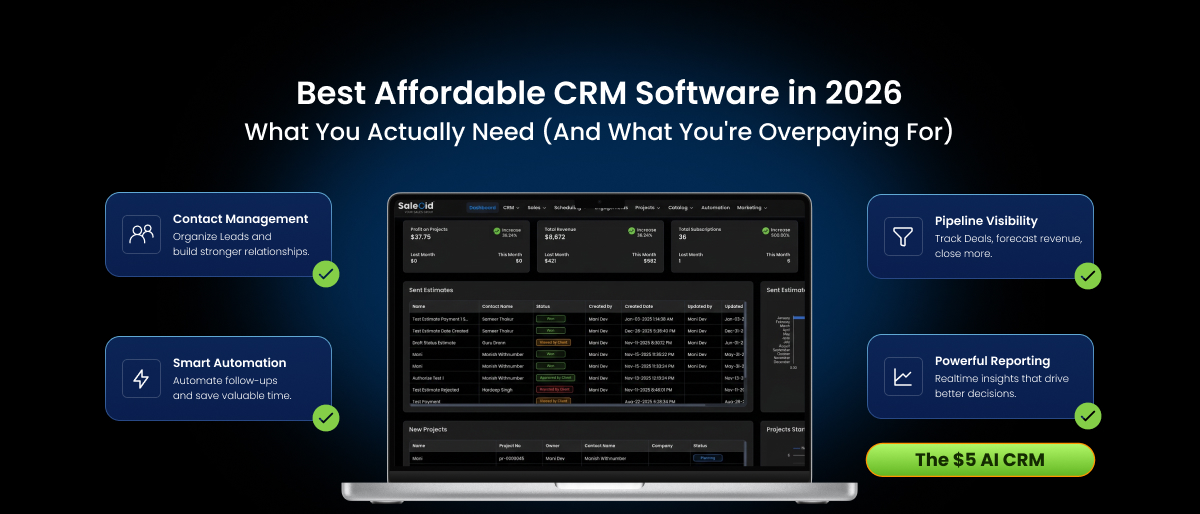
The best affordable CRM isn’t the cheapest one on the market. It’s the one that covers what you actually need: contact management, pipeline visibility, follow-up automation, and reporting without charging you for an AI-powered enterprise command center you’ll never touch. This guide cuts through the noise, breaks down what makes a CRM genuinely worth its price, and helps you find the right fit before you commit to a platform that’ll frustrate your team six months from now.
The Real Cost of “Free” and “Cheap” CRM Tools
Free CRM tools are tempting. They’re great for proof-of-concept, like testing whether a CRM fits your workflow before spending money. But free tiers come with ceilings that hit fast: contact limits, no automation, basic reporting only, and support that means waiting three days for an email reply.
The moment your business starts to grow, you hit those ceilings. Then you’re either paying to upgrade or spending weeks migrating to a different platform, both of which cost more, in time and money, than starting with a right-sized paid tool from the beginning.
“Cheap” CRM is a different trap. Low monthly prices often come with:
- Per-feature pricing. The base plan looks affordable until you realize automation, email integration, reporting, and API access are all add-ons. A “$12/month” CRM can quietly become $60/user/month by the time you’ve unlocked what you actually need.
- Seat-based pricing with no flexibility. You need 7 users but the plan prices in increments of 10. You’re paying for 3 seats nobody uses.
- Onboarding and implementation fees. Enterprise-adjacent CRMs sometimes charge $1,000–$5,000 for “implementation support” that shouldn’t be necessary for a well-designed product.
- Data export restrictions. Some platforms make it deliberately difficult to leave. Your customer data is held in proprietary formats with no clean export path.
The true cost of a CRM is the total cost of ownership: subscription fees, add-ons, training time, productivity lost during implementation, and the opportunity cost of using a tool your team doesn’t actually adopt.
The best affordable CRM has transparent, predictable pricing, and delivers real value at the price you actually pay, not the price you’d pay after five upgrades.
What an Affordable CRM Actually Needs to Do
Before comparing platforms, get clear on what a CRM genuinely needs to do for a small or mid-sized business. Strip away the enterprise features. Here’s the functional core:
- Contact and Company Management: Every prospect, lead, and customer needs – contact details, company information, communication history, notes, and associated deals. This is non-negotiable. If a CRM can’t do that, then it’s not doing its job.
- Visual Sales Pipeline: A drag-and-drop pipeline view where deals move through stages from first contact to closed-won, you need to see where each deal is, how long it’s been sitting in a stage, and what the next action is.
- Task and Activity Tracking: Tasks, reminders, scheduled calls, and logged activities need to live inside the CRM platform, not in a separate to-do app or email folder.
- Email Integration: At a minimum, a CRM should sync with your email so outbound emails are logged automatically. Better platforms offer two-way sync. Best-in-class affordable CRMs include built-in email sending with open and click tracking.
- Basic Automation: Even entry-level CRM use benefits from automation: auto-assigning leads, sending a welcome email when a new contact is added, creating a follow-up task when a deal reaches a certain stage. If a CRM doesn’t offer at least basic workflow automation on its lower tiers, you’ll outgrow it quickly.
- Reporting That Makes Sense: You need to know: How many deals are in the pipeline? What’s the projected revenue this month? Which lead source is converting best? These are the baseline visibility every sales team needs. A good affordable CRM answers them without requiring a data analyst.
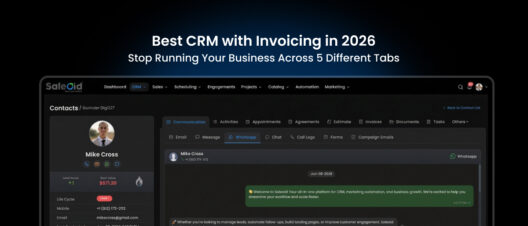
If invoicing is a key requirement alongside your CRM, we have a full guide to the best CRM with invoicing that covers what genuine billing integration looks like versus bolt-on features.
Features That Sound Impressive But Rarely Get Used
Part of what drives CRM pricing up is the arms race of features. Every platform wants the longest feature checklist. But for most small and mid-sized teams, these capabilities often go untouched:
- AI-powered predictive analytics: Useful at scale, largely irrelevant when you have 50 active deals and a team of four.
- Territory management: Designed for large field sales organizations with regional hierarchies. Overkill for most SMBs.
- CPQ (Configure, Price, Quote) modules: Built for complex product catalogs with variable pricing. If you sell a service or a simple product suite, you don’t need this.
- Advanced forecasting models: Multi-variable forecasting that accounts for seasonality, historical win rates, and pipeline weighting is genuinely valuable, at a certain scale. Before that scale, it adds complexity without clarity.
- Social listening integrations: Monitoring brand mentions across social platforms inside your CRM sounds compelling in a demo. In practice, most small teams don’t have the bandwidth to act on it.
- Custom object creation: Powerful for businesses with non-standard data models. Rarely used by the teams paying for it.
The point isn’t that these features have no value, it’s that you shouldn’t be paying for them if your business isn’t at the stage where they solve a real problem. The best affordable CRM gives you everything in the core list above, perhaps with a clear upgrade path to advanced features when you need them.
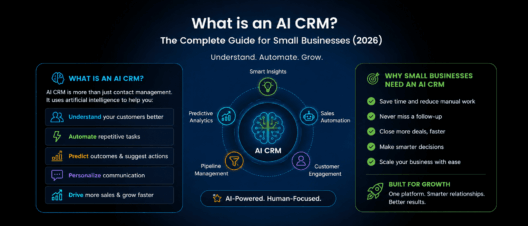
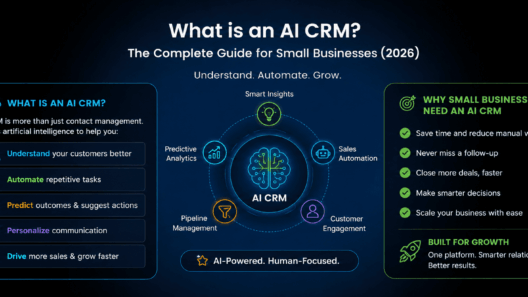
If you are unsure whether AI features belong in your CRM at all, read our complete guide to what is an AI CRM to understand what the AI layer actually does at different price points.
How to Evaluate CRM Pricing Without Getting Burned
When you’re comparing CRM costs, use this framework to get to the real number:
Step 1 – Identify your actual user count.
Count every person who will actively log into the CRM, not your whole company. Sales reps, sales managers, maybe a marketing lead. Be realistic. A CRM with 10 seats you don’t use is waste.
Step 2 – List the features you need on day one.
Write down the functional requirements from the section above. Then, for each platform you evaluate, check whether those features are available on the plan you’d actually buy – not the plan used in the demo.
Step 3 – Check what’s behind a paywall.
Look specifically at: email automation, reporting, integrations (especially with your email provider and calendar), API access, and data export. These are the features that are most commonly locked behind higher tiers.
Step 4 – Calculate annual cost, not monthly.
Most CRMs offer a significant discount for annual billing, often 20–40%. Factor this in when comparing. A platform that looks cheaper month-to-month may be more expensive annually than a competitor offering a strong annual rate.
Step 5 – Factor in time-to-value.
A CRM your team actually adopts in week one is worth more than a feature-rich platform that takes three months to implement. Time your team spends on onboarding, data import, and training is a real cost, even if it’s not on the invoice.
Step 6 – Read the support reviews, not the feature reviews.
When something breaks or your team gets stuck, support quality is everything. For a small team without a dedicated IT person, responsive support is a core feature – not a nice-to-have.
Best Affordable CRM Software for Small Businesses in 2026
Choosing the right CRM software depends on more than pricing alone. Small businesses today often look for a balance between automation, ease of use, AI capabilities, pipeline visibility, invoicing, and customer communication. Below is a comparison of some of the best affordable CRM platforms for startups, agencies, consultants, and growing businesses in 2026.
| # | CRM | Best Known For | Starting Price | AI Features | Marketing Automation | Invoicing | Appointments |
|---|---|---|---|---|---|---|---|
| 1 | Saleoid | Most affordable CRM for small businesses | $5/per month | ✓ Add-on | ✓ | ✓ | ✓ |
| 2 | HubSpot CRM | Strong free CRM ecosystem | $15/user/month (Starter) | ◐ Limited AI | ◐ | — | ✓ |
| 3 | Zoho CRM | Feature-rich CRM for growing businesses | $14/user/month (Standard) | ◐ AI on higher plans | ✓ | ◐ | ✓ |
| 4 | Freshsales | AI-powered sales CRM with Freddy AI | $9/user/month (Growth) | ✓ | ✓ | — | ✓ |
| 5 | Pipedrive | Sales-focused CRM for pipeline tracking | $14/user/month (Essential) | ◐ Basic AI | ◐ | — | ◐ |
| 6 | Bigin by Zoho | Lightweight CRM for small teams | $7/user/month (Express) | — | ◐ | — | ✓ |
| 7 | Capsule CRM | Simple CRM for consultants & SMBs | $18/user/month (Starter) | — | ◐ | — | ◐ |
| 8 | Streak CRM | CRM built directly inside Gmail | $15/user/month (Pro) | ◐ | ◐ | — | — |
| 9 | Agile CRM | Affordable all-in-one CRM | $8.99/user/month (Starter) | — | ✓ | ◐ | ✓ |
| 10 | Vtiger CRM | CRM for service-based businesses | $12/user/month (One Pilot) | ◐ | ✓ | ✓ | ✓ |
✓ = Available
◐ = Limited/Partial Support
— = Not Available
Best Affordable CRM Options in 2026: An Honest Comparison
Let’s have a grounded look at where the market stands for budget-conscious buyers:
For Solo Sellers and Freelancers
If you’re a one-person operation or a very early-stage business, you need something lightweight with minimal setup. Contact management, basic pipeline tracking, and email logging matter. Cost sensitivity is highest here. Look for platforms with a free tier that won’t cripple you and a clean upgrade path when you’re ready.
What to watch for: Import/export limitations and lack of even basic automation on free plans. If you can’t at minimum set a follow-up reminder automatically, you’re essentially using a fancy address book.
For Small Teams (2–10 Users)
This is where CRM choice matters most and where the most mistakes are made. Small teams often buy enterprise-tier tools they don’t need or stay too long on free tools they’ve outgrown.
At this stage you need: multi-user pipeline management, deal and activity tracking, email integration, simple automation (at least lead assignment and task creation), and basic reporting. Pricing in the $5–$35 per user per month range should get you all of this from a reputable platform.
What to watch for: Per-feature add-ons. At this size, you can’t afford a CRM that nickels-and-dimes you for every integration or automation rule.
For Growing Teams (10–50 Users)
You now need more sophisticated pipeline management, stronger automation capabilities, role-based access, and reporting that can segment by rep, team, or region. You may also need integrations with marketing tools, support platforms, or your billing system.
At this stage, “affordable” doesn’t mean cheapest – it means best value for the capability delivered. A platform at $40/user/month that replaces three other tools you were paying for separately may be cheaper overall than a $20/user/month option that requires three add-ons to match the same functionality.
What to watch for: Platforms where pricing jumps dramatically at your team size. Some CRMs have a cliff – plans look affordable at five users but become expensive fast once you cross a threshold.
CRM for Small Business vs. Growing Teams: Different Needs, Different Picks
Understanding exactly where you sit on the growth curve shapes which platform makes sense:
Small business CRM priorities:
- Fast setup (hours, not weeks)
- Intuitive enough that non-technical users adopt it without training
- Flat, predictable pricing with no surprise add-ons
- Core pipeline + email + task management covered on the base plan
- Responsive customer support when you need it
Growing team CRM priorities:
- Automation depth (multi-step workflows, conditional logic, trigger-based sequences)
- Role-based permissions and team-level reporting
- Integration with marketing, support, and billing tools
- Customizable pipeline stages and deal fields
- Deal forecasting and revenue analytics
The mistake most growing teams make is trying to stay on a small-business CRM past the point where it meets their needs, adding workarounds and manual processes to compensate for missing features. That’s when productivity starts bleeding quietly.
The counterintuitive truth: switching CRMs is painful, but staying on the wrong one costs you more over time in lost productivity, missed follow-ups, and decisions made with incomplete data.
The Hidden Value Nobody Talks About: Ease of Adoption
There’s something that rarely shows up in CRM comparison articles: a CRM that your team doesn’t use is worth exactly zero dollars, regardless of its feature set.
Adoption failure is the most common reason CRM implementations fail. A sales rep who finds the platform clunky will go back to email and sticky notes within a month. A manager who can’t get a clear pipeline view without running three reports will stop trusting the data. And without good data, the entire value proposition of a CRM collapses.
What drives adoption?
A clean, uncluttered interface. The moment a sales rep opens the CRM, they should immediately know what they need to do. Dashboards cluttered with unused widgets, navigation menus with 30 options, and contact records that require scrolling past irrelevant fields all create friction that erodes usage.
- Mobile experience that actually works.
For field sales or anyone who isn’t desk-bound, mobile CRM access isn’t a bonus feature – it’s a baseline requirement. A mobile app that crashes, loads slowly, or strips out key functionality gets deleted within a week.
- Fast data entry.
If logging a call, updating a deal, or adding a new contact takes more than 30 seconds, reps find shortcuts, which means incomplete data, which means reporting becomes unreliable, which means management stops trusting the CRM, which means nobody uses it.
- Visible value for the rep, not just the manager.
Many CRMs are built primarily as reporting tools for sales leadership, with data entry designed around what managers want to see. Reps who feel like they’re doing administrative work for their boss’s dashboard have no incentive to use it faithfully. The best affordable CRMs deliver value directly to the person using them: smarter follow-up reminders, better context before a call, faster proposal generation.
When evaluating any CRM, run a 10-minute test: can a new user, with no training, log a contact, create a deal, set a follow-up task, and find their pipeline overview? If that basic flow isn’t intuitive, walk away.
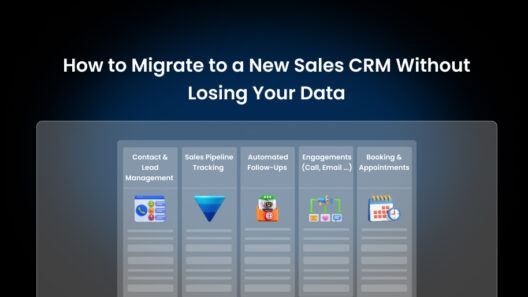
What to Migrate From (And How to Switch Without Losing Data)
Whether you’re moving from spreadsheets, a previous CRM, or a free tool you’ve outgrown, migration is the part of the CRM decision that gets underestimated.
- Moving from spreadsheets: This is usually the cleanest migration. Export your contacts and deal data as a CSV, map your columns to the CRM’s standard fields (name, email, company, phone, deal stage, deal value), and import. Budget half a day for a small database and a full day for anything over 5,000 contacts.
- Moving from another CRM: Most reputable CRM platforms offer a data export feature. The challenge is field mapping – your old CRM’s custom fields may not map cleanly to your new platform’s structure. Define your new CRM’s data model before importing, not after. Custom fields you create post-import are much harder to backfill.
- Preserving activity history: Contact records and deals migrate cleanly. Historical notes, call logs, and email threads are harder – most platforms don’t import activity history from competing tools. Decide in advance whether you need that history in the new system (most teams don’t, once they’ve been live for 30 days) or whether archiving the old system as a read-only reference is sufficient.
- Running a parallel period: For teams over 10 people, consider a 2-week parallel operation where both systems are active. It’s double work short-term, but it ensures nothing falls through during the cutover and gives your team time to build confidence in the new platform before fully committing.
How Saleoid Thinks About Affordability Differently
Most CRM vendors define “affordable” as “our lowest price tier.” Saleoid defines it differently: every plan should work as a complete solution, not a stripped-down teaser.
The frustration that drives businesses to switch CRMs isn’t usually dissatisfaction with the product, it’s discovering that the feature they actually need (automation, integrations, custom reporting) lives on a plan that costs three times what they’re paying. That’s a pricing model designed around extraction, not value.
Saleoid’s approach is to build a platform where the core workflow, capturing leads, managing pipeline, automating follow-ups, and reporting on results, is available to every user, at every plan level. Advanced capabilities like deeper integrations, multi-team management, and complex workflow logic are on higher tiers, but they’re genuinely advanced capabilities – not features held hostage to push upgrades.
For small businesses, that means getting a real CRM – not a demo with training wheels. For growing teams, that means scaling on a platform that already knows how you work, without a disruptive migration every time your needs evolve.
Transparent pricing. No surprise add-ons for basic features. A support team that responds in hours, not days. That’s what affordable actually means when you’re a business that needs results, not features on a slide deck.
Saleoid is designed as a purpose-built AI CRM for small businesses, one where the core workflow is affordable from day one, not locked behind an upgrade.
Your CRM Decision Checklist
Before signing up for any CRM, run through this checklist:
Functionality
- Contact and company records with full activity history
- Visual pipeline with customizable deal stages
- Task and follow-up reminders
- Two-way email sync or built-in email sending
- Basic workflow automation on the plan I’m buying
- Reporting: pipeline value, activity summary, lead source breakdown
Pricing
- I know the total per-user annual cost, not just the monthly headline rate
- I’ve confirmed which features are included on my tier (not demo tier)
- I’ve checked whether integrations I need (email, calendar, other tools) cost extra
- There are no implementation fees or mandatory onboarding packages
Adoption
- A new user can complete core tasks in under 10 minutes without training
- The mobile app has full core functionality
- Data entry is fast enough that reps will actually do it
- Support is responsive and accessible on my plan
Migration
- I can cleanly export my existing contact and deal data
- The CRM supports CSV import with custom field mapping
- I have a clear migration plan before my first billing date
Growth
- The platform can scale with me without a disruptive migration
- Upgrade path to advanced features is clear and fairly priced
- There are no data or contact limits that I’ll hit within 12 months
A CRM that passes this checklist at a price your business can sustain is a smart decision.
Frequently Asked Questions
The best affordable CRM for a small business is one that covers contact management, visual pipeline tracking, basic automation, and email integration, at a flat, predictable price per user with no features hidden behind expensive add-ons. The right answer depends on your team size, industry, and whether you need marketing automation alongside your CRM, but any platform you choose should be functional out of the box, not after three upgrades.
Free CRMs work well as a starting point, but most hit limits – in contacts, users, automation, or reporting, before a business reaches any meaningful scale. The more damaging risk is the time cost of migrating once you’ve outgrown the free tier. For a business with real sales activity, a well-priced paid CRM typically delivers better ROI than a free one within the first few months.
A reasonable budget for a small business CRM is between $15 and $40 per user per month, billed annually. Within that range, you should be able to get a platform that covers every core workflow without paying for enterprise features you don’t need. Saleoid charges $5/month, billed for 2 years and comes with AI features.
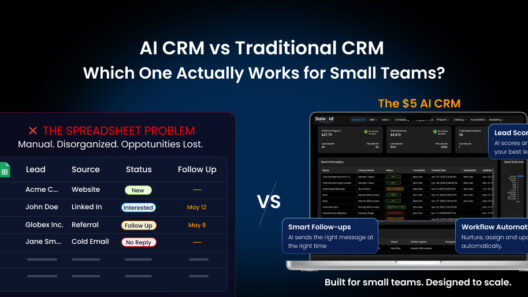
A spreadsheet can store contact data, but it can’t automate follow-ups, track deal stages across a team, log emails and calls against contact records, alert you when a deal has gone cold, or generate pipeline forecasts. A CRM replaces manual tracking with an active system that keeps your entire sales process organized, visible, and moving without depending on someone to remember to update a row.
Yes, solo founders, consultants, freelancers, and small operations with no formal “sales team” benefit from CRM as much as large teams, sometimes more, because there’s no one to catch things that fall through the cracks. A CRM for a solo operator is essentially a second brain for every client relationship and business development conversation.
Service businesses – agencies, consultants, accountants, coaches need CRM features that support relationship depth over volume. Key requirements: detailed contact and company history, project-linked deal tracking, follow-up automation, proposal or quote management, and integration with the communication tools you already use. Pipeline stages should be customizable to reflect your service delivery process, not a generic prospecting → proposal → closed” model.
A well-designed affordable CRM should be functional for a small team within a single business day: account setup, contact import, pipeline configuration, and basic email integration. Teams that spend weeks implementing a CRM are usually dealing with unnecessary complexity, either in the tool itself or in over-engineering the setup before going live. Start simple, then customize as real usage reveals what you actually need.
The Bottom Line
Buying a CRM isn’t about finding the most impressive feature list at the lowest price. It’s about finding the platform that removes friction from your sales process, gets used consistently by your team, and grows with your business without holding your data or your workflow hostage to aggressive upgrade pricing.
The best affordable CRM in 2026 is the one your team opens every morning, trusts every afternoon, and relies on to close every deal – not because it has the most features, but because the features it has are exactly the ones you need, working exactly the way you expect.
[Book a free demo] [See what Saleoid includes at $5/month]