
Most small businesses start with good intentions when they adopt CRM systems. They want a central place to store customer contacts, track deals, and bring structure to sales and follow-ups. In fact, an estimated 71% of small businesses use some form of CRM software to manage interactions and improve processes.
But what often happens next is unexpected.
Instead of relying on a single system for customer data, teams begin adding extra tools to fill gaps they perceive in the CRM. A separate tool for emails. Another for scheduling. One for reporting. Another for marketing automation. Before long, the list grows and sometimes to 4, 5 or more separate applications.
This is where sales tool complexity begins. Managing multiple systems quickly adds cost and confusion, especially for small teams where every hour and every dollar counts. What looked like a simple CRM for small businesses becomes a patchwork of disconnected software that doesn’t talk well to each other.

As the number of tools increases, so does the effort required to keep data consistent. Contacts are updated in one place but missing in another. Follow-ups live in a calendar app. Lead statuses are logged in spreadsheets. This fragmentation adds hidden work and hidden cost that few businesses acknowledge upfront.
For small teams, this isn’t a small issue as it creates pressure on people who are already juggling sales, operations, support, and growth. Instead of spending time selling or nurturing customers, team members spend time switching between tools and reconciling data. Work that doesn’t directly drive revenue.
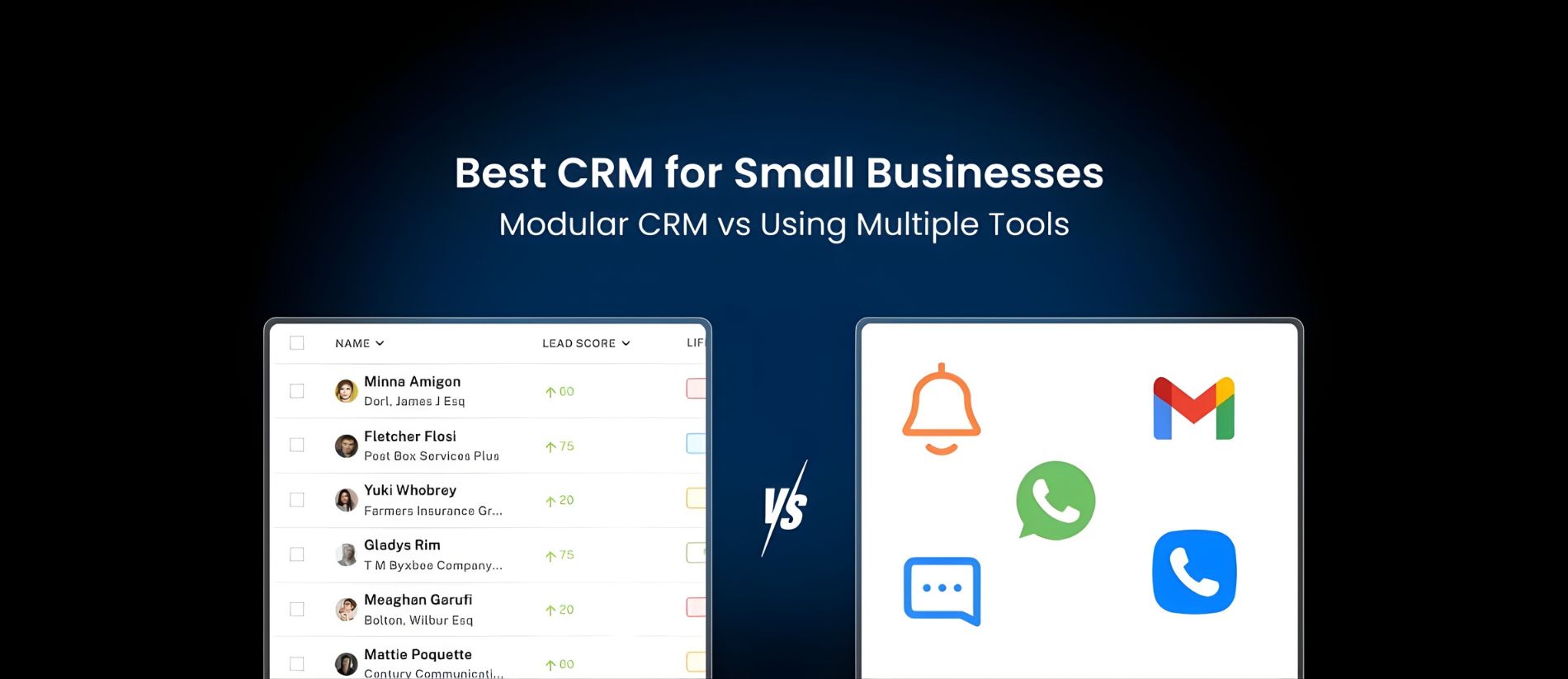
This blog explores how CRM for small businesses compares with a more modular CRM approach, especially in terms of real costs and workflow efficiency, so you can see the difference clearly and make better decisions.
What “Multiple Tools” Looks Like in a Small Business
In most small businesses, the CRM is rarely the only system in use. A typical setup often looks like this:
- One tool for managing contacts and leads.
- Another for sending emails.
- One for billing and invoicing.
- Another for automation and follow-ups.
- One more for project or task management.
Individually, each tool serves a purpose. Together, they form what many businesses don’t realize is a full CRM tool stack. This setup usually develops over time.
A company starts with a basic CRM. Then it adds an email tool for better campaigns. Later, it adopted invoicing software. When reporting feels limited, another tool is introduced. When tasks become hard to track, a project management platform is added.
Each decision makes sense in isolation. But over time, this creates a patchwork system where no single platform has the complete picture.
- Customer details sit in the CRM.
- Payment records are in billing software.
- Project updates are in another tool.
- Follow-ups are tracked somewhere else.
To understand one client’s full journey, team members have to check several systems. This is where manual coordination becomes unavoidable.
Employees copy information from one tool to another. Update the same record in multiple places. They verify details through emails and chats. Rely on memory to fill gaps when systems don’t match. These small tasks rarely appear in budgets, but they contribute heavily to the cost of multiple sales tools.
Over time, this growing CRM tool stack cost is felt in lost productivity and slower execution. What started as a flexible setup slowly becomes difficult to manage. And for many small businesses, this is the point where tools begin to control the workflow instead of supporting it.
What a Modular CRM Looks Like in Practice
A modular CRM system works differently from traditional “all-or-nothing” platforms.
Instead of forcing businesses to adopt a long list of features from day one, it allows them to build their setup gradually. This approach is especially useful for CRM for small businesses, where needs often change as the company grows.

Rather than paying for everything upfront, teams focus on what they actually use.
1. Start With Only What You Need
With a modular CRM, businesses begin with core functions and expand later. Most small teams typically start with:
- Contact and lead management
- Basic sales pipeline tracking
- Activity and follow-up reminders
- Simple reporting
This keeps the system easy to use and quick to adopt. Teams are not overwhelmed by features they don’t need yet, which improves early engagement and reduces training time.
2. Add New Modules as the Business Grows
As operations become more complex, new capabilities can be added when required. Common additions include:
- Email marketing and automation
- Billing and invoicing
- Customer support management
- Advanced analytics
- Workflow automation
Because these modules are part of the same platform, they integrate naturally. Businesses avoid the need for third-party tools and reduce long-term complexity. This makes scaling more predictable and cost-efficient.
3. Keep All Customer Data in One Place
One of the biggest advantages of a modular CRM system is unified data. All customer information stays connected, including:
- Contact details
- Communication history
- Deal progress
- Payment records
- Support interactions

Teams do not need to search across tools to understand a customer’s status. Everyone works from the same, up-to-date information, which improves coordination and reduces errors.
How This Supports Daily Operations
In practice, this structure simplifies everyday work.
- Fewer systems to manage
- Less manual data entry
- More reliable reporting
- Faster onboarding for new staff
- Better visibility for managers
For CRM for small businesses, this balance of flexibility and structure is crucial. It allows companies to stay organized without becoming dependent on complicated software setups.
A modular CRM does not aim to replace flexibility. It aims to organise it. By letting businesses choose, expand, and connect features within one system, it creates a foundation that supports growth instead of slowing it down.
Cost Comparison: Modular CRM vs Multiple Subscriptions
For most small businesses, software expenses rarely feel high in the beginning. A CRM may cost a small monthly fee.
As teams expand and requirements increase, businesses pay more for users, upgrades, integrations, and additional features. What starts as a simple setup gradually turns into a complex and expensive system.
This is where the real difference between modular CRM cost and the cost of multiple sales tools becomes visible.
| Cost Area | Modular CRM System | Multiple Sales Tools |
|---|---|---|
| User Pricing | One pricing model for all modules | Separate per-user fees for each tool |
| Core Features | Included within selected modules | Often spread across different platforms |
| Add-Ons & Upgrades | Added only when needed | Frequent upgrades across tools |
| Integrations | Built-in within the platform | Paid third-party tools required |
| Automation | Part of the system | Extra cost through external platforms |
| Training | One system to learn | Multiple tools to master |
| Support & Maintenance | Centralized support | Separate support for each tool |
| Billing & Invoicing | Included as a module | Separate subscription |
| Reporting & Analytics | Integrated reports | Often paid add-ons |
| Hidden Costs | Limited and predictable | High due to overlaps and workarounds |
When businesses rely on multiple subscriptions, costs rarely stay fixed. Each new hire increases user fees. New requirement leads to another upgrade. Each missing feature requires another tool. Over time, these small additions create a much higher CRM tool stack cost than most teams expect.
With a modular CRM system, spending is easier to control. Businesses pay only for the modules they use and expand gradually. There are fewer surprises and fewer overlapping expenses.
For CRM for small businesses, this predictability is often more valuable than short-term savings. It allows teams to plan better, invest confidently, and avoid being locked into costly software setups.
How to Choose the Right CRM Setup
Choosing the right CRM setup does not require complex analysis. In most cases, the answer becomes clear when you look honestly at how your business operates today and where it is headed.
If you are considering switching from multiple tools to CRM, this simple framework can help you evaluate whether your current system is still serving you well.
1. Look at Your Team Size
Start with the number of people who use your sales and customer systems daily. If only one or two people access the CRM occasionally, a basic setup may still be enough. But if several team members depend on it for leads, follow-ups, reporting, and customer management, coordination becomes more important.
As team size grows, scattered tools become harder to manage. A unified system helps maintain consistency and reduces confusion.
2. Count How Many Tools You Use
Next, list every platform involved in your sales and customer workflows. Include your CRM, email tools, billing software, automation platforms, reporting systems, and project management tools.
If your team regularly switches between four or more systems to complete basic tasks, it is a strong sign that your setup is becoming inefficient. A higher tool count usually means higher costs and more coordination work.
3. Measure How Much Work Is Still Manual
Pay attention to tasks that require copying, updating, or verifying information. Examples include:
- Entering the same data in multiple tools
- Manually sending follow-ups
- Creating reports in spreadsheets
- Checking different systems for updates
When manual work forms a large part of daily operations, productivity suffers. This often indicates that existing tools are not working well together.
4. Review Your Growth Plans
Finally, consider where your business is heading over the next one to two years.
- Are you planning to hire more staff?
- Expand your services?
- Increase your customer base?
- Enter new markets?
If growth is part of your strategy, your systems must be able to scale with you. A setup that works for five clients may not work for fifty. Planning ahead reduces the risk of repeated migrations and costly restructuring later.
The right setup is all about choosing a system that supports your current operations and future goals without adding unnecessary complexity.
Why Most CRM Pricing Plans Don’t Make Sense for Small Businesses
For many small businesses, one of the biggest frustrations with traditional CRM platforms is pricing. Most systems start at around $99 per month for basic plans, even when you only need a few features. On top of that, these entry-level plans often include tools that are irrelevant to your business, while the features you actually need remain locked behind higher tiers.
This means you end up paying more without getting full access. Email automation may be limited. Reporting may be restricted. Integrations may be unavailable. Over time, you either accept these limitations or upgrade to even more expensive plans.
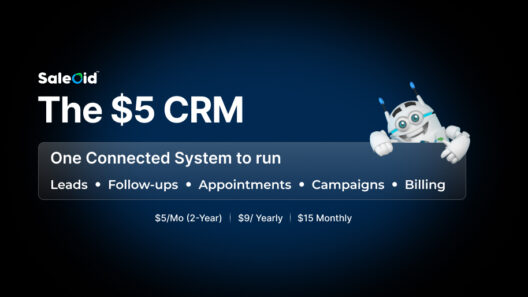
A modular CRM takes a different approach. Instead of forcing you into fixed bundles, it allows you to pay only for what you use. Platforms like Saleoid start at $5 per month, and you can add the tools or apps you need for just $1 each. This gives small businesses better control over costs, avoids unnecessary spending, and makes it easier to build a system that fits their actual workflow.
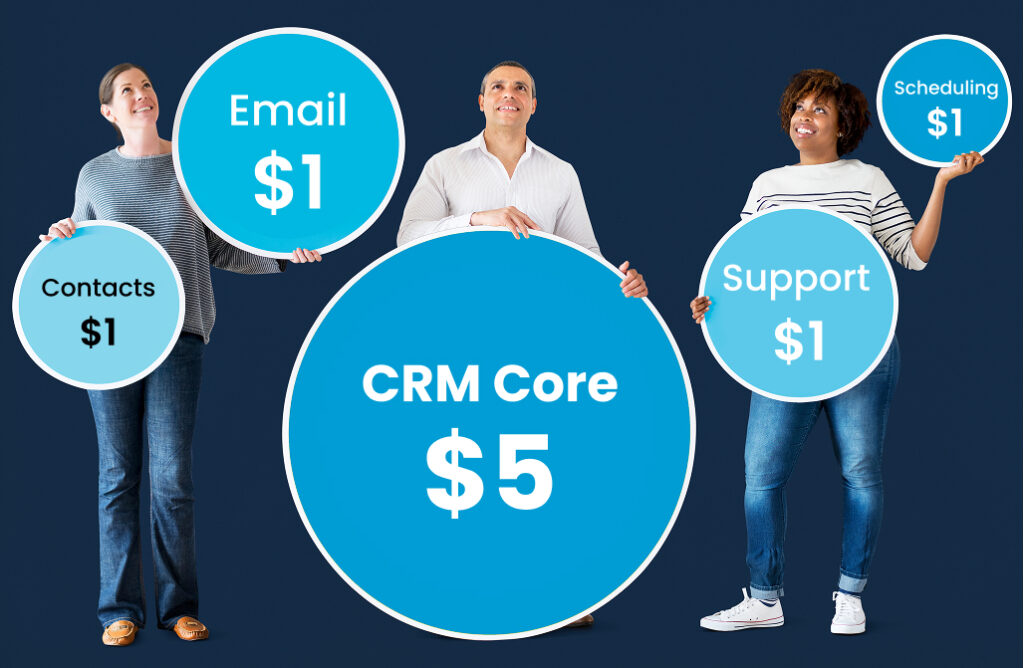
Rather than paying for features you don’t use, a modular setup lets you invest in what truly supports your growth.
FAQs on CRM for Small Businesses
An all-in-one CRM is usually better than using multiple tools because it keeps customer data, sales activities, and workflows in one place. However, many traditional all-in-one systems come with fixed bundles that include features some businesses may not need. A modular CRM offers similar integration benefits while allowing companies to activate only the tools that fit their workflow.
Sales CRM software costs vary widely depending on features and user limits Many popular platforms start at higher monthly prices and require upgrades for full access. For small businesses, flexible systems like modular CRM are a better choice as they provide cost control and reduce long-term software expenses.
Yes, modern CRM systems can manage sales, billing, and automation within a single platform. The challenge is that many systems lock these functions behind premium plans. CRM that allows businesses to choose and add these functions individually offer more practical control over both features and budget.
The best CRM software for growing small businesses is one that adapts as the company expands. It should offer core tools from the start and allow additional features to be added when needed.
Wrapping Up!
For most small businesses, the biggest challenge is not choosing software but choosing systems that remain useful as the business grows.
Traditional all-in-one CRM platforms often start with high fixed costs, limited flexibility, and feature bundles that do not always match real needs. Over time, this leads to unnecessary spending, workarounds, and reduced control over operations.
A modular CRM approach helps solve these problems by giving businesses more control over how they build their systems. Teams pay for the tools they use, avoid overlapping subscriptions, and reduce wasted investment. This makes cost management more predictable and sustainable.
Most importantly, modular systems prepare businesses for growth. As requirements change, new features can be added without replacing the entire setup.
- Training remains simple.
- Reporting stays reliable.
- Processes scale without major disruption.
For small businesses that want long-term stability and controlled costs, choosing a modular CRM is a strategic investment in sustainable growth.