

Keap promised something most small businesses actually need, i.e. one tool to manage contacts, automate follow-ups, send emails, and close deals without juggling 5 different platforms. For consultants, coaches, and service businesses, that was a big deal. And for a while, it worked. But many businesses eventually start running into common CRM challenges as their needs grow. If you’ve experienced them, you’re not alone: CRM Problems for Businesses
However, as your business grows, things start to feel different.
First, there’s the cost. With pricing starting around $299/month and a mandatory onboarding fee, it quickly becomes a serious investment, especially if you’re a solo operator or a small team.
Then comes complexity. The automation builder works, but once you try to build more advanced workflows, it can feel limiting and harder to manage than expected.
So naturally, you start looking for better options.
That’s where this guide helps. Instead of listing random tools, this blog breaks down the best Keap alternatives based on what you actually need. Whether you need lower pricing, easier automation, simpler setup, or a system that fits, this list might help you make the best decision.
What Made Keap Popular and Why It No Longer Fits Everyone
Keap earned its reputation for a reason.
It was one of the few platforms built specifically for service businesses, consultants, and coaches, not generic sales teams. Instead of stitching together multiple tools, Keap brought everything into one place, including CRM, email marketing, automation, payments, and appointment scheduling.
For many businesses, that simplicity was powerful.
You could capture leads, automate follow-ups, send invoices, and manage clients, all without switching platforms. Its automation builder, combined with built-in marketing and payment tools, made it feel like a complete system rather than just another CRM.
However, what works well at one stage doesn’t always fit forever.
As your needs evolve, the same “all-in-one” setup can start to feel expensive, complex, or limiting, depending on how you use it. That’s why you need to look for the best Keap alternatives.
Where Keap Still Makes Sense
To be fair, Keap is still a strong option in the right situation:
- Service businesses managing 1,000+ contacts and actively using automation
- Consultants and coaches running structured onboarding or nurture sequences
- Teams already spending $200+/month across multiple tools
- Businesses that want CRM, email, payments, and scheduling in one login
In these cases, Keap can replace several tools and simplify operations.
Where It Starts to Break Down
However, for many users, the challenges become more noticeable over time:
- Solopreneurs or small teams where $299/month feels too expensive for the value
- Businesses that mainly need email marketing, not a full CRM suite
- Teams that struggle with the learning curve and don’t fully adopt the system
- Businesses relying on consistent email delivery, especially to Microsoft domains
In short, Keap is just not the right fit for everyone anymore. And that’s exactly why many users start exploring some of the best Keap alternatives.
How to Choose the Right Keap Alternative

Before you start comparing tools, pause for a second. The right choice depends on one thing, i.e. why you’re leaving Keap in the first place.
Without that clarity, every option will look either overwhelming or underwhelming. However, once you know your reason, the decision becomes much easier.
Below, we believe, is a simple way to think about the best Keap alternatives:
If You’re Leaving Because of Price
You don’t need everything Keap offers. Instead, you need a tool that covers the basics like CRM, simple automation, and follow-ups without crossing $50/month. In other words, focus on the features you actually use, not the full suite.
In many cases, businesses overpay for bundled features they never use. This is where understanding the difference between Modular CRM vs Multiple Tools becomes important.
If You’re Leaving Because of Complexity
Keap can feel powerful, but also heavy. So, if your team isn’t using it fully, that’s a sign. You need a simpler tool with a clean interface and a shorter learning curve. Something you can start using immediately without long onboarding.
If You’re Leaving Because of Missing Features
Sometimes, the issue isn’t cost or usability, it’s capability. For example, you might need better email automation, deeper reporting, or stronger integrations. In that case, look for a tool that goes deeper in the area where Keap falls short.
If You’re a Consultant Who Needs a Simpler All-in-One
You don’t want five tools. But you also don’t want enterprise-level complexity. What you need is a balanced system that includes CRM, scheduling, follow-ups, and invoicing, all in one place, without spending weeks setting it up.
Once you know which category you fall into, the next section will make a lot more sense because not every Keap alternative solves the same problem.
Best Keap Alternatives for Small Businesses on a Budget
If price is your main concern, you don’t need a “replacement” for Keap. You need a smarter setup. You need something that gives you the core features without the enterprise cost.
- Saleoid – Best All-in-One Alternative Starting at $5/Month
If Keap feels expensive, Saleoid is usually the first tool worth looking at. It’s designed for small businesses that want everything in one place. You’ll get CRM, automation, billing, and communication without paying for features you won’t use. If you’re not fully clear on what a sales CRM should actually include, this breakdown can help: What is Sales CRM Software
SALEOID CTA BANNER
What it is: Saleoid is an all-in-one business platform that combines CRM, sales pipelines, email marketing, scheduling, invoicing, and automation into a single system, starting at just $5/month.
Why is it one of the best Keap alternatives in terms of value: Unlike Keap’s high starting cost, Saleoid lets you build your own setup. You only pay for the features you need. As a result, you avoid paying for unused tools.
Best for:
- Solo consultants
- Small service businesses
- Startups looking for affordability + flexibility
Key features:
- Sales CRM with pipelines and lead tracking
- Marketing automation with follow-ups and sequences
- Appointment scheduling with reminders
- Billing and invoicing with payment tracking
- Multi-channel communication (email, SMS, WhatsApp)
Honest note: Saleoid is built for small and growing teams. However, if you need enterprise-scale automation with massive contact lists, you may need a more advanced platform.
- ActiveCampaign – Best for Email Automation Depth
If your main frustration with Keap is automation, ActiveCampaign is a strong upgrade.
What it is: A CRM and marketing automation platform focused heavily on email sequences, behavior tracking, and segmentation.
Why switch from Keap: It goes much deeper in email automation and at a lower starting price.
Best for: Businesses where email marketing drives most revenue.
Key strengths:
- Advanced automation workflows
- Behavioral triggers and segmentation
- Lead scoring and pipeline tracking
Honest trade-off: No built-in invoicing or payments. You’ll need additional tools.
- EngageBay – Best Budget All-in-One
If you like Keap’s concept but not its price, EngageBay offers a similar idea at a lower cost.
What it is: An all-in-one CRM with marketing, sales, and support features.
Why switch from Keap: It delivers similar functionality at a fraction of the price.
Best for: Very small teams or solopreneurs.
Key strengths:
- CRM + email marketing in one platform
- Basic automation tools
- Affordable pricing tiers
Honest trade-off: The interface isn’t as polished, and support can vary depending on the plan.
Best Keap Alternatives for Consultants and Service Businesses
If your business is service-driven, your needs are slightly different. You’re not just managing contacts but managing relationships, deals, and ongoing client work.
- HubSpot CRM – Best for Consultants Who Want to Scale
HubSpot is often the first alternative people explore and for good reason.
What it is: A full CRM platform with marketing, sales, and service tools, starting with a strong free plan.
Why switch from Keap: You can start free and scale gradually without switching platforms later.
Best for: Consultants who want long-term flexibility and strong inbound marketing tools.
Key strengths:
- Free CRM with powerful features
- Meeting scheduling and email tracking
- Scalable ecosystem (Marketing, Sales, Service Hubs)
Honest trade-off: Costs increase quickly as your contact list grows and you unlock automation features. If you’re comparing tools, this detailed breakdown helps: Saleoid vs HubSpot CRM
- Pipedrive – Best for Sales-Focused Consultants
If your workflow revolves around deals, Pipedrive keeps things simple and focused.
What it is: A visual pipeline CRM built specifically for sales management.
Why switch from Keap: It’s faster, cleaner, and more intuitive for managing deals.
Best for: B2B consultants and service providers focused on closing deals.
Key strengths:
- Visual pipeline management
- Easy tracking of deals and follow-ups
- Clean, distraction-free interface
Honest trade-off: No built-in marketing automation or invoicing, you’ll need additional tools.
- Zoho CRM – Best for Growing Teams That Need Customization
If you’re outgrowing Keap and need more control, Zoho is worth considering.
What it is: A highly customizable CRM with a full ecosystem of business tools.
Why switch from Keap: It offers deeper customization, reporting, and integrations at a lower price.
Best for: Growing businesses that want to expand beyond CRM into full operations management.
Key strengths:
- Advanced customization options
- Integration with Zoho’s full suite (finance, HR, projects)
- Strong reporting and analytics
Honest trade-off: There’s a learning curve. It takes time to set up properly.
Once you match the tool to your situation, the decision becomes much clearer and much faster.
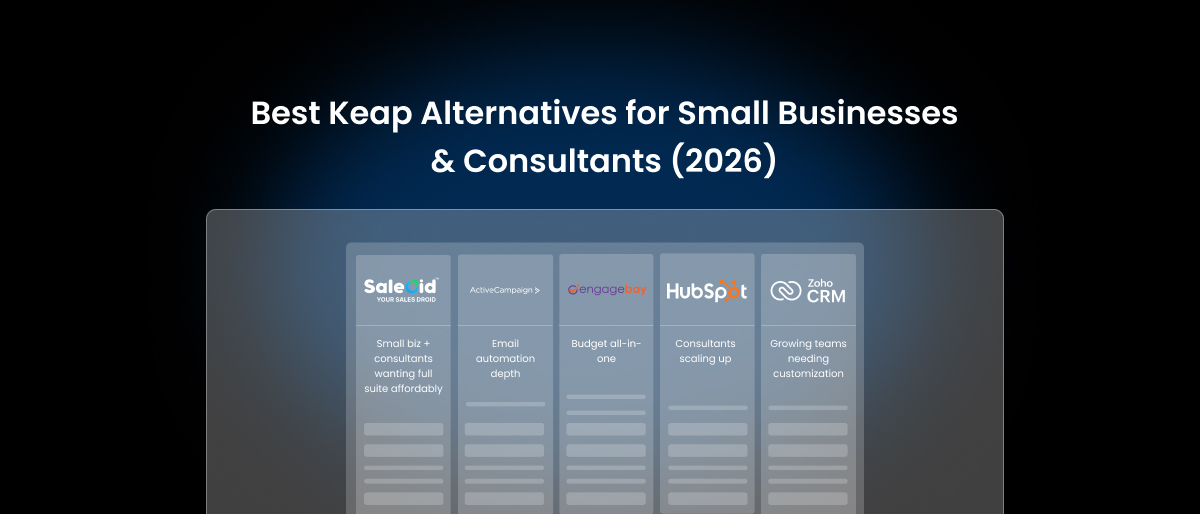
| Tool | Best For | Starting Price | Has Automation? | Has Invoicing? |
|---|---|---|---|---|
| Saleoid | Small biz + consultants wanting full suite affordably | $5/month | ✅ Yes | ✅ Yes |
| ActiveCampaign | Email automation depth | $15/month | ✅ Yes | ❌ No, not in-built |
| EngageBay | Budget all-in-one | ~$12.74/month | ✅ Yes | ✅ Yes |
| HubSpot | Consultants scaling up | ~$9/month+ | ✅ Paid only | ✅ Yes |
| Pipedrive | Sales pipeline management | $14/month | ✅ Limited | ❌ No, not in-built |
| Zoho CRM | Growing teams needing customization | $14/month | ✅ Yes | ✅ Add-on |
| Keap | Established small biz using full suite | $299/month | ✅ Yes | ✅ Yes |
How to Make the Switch Without Losing Your Data
Switching tools sounds simple. However, this is where most people hesitate. The real fear is losing data, breaking workflows, or disrupting your business during the transition. The good news is that with a little planning, switching from Keap can be smooth. If you want a step-by-step breakdown, read: CRM Migration Guide (Step-by-Step)
3 Things to Do Before You Cancel Keap
- Export your contacts completely: Before anything else, download your full contact list. Make sure it includes tags, custom fields, and notes. Best Keap alternatives for small business support CSV imports, so this step is critical.
- Document your automation sequences: Next, go through your existing automations. Take screenshots or write down the logic step by step. This makes rebuilding workflows much faster and prevents mistakes later.
- Run both tools in parallel for 30 days: Finally, don’t rush the switch. Keep Keap running while you set up your new system. This way, you can test everything without risking missed leads or broken processes.
If you’re worried about setup, tools like Saleoid make this easier. It offers guided onboarding and data migration support, so you’re not starting from scratch.
Why Saleoid Is Worth Looking at First as a Keap Alternative
If the reason you’re leaving Keap is cost, or the feeling that you’re paying for features you don’t really use, Saleoid is worth a closer look.
Instead of locking you into a high starting price, it begins at just $5/month. More importantly, it lets you choose only the tools your business actually needs. So, you’re not paying for features you’ll never use.
At the same time, it still covers the full workflow, from lead capture to final payment without forcing you to manage multiple tools. Let’s see what that actually means in practice:
- Lower cost from day one: Start at $5/month without mandatory onboarding fees
- Pay only for what you use: Modular setup instead of bundled pricing
- Everything in one place: CRM, automation, scheduling, and billing connected
- Faster setup: No complex configuration before sending your first email
- Built for consultants: Manage leads, calls, follow-ups, and invoices in one flow
As a result, you spend less time managing tools and more time managing your business.
If you want to see how it compares to your current setup, it’s worth reviewing Saleoid’s custom CRM pricing or booking a quick demo to map it to your workflow.
Conclusion
The best Keap alternatives aren’t the ones with the most features or the biggest brand name. It’s the one that solves the exact problem that made you start searching.
If price is the issue, go lean and flexible. If complexity is slowing you down, choose something simpler. And if you’ve outgrown Keap’s capabilities, look for a tool that goes deeper where it matters.
In many cases, the right solution is a better-fit software. And if you’re looking for a system that covers CRM, automation, scheduling, and billing without high upfront costs or unnecessary complexity, Saleoid is a strong place to start.
FAQs
- What is the cheapest alternative to Keap for small businesses?
Saleoid is one of the most affordable CRM software options, starting at $5/month. It offers CRM, automation, and billing without the high upfront costs associated with Keap.
- Is HubSpot a good replacement for Keap?
HubSpot CRM is a strong alternative, especially for consultants. It offers a free plan and scalable features. However, costs can increase as your contact list and automation needs grow.
- Can I switch from Keap without losing my contacts and automations?
Yes, you can export your contacts, tags, and data from Keap and import them into a new platform. However, automation workflows usually need to be rebuilt manually in the new system.
- What is the best Keap alternative for consultants and coaches?
For consultants and coaches, tools like Saleoid and HubSpot CRM work well. Saleoid offers an all-in-one solution at a lower cost, while HubSpot provides scalability and strong marketing tools.