


For most business owners, getting a CRM feels like a big milestone. Once the system is set up, leads are added, and the team starts using it, there’s a sense of relief. “Good, this part is sorted now.” Sales tracking feels organized. Customer data has a place. Follow-ups seem more manageable. However, many teams soon begin facing CRM problems for businesses, such as tool complexity, rising costs, and disconnected workflows that slowly reduce the efficiency they expected from the system.
So, the assumption is simple, i.e. We have a CRM. Our sales process is under control.
But for many companies, that’s where the story quietly goes wrong.
Having a CRM does not automatically mean it’s working for you. Industry research shows that between 30% and 60% of CRM implementations fail to deliver expected results, even after successful implementation.
In fact, some of the most common CRM problems for businesses start only after the system is in place. Over time, small gaps appear. Data becomes outdated. Workflows become messy. Team members begin using the system differently. Slowly, CRM inefficiency becomes part of daily operations.
The tricky part is that none of this feels dramatic. There’s no sudden failure. No system crash. No clear warning sign. Instead, revenue starts leaking in small ways.
- A lead doesn’t get followed up on time.
- A client’s history isn’t updated.
- A deal gets delayed because information is missing.
- Even Forrester research shows that inaccurate CRM data can lead to double-digit errors in revenue forecasting, making planning and scaling much harder.
Each issue looks minor on its own. But together, they affect performance, conversions, and growth.
Because these problems happen quietly, most founders don’t connect them to their CRM. They blame slow markets, weak leads, or team performance. Very few realize that problems with CRM systems are often hiding in plain sight.
This is why many businesses feel busy, yet struggle to scale. They think their CRM is supporting them. When in reality, it may be slowing them down.
In this blog, we’ll look at the most common signs that your current setup could be costing you revenue, without you even noticing.
How One CRM Turns Into 5 Sales Tools
Most businesses don’t plan to build a complicated sales system. They usually start with one CRM. Just one tool to manage leads and customers.
At first, it feels enough as you can store contacts, track deals, add notes and set reminders. Everything seems organized. But as the business grows, new needs appear.
You want better email tracking. So, you add an email tool.
You want automated follow-ups. So, you add another platform.
You need better reporting. So, you subscribe to analytics software.
You want smoother scheduling. So, you connect a booking app.
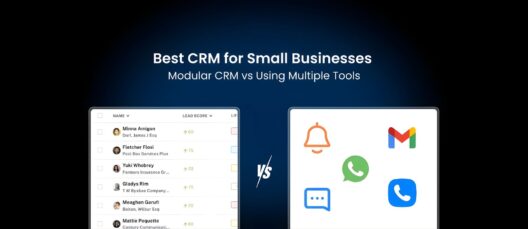
Before you realize it, your “CRM setup” is no longer just a CRM. It’s a collection of tools trying to work together. This is how many companies end up with too many sales tools, even though they already have a CRM.
Each new tool solves a small problem. Every choice feels smart. It all promises to save time. And in isolation, they often do.
The problem starts when these tools don’t fit naturally into one system. A CRM manages contacts. An email tool runs campaigns. An automation tool runs workflows. A reporting tool shows the numbers. A scheduling app manages meetings.
None of them share the full picture. So, your team starts jumping between platforms just to complete simple tasks.
- Update a lead here.
- Check activity there.
- Confirm status somewhere else.
- Send follow-ups in another place.
Over time, this creates CRM inefficiency without anyone noticing. People spend more time managing systems than talking to customers, as a result of which:
- Important details get missed.
- Updates get delayed.
- Information gets duplicated.
And slowly, the CRM stops feeling like a support system. It starts feeling like extra work. This is one of the most common problems with CRM systems today. Not that they don’t work. But that they’ve been stretched, patched, and extended so much that they no longer work smoothly.
Sign #1: Your Team Avoids Using the CRM

One of the most common CRM problems for businesses is low user adoption.
In many organizations, CRM usage drops within a few months after implementation. At the start, teams are motivated to use the system. Training is fresh. Managers monitor activity. Reports are reviewed regularly.
Over time, this changes.
When a CRM feels slow, complicated, or disconnected from daily work, people start using it less. Sales teams focus on closing deals, not updating systems. If entering data takes too long or feels repetitive, it gets postponed.
Eventually, updates become irregular.
Deal stages are not maintained. Follow-ups are tracked outside the system. Customer notes remain in emails or chat tools. Meeting outcomes are not recorded.
This leads directly to CRM inefficiency.
The system still exists, but the information inside it no longer reflects what is actually happening in the sales pipeline crm. Managers begin to question reports. Forecasts become unreliable. Planning becomes difficult.
This is also where outdated CRM issues usually begin.
When records are not updated consistently, data becomes old within weeks. Contact details change. Deal values shift. Client priorities evolve. But the CRM stays the same.
Once teams lose confidence in the accuracy of the system, they rely on it even less. This creates a cycle where low usage leads to poor data, and poor data leads to even lower usage. Over time, this becomes one of the most serious CRM problems for businesses.
Sign #2: Your Data Is Always Incomplete or Outdated
In many businesses, CRM data becomes unreliable much faster than expected.
Even when a system is set up correctly, information starts losing accuracy within months if it is not maintained consistently. Contact details change. Decision-makers move on. Deal values are revised. Client priorities shift. But these updates are often not reflected in the CRM.
This is one of the most common outdated CRM issues.
Sales and account teams usually update records only when it feels necessary. If a change does not affect an immediate task, it gets ignored. Over time, small gaps begin to appear in customer profiles and deal records.
- Important fields remain empty.
- Notes are incomplete.
- Communication history is missing.
- Deal stages are not revised.
As these gaps grow, CRM inefficiency increases.
Managers start spending extra time verifying information. Teams double-check details through emails and calls. Reports are reviewed with caution because no one is fully sure which numbers are accurate.
This also affects collaboration.
When data is incomplete, different team members work with different versions of the same information. One person may believe a deal is active. Another may think it is delayed. A third may not know its current status at all.
This creates confusion and slows down execution.
Incomplete data also weakens automation and workflows. Many CRM systems rely on accurate fields to trigger follow-ups, reminders, and reports. When information is missing or outdated, these processes fail or produce wrong results.
Over time, unreliable data becomes one of the biggest hidden risks to revenue. Sales opportunities are missed. Customer relationships weaken. Strategic decisions are based on assumptions rather than facts. All because the CRM no longer reflects reality.
Sign #3: You Still Do Too Much Work Manually
One of the clearest signs of CRM inefficiency is the amount of manual work your team still handles every day.
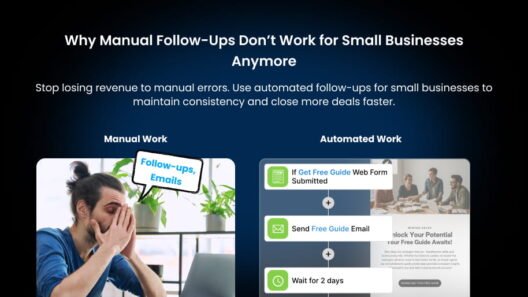
Most modern CRM systems offer automation features for follow-ups, lead assignment, reminders, reporting, and data updates. These tools are meant to reduce repetitive tasks and free up time for selling and customer engagement. However, in many businesses, these features are either underused or poorly configured.
As a result, teams continue to rely on manual processes.
- Leads are assigned by hand.
- Follow-up emails are sent manually.
- Meeting notes are copied into records.
- Deal updates are entered one by one.
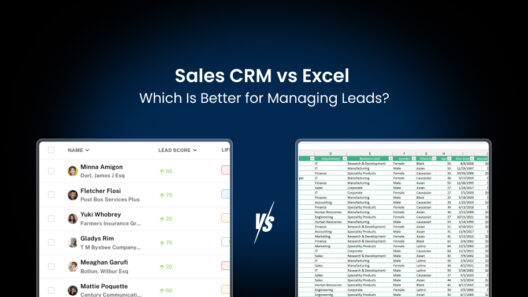
- Reports are prepared in spreadsheets.
This is one of the most overlooked problems with CRM systems.
Manual work feels manageable at first. It gives teams a sense of control. But as volumes increase, these tasks start consuming a significant part of the workday. Sales representatives spend less time speaking with prospects. Account managers spend more time updating systems. Managers spend more time checking data instead of analyzing it. Over time, this reduces productivity across the organization.
Manual processes also increase the risk of errors.
Information is entered incorrectly. Updates are missed. Records are saved in the wrong fields. Important activities are forgotten. Small mistakes accumulate and weaken data quality. This directly contributes to outdated CRM issues and unreliable reporting.
Another common outcome is inconsistent workflows.
Different team members handle the same tasks in different ways. Some follow internal processes. Others create their own shortcuts. Without standardized automation, performance becomes difficult to measure and improve. When a business depends heavily on manual work, it limits its ability to scale.
In the long run, excessive manual work is not just a workflow issue. It is a structural weakness that affects revenue, accuracy, and customer experience.
Sign #4: Your CRM Doesn’t Talk Properly to Other Tools
In most businesses, the CRM does not operate independently. It is usually connected to email platforms, marketing tools, billing systems, customer support software, scheduling apps, and reporting dashboards. These connections are meant to create a smooth flow of information across teams.
In practice, many of these integrations work only partially. Data may sync in one direction but not the other. Updates may be delayed. Some fields may not transfer correctly. Certain activities may not be recorded at all. This is a major source of problems with CRM systems.
When integrations are unreliable, teams cannot trust that information is complete. A lead captured through a form may not appear in the CRM. An email conversation may not be logged. A payment update may not reflect in customer records.
As a result, staff members begin checking multiple tools to confirm details.
They review emails, dashboards, and spreadsheets to verify the same information. This increases workload and reduces efficiency. Over time, these disconnected systems contribute to CRM inefficiency and data inconsistency.
Another issue is dependency on third-party automation tools.
Many businesses rely on external platforms to connect their CRM with other systems. While useful, these tools require setup, monitoring, and regular maintenance. When workflows fail, data gaps appear without immediate notice.
Integration problems also affect customer experience.
When systems are not aligned, clients receive delayed responses, incorrect updates, or repeated requests for the same information. These issues may seem minor, but they weaken trust over time.
From a management perspective, broken integrations make reporting unreliable. Revenue, pipeline status, and campaign performance are based on incomplete data. This limits the ability to make confident decisions. When a CRM cannot communicate effectively with the rest of the business, it stops functioning as a central system. And that defeats its original purpose.
Sign #5: Reporting Takes More Time Than Selling

One of the clearest indicators of CRM inefficiency is the amount of time spent preparing reports. In many businesses, sales and operations teams dedicate several hours each week to compiling performance data. Instead of accessing ready insights from the CRM, they export information from multiple tools and combine it manually.
This happens when systems are poorly integrated or when CRM data is incomplete.
Teams often pull numbers from the CRM, email platforms, billing software, and spreadsheets. These sources rarely match perfectly. Differences in deal stages, revenue figures, and activity logs require manual verification.
As a result, reporting becomes a repetitive administrative task.
Managers spend time checking accuracy instead of analyzing trends. Sales leaders focus on fixing inconsistencies rather than improving performance. Team meetings begin with clarifying numbers instead of discussing strategy. This is one of the most underestimated problems with CRM systems.
When reports are difficult to produce, they are reviewed less frequently. Decisions are made using partial information. Opportunities and risks are identified later than they should be. Delayed insights directly affect revenue.
Another common issue is limited visibility.
Many CRM platforms provide basic dashboards, but they often do not reflect the full sales journey. Important metrics may be missing or outdated. Custom reports require technical setup that few teams have time for. This leads businesses to rely on external tools and spreadsheets, increasing CRM inefficiency even further.
Over time, reporting stops serving its main purpose. Instead of guiding action, it becomes a formality. When teams spend more time preparing numbers than using them, the CRM is no longer supporting growth. It is slowing it down.
Sign #6: Your Software Costs Keep Increasing
Many businesses expect CRM costs to remain stable after implementation. In reality, expenses often rise steadily over time.
Most CRM platforms start with basic plans that appear affordable. These plans usually cover limited features, storage, and users. As teams grow and requirements change, businesses are pushed towards higher tiers and add-on services.
This is why CRM costing too much becomes a common concern.
Additional users increase monthly fees. Advanced reporting requires premium plans. Automation features come at extra cost. Storage upgrades are charged separately. Integration capabilities may require paid extensions. What begins as a simple subscription gradually turns into a complex pricing structure.
In many cases, the CRM itself is only part of the expense.
Businesses also pay for email tools, automation platforms, reporting software, and integration services to compensate for system limitations. These supporting tools increase overall software spending and add to operational inefficiency.
Another overlooked cost is training and support.
When a CRM system is difficult to use, companies invest more time and money in onboarding new employees, organizing internal training, and resolving technical issues. Productivity losses during learning periods also translate into hidden financial costs. Over time, leadership realizes that maintaining the current setup requires continuous investment.
Yet, because these increases happen gradually, they rarely trigger immediate action. As a result, businesses continue paying more for systems that deliver less value than expected. This imbalance between cost and benefit is one of the strongest signs that the current CRM setup needs review.
Sign #7: Your Sales Process Feels Disconnected
A well-functioning CRM is meant to support a clear and consistent sales journey. From the first interaction to final conversion, every stage should be visible, structured, and easy to follow. When this does not happen, the sales process begins to feel fragmented.
This is one of the most damaging CRM problems for businesses.
In many organizations, leads move through different tools and teams without proper coordination. Marketing captures inquiries. Sales handles follow-ups. Account managers manage ongoing relationships. Each group works in separate systems or uses the CRM differently.
As a result, information is lost during handovers.
- Important context is missing.
- Previous conversations are not recorded.
- Customer expectations are unclear.
- Deal status is misunderstood.
These gaps create delays and confusion.
Sales representatives spend time asking colleagues for updates instead of engaging prospects. Managers struggle to understand where deals are getting stuck. Customers receive inconsistent communication.
This leads directly to CRM inefficiency and reduced conversion rates.
Another common issue is the lack of standardized processes. When workflows are not clearly defined within the CRM, each team member develops personal methods for managing leads and accounts. Some follow internal guidelines. Others rely on memory or external notes.
This makes performance unpredictable.
High-performing individuals may succeed despite the system. Average performers struggle because there is no structured path to follow. Training new employees becomes harder, and scaling the sales team becomes riskier.
Disconnected sales processes also affect long-term customer relationships.
When historical data is incomplete or scattered, account managers cannot personalize interactions effectively. Upsell and renewal opportunities are missed. Customer satisfaction declines gradually.
Over time, the CRM stops functioning as a coordination platform. Instead of guiding sales activity, it becomes a passive database. And when that happens, revenue growth becomes harder to sustain.
Wrapping Up!
CRM inefficiency rarely looks dramatic. It shows up quietly—in missed follow-ups, scattered conversations, manual workarounds, and decisions made without full visibility. Over time, these small frictions compound into real costs: lost revenue, slower growth, and teams spending more time managing tools than serving customers.
The solution isn’t switching to a bigger or more complex CRM. It’s simplifying your setup. Removing the Frankenstack. Using a system that matches how small teams actually work.
That’s exactly where Saleoid fits.
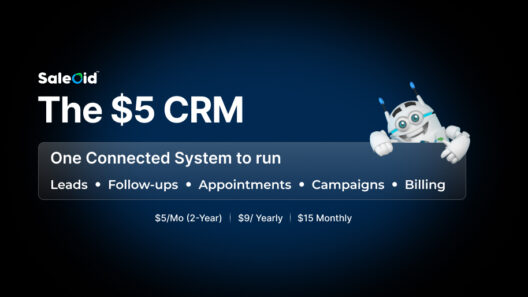
Saleoid is a modular CRM + growth stack built for solo owners and small service teams. You start with a simple, reliable CRM, then add only what you need, such as follow-ups, appointments, email campaigns, landing pages, forms, invoicing, or messaging—as your business grows. No forced bundles. Avoid upgrade traps. Skip enterprise-level complexity.
Instead of juggling spreadsheets, WhatsApp, calendars, and multiple tools, Saleoid gives you one connected workflow:
Leads → Follow-ups → Appointments → Campaigns → Billing
You can start small, keep costs predictable, and still run your entire lead-to-appointment process in one place.
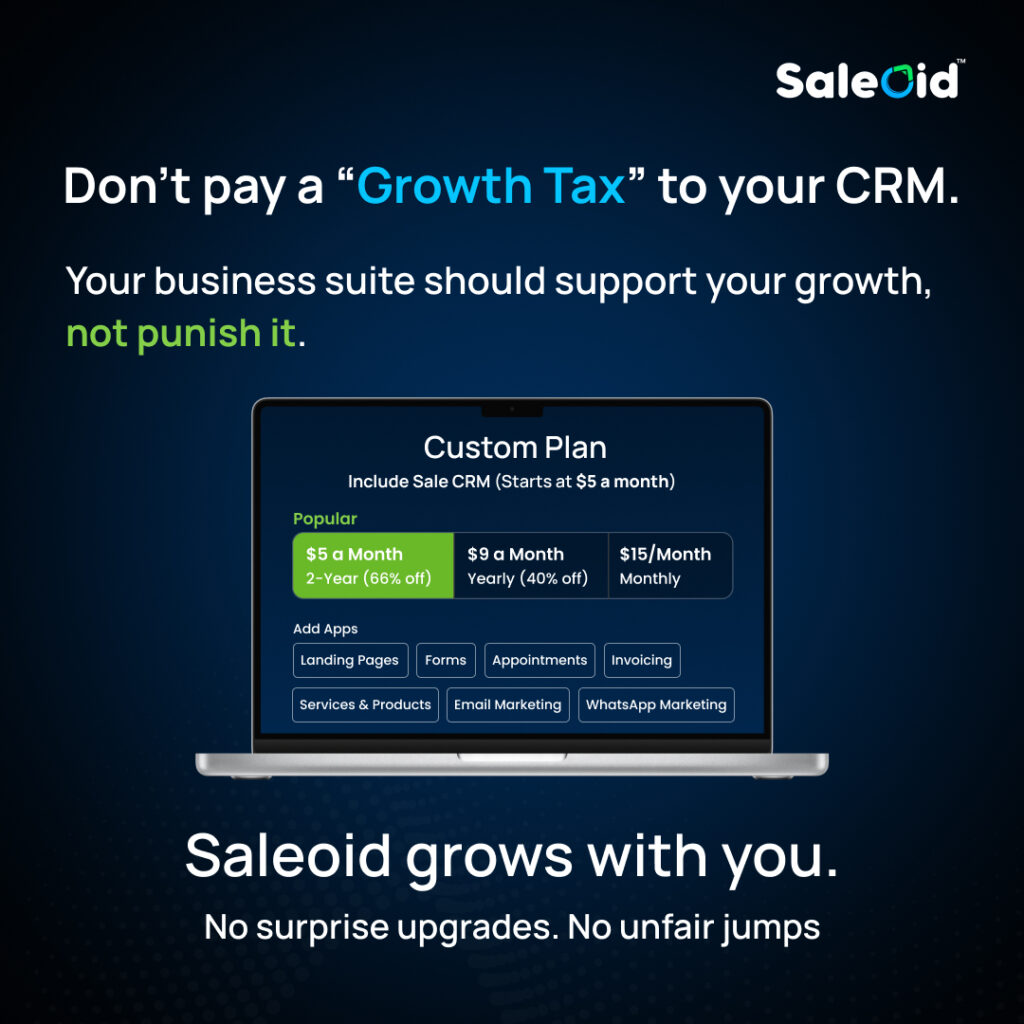
Start with Saleoid CRM from $5/month (2-year plan)
Upgrade to yearly or monthly plans only when it makes sense.
Try it with a 15-day risk-free trial.
When your CRM is simple, connected, and built around real workflows, it stops being a daily frustration and starts becoming a growth asset.