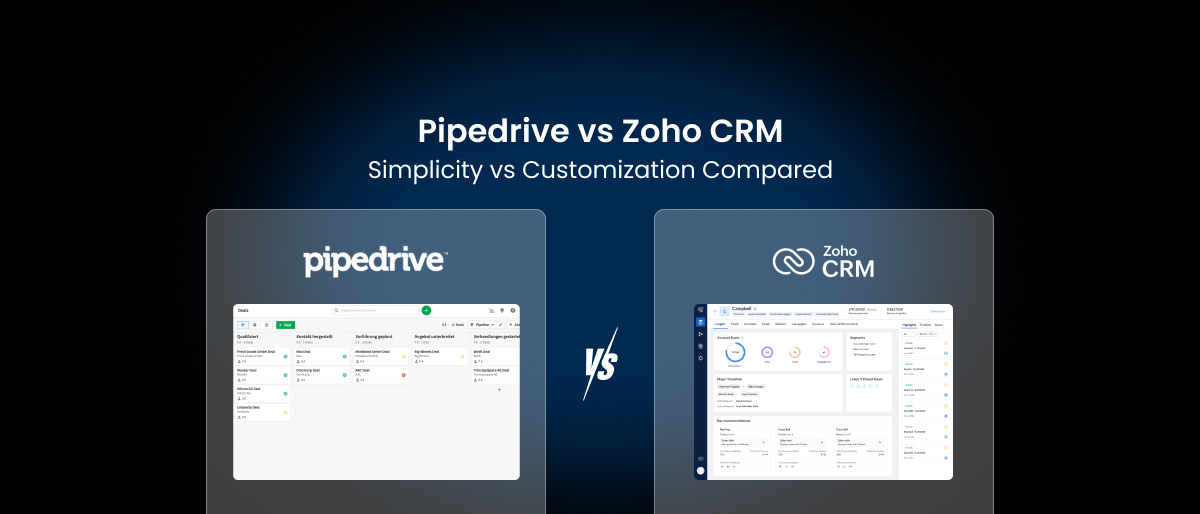

When evaluating Pipedrive vs Zoho CRM (or Zoho CRM vs Pipedrive), these two platforms consistently appear as top CRM choices for small and mid-sized businesses. Pipedrive is loved for its clean, intuitive pipeline-first design. Zoho CRM is known for its deep customization and expansive ecosystem. But which one is right for your business, and is there a smarter option that gives you the best of both worlds?
In this in-depth comparison, we’ll break down Zoho CRM vs Pipedrive features, pricing, ease of use, and real-world fit- and show you why a growing number of SMBs are choosing a third path: Saleoid.
What Is Pipedrive?
Pipedrive is a sales-focused CRM built around visual pipeline management. It’s designed to help sales teams track deals, manage contacts, and close business faster. Its biggest selling point is simplicity- you can get up and running quickly without technical expertise.
Pipedrive is best for: Sales teams that want a clean, no-fuss pipeline tool and don’t need billing, project management, or deep marketing features out of the box.
What Is Zoho CRM?
Zoho CRM is part of the broader Zoho ecosystem- a suite of 40+ business apps covering everything from email to accounting. It is highly customizable, with modules, workflows, AI features, and deep integration across the Zoho One platform.
Zoho CRM is best for: Businesses with technical resources willing to invest time into configuration and who plan to leverage the wider Zoho app ecosystem.
Pipedrive vs Zoho CRM: Feature Comparison
1. Ease of Use
Pipedrive wins here hands down. Its drag-and-drop pipeline view is immediately intuitive. New users can be productive within hours. There’s little to configure, which is a huge advantage for small teams without dedicated IT.
Zoho CRM, while powerful, comes with a notoriously steep learning curve. With dozens of modules and a complex interface that spans multiple apps, onboarding can take weeks. Many small businesses end up needing a consultant or dedicated admin just to get it running properly.
Verdict: Pipedrive is the clear winner for simplicity. Zoho CRM is the choice only if your team has the technical bandwidth to manage it.
2. Zoho CRM Customization vs Pipedrive
This is where Zoho CRM customization shines. Zoho allows you to create custom modules, fields, workflows, page layouts, and even custom functions using Deluge (its proprietary scripting language). If you have highly specific business processes, Zoho gives you the tools to build around them.
Pipedrive offers a respectable level of customization- custom fields, pipelines, and stages- but it doesn’t match the depth of Zoho. It’s designed for simplicity, not flexibility.
Verdict: Zoho CRM is the winner for deep, enterprise-grade customization. Pipedrive suits businesses that want a pre-structured, ready-to-use system.
3. Pipedrive Pricing vs Zoho CRM Pricing
Pipedrive pricing typically starts around $14 per user per month depending on billing cycle. The per-user model means costs scale quickly as your team grows- a 10-person team on the top plan would pay $790/month.
Critically, many core features like advanced automation, project management, and reporting are locked behind higher tiers or sold as paid add-ons.
Zoho CRM pricing typically starts around $14 per user per month for the Standard plan. While more feature-rich than Pipedrive at similar price points, using the full Zoho ecosystem often means subscribing to additional apps like Zoho Books, Zoho Projects, and Zoho Campaigns- rapidly multiplying your total cost.
Verdict: Both are per-user, and both get expensive as teams grow. For SMBs looking for true value, the per-user model is a fundamental limitation.
4. Sales Pipeline Management
Both platforms offer capable sales pipeline CRM tools handling pipeline management effectively, but in very different ways.
Pipedrive offers one of the cleanest pipeline views in the industry. Color-coded deal stages, activity reminders, and drag-and-drop simplicity make it a joy to use for sales reps.
Zoho CRM supports multiple pipelines, advanced lead scoring, and territory management- but configuring these features takes time. The visual pipeline is less intuitive than Pipedrive’s but far more configurable.
Verdict: Pipedrive for ease; Zoho for complexity and scale.
5. Marketing Automation
Pipedrive is primarily a sales CRM. Marketing features like email campaigns and landing pages require paid add-ons (like Campaigns) or third-party integrations. There’s no native SMS marketing, WhatsApp, or social scheduling.
Zoho CRM has better native marketing features, including email campaigns and basic automation, but advanced marketing automation typically requires upgrading to Zoho Marketing Automation software or Zoho CRM Plus- separate products with separate costs.
Verdict: Neither platform delivers a truly unified marketing + sales experience natively without extra costs.
6. Project Management & Billing
Pipedrive doesn’t include project management natively. After you close a deal, you need to export to tools like Asana or Trello. Billing and invoicing also require third-party integrations with tools like QuickBooks or FreshBooks.
Zoho CRM connects to Zoho Projects and Zoho Books, but these are separate applications- meaning separate logins, separate costs, and often technical configuration to link them.
Verdict: Both tools leave significant gaps for service-based businesses that need to manage work beyond the sale.
7. Support & Onboarding
Pipedrive offers standard email and chat support, with dedicated support reserved for higher-tier plans. Self-service documentation is excellent.
Zoho CRM has tiered support as well, with faster response times strictly reserved for enterprise customers. Given the platform’s complexity, this can be a frustration for small businesses just getting started.
Verdict: Pipedrive is slightly more accessible for self-service support. Neither platform offers the personalized onboarding many SMBs need.
Zoho CRM vs Pipedrive: Quick Comparison Table
| Feature | Pipedrive | Zoho CRM |
| Ease of Use | ✅ Excellent | ❌ Complex |
| Customization | ⚠️ Limited | ✅ Deep |
| Starting Price | $14/user/mo | $14/user/mo |
| Top Plan Price | $79/user/mo | $65/user/mo |
| Email Marketing (Native) | ❌ Add-on | ⚠️ Limited |
| SMS Marketing | ❌ No | ❌ No |
| Project Management | ❌ Add-on | ⚠️ Separate App |
| Billing & Invoicing | ❌ Integration | ⚠️ Separate App |
| Client Portal | ❌ No | ⚠️ Fragmented |
| WhatsApp Marketing | ❌ No | ❌ No |
| Automation | ⚠️ Higher Tiers | ⚠️ Higher Tiers |
| SMB-Friendly Pricing | ❌ Per-user | ❌ Per-user |
Who Should Choose Pipedrive?
Pipedrive is a strong choice if:
- Your team is small and sales-focused
- You want to get started immediately without technical setup
- Your primary need is deal tracking and pipeline visibility
- You don’t need billing, project management, or deep marketing natively
The limitations kick in when your business needs more than just sales tracking. Pipedrive pricing can also become a pain point as your team scales beyond 5–10 users.
Who Should Choose Zoho CRM?
Zoho CRM makes sense if:
- You have technical resources to configure and maintain the platform
- You’re already in the Zoho ecosystem (Zoho One, Zoho Books, etc.)
- You need deep Zoho CRM customization and advanced workflows
- You’re building for enterprise scale and have a longer runway for setup
The risk with Zoho is complexity and cost creep. Every additional feature often requires a new app and a new subscription.
The Third Option: Why SMBs Are Choosing Saleoid Instead
Here’s the honest truth: for most small and mid-sized businesses, neither Pipedrive nor Zoho CRM solves the full picture affordably.
Pipedrive is too limited. Zoho is too complex. And both use per-user pricing that punishes growth.
That’s exactly why thousands of SMBs are turning to Saleoid, an all-in-one CRM platform built specifically for the way service-based businesses actually operate.
What Makes Saleoid Different?
Everything in one platform, from day one:
Saleoid includes CRM, email marketing, SMS marketing, WhatsApp marketing, project management, invoice and billing software , client portals, appointment scheduling, e-signatures, landing pages, and AI automation- all natively integrated, no add-ons required.
Not per-user pricing:
Unlike Pipedrive’s per-seat model or Zoho’s per-user escalation, Saleoid’s Custom Plan starts at just $5/month, letting you pay for the features you actually use- not just the seats on your team.
Simple enough to launch immediately, powerful enough to scale:
Saleoid is built for simplicity without sacrificing capability. Its unified dashboard means you’re never switching between apps, and the Business Flow Builder lets you automate sales, onboarding, follow-ups, and billing without writing a single line of code.
A dedicated account manager- affordably:
Personalized onboarding and a dedicated CRM manager are available as an affordable add-on- the kind of support that Pipedrive and Zoho reserve for expensive enterprise plans.
Saleoid vs Pipedrive vs Zoho: At a Glance
| Feature | Pipedrive | Zoho CRM | Saleoid |
| CRM & Pipeline | ✅ | ✅ | ✅ |
| Email Marketing | ❌ Add-on | ⚠️ Limited | ✅ Native |
| SMS Marketing | ❌ No | ❌ No | ✅ Native |
| WhatsApp Marketing | ❌ No | ❌ No | ✅ Native |
| Project Management | ❌ Add-on | ⚠️ Separate | ✅ Native |
| Billing & Invoicing | ❌ Integration | ⚠️ Separate | ✅ Native |
| Client Portal | ❌ No | ⚠️ Fragmented | ✅ Unified |
| E-Signatures | ❌ No | ⚠️ Separate | ✅ Native |
| AI Chatbot | ❌ No | ✅ | ✅ |
| Online Booking | ❌ No | ❌ No | ✅ Native |
| Starting Price | $14/user/mo | $14/user/mo | $5/mo flat |
| Ease of Setup | ✅ Easy | ❌ Complex | ✅ Easy |
| Dedicated Support | ❌ Enterprise only | ❌ Enterprise only | ✅ Add-on |
Final Verdict: Pipedrive vs Zoho CRM
The Pipedrive vs Zoho CRM debate ultimately comes down to what your business values more: simplicity or customization.
- Choose Pipedrive if you want a clean, fast, sales-only CRM and plan to integrate other tools for everything else.
- Choose Zoho CRM if you need deep customization and are committed to living inside the Zoho ecosystem.
- Choose Saleoid if you want the simplicity of Pipedrive, the flexibility of Zoho, and an all-in-one platform that won’t penalize you for growing your team.
For most SMBs, the best CRM isn’t the one with the most features or the most brand recognition, it’s the one that fits how your business actually runs, at a price that makes sense from day one. That’s why many growing businesses start looking for a practical Zoho alternative or a simpler Pipedrive alternative that delivers more value without added complexity.
FAQs on Pipedrive vs Zoho CRM
Is Pipedrive better than Zoho CRM?
Pipedrive is often easier for small sales teams because of its simple pipeline interface. Zoho CRM offers deeper customization and automation but requires more setup and technical configuration.
Is Zoho CRM cheaper than Pipedrive?
Both platforms start at similar per-user pricing, but costs increase as teams grow or additional tools are required.
What is the best alternative to Pipedrive and Zoho CRM?
Many SMBs now look for CRM platforms that combine sales, marketing, automation, and billing in one system. Tools like Saleoid provide an all-in-one CRM approach without per-user pricing.
Ready to Move Beyond Pipedrive and Zoho?
See how Saleoid helps growing businesses manage sales, marketing, billing, and client relationships from one platform without per-user pricing.