

TL;DR: Best CRM for Agencies at a Glance
Quick Answer: The best CRM for agencies in 2026 depends on your size and workflow.
- For AI automation at the lowest price: Saleoid ($5/month).
- For a free starting point: HubSpot CRM.
- For sales pipeline clarity: Pipedrive.
- For CRM + project delivery combined: Monday CRM.
- For budget scalability: Zoho CRM.
Most agencies and consulting firms do not lose clients because their work is poor. They lose clients because follow-ups slip, leads go uncontacted for too long, and no one on the team has a clear picture of where every relationship stands.
A CRM for agencies fixes this at the source. It replaces scattered inboxes, unread sticky notes, and memory-dependent pipelines with a single system that tracks every lead, logs every client conversation, automates follow-up sequences, and gives your team real-time visibility into the health of every deal and retainer.
This guide compares the five most practical and best CRM for small businesses, agencies and consultants in 2026, evaluated on real pricing, automation depth, ease of adoption, and how well each fits different agency sizes and types. No vague feature lists, no $ symbols instead of actual prices. Just what you need to make the right decision for your practice.
What Is a CRM for Agencies?
A CRM for agencies is software that organizes every client lead, active relationship, and deal stage in one central system, replacing the disconnected combination of inboxes, spreadsheets, and project tools that most agencies use by default.
Unlike a general sales CRM built for product companies, an agency CRM must handle the relationship-heavy, multi-project nature of agency work: multiple clients at different stages simultaneously, recurring retainers alongside new business conversations, and the overlap between sales activity and delivery work.
The core jobs a CRM for agencies must do:
- Capture leads from every channel, such as contact forms, referrals, LinkedIn, cold email, WhatsApp, into one organized pipeline
- Track every client conversation, call, email, and meeting inside that client’s record, no more searching inboxes
- Automate follow-up sequences so no lead goes cold while your team is focused on delivery
- Maintain visibility across new business, active retainers, and renewals simultaneously
- Scale with the business without requiring a full platform migration when the team grows
In 2026, the most effective CRM tools for agencies also include AI-powered automation, smart appointment scheduling software, automated follow-ups, lead scoring, and chatbot-based lead capture, which allows even a 2-person agency to operate with the pipeline discipline of a much larger sales team.
How We Evaluated These Agency CRM Tools

Every tool in this guide was assessed against criteria that matter specifically to agencies and consulting firms, not enterprise sales teams or e-commerce businesses. We excluded tools that require dedicated admins, force expensive per-seat tiers early, or bury essential automation behind premium upgrades.
Real pricing transparency
All prices verified at time of writing. We assessed not just entry-level cost but how pricing scales with contact volume and team size. Upgrade triggers that catch agencies off guard are flagged explicitly.
Speed to operational, same-day setup
Agencies cannot afford a multi-week CRM implementation. Every tool was evaluated on how quickly a small team can go from sign-up to actively managing real leads, the target was a single working session.
Automation relevant to agency workflows
Follow-up automation, retainer renewal reminders, and client communication logging are the highest-value automations for agencies. We assessed whether these are available at entry-level pricing or only on expensive tiers.
AI capabilities in 2026
AI-powered lead scoring, smart follow-up suggestions, and chatbot lead capture are now practical for agencies of all sizes. We assessed which tools include genuine AI capability versus marketing labels with no functional depth.
Fit for agency-specific workflows
We specifically evaluated how well each tool handles the unique patterns of agency work: simultaneous management of new business and active client accounts, recurring retainer tracking, and the handoff between winning a deal and delivering the work.
If you’re new to CRM systems, it may help to first understand what sales CRM software actually does and how it helps businesses manage leads, conversations, and deals more effectively.
Best CRM for Agencies in 2026 – Full Comparison
The table reflects entry-level pricing and core capability at that tier. Individual sections below include detailed pros, cons, ideal user, and not-ideal-for notes for each tool.
| CRM Tool | Starting Price | Free Plan? | Best Agency Type | Automation Level | AI Features | Agency Stage |
|---|---|---|---|---|---|---|
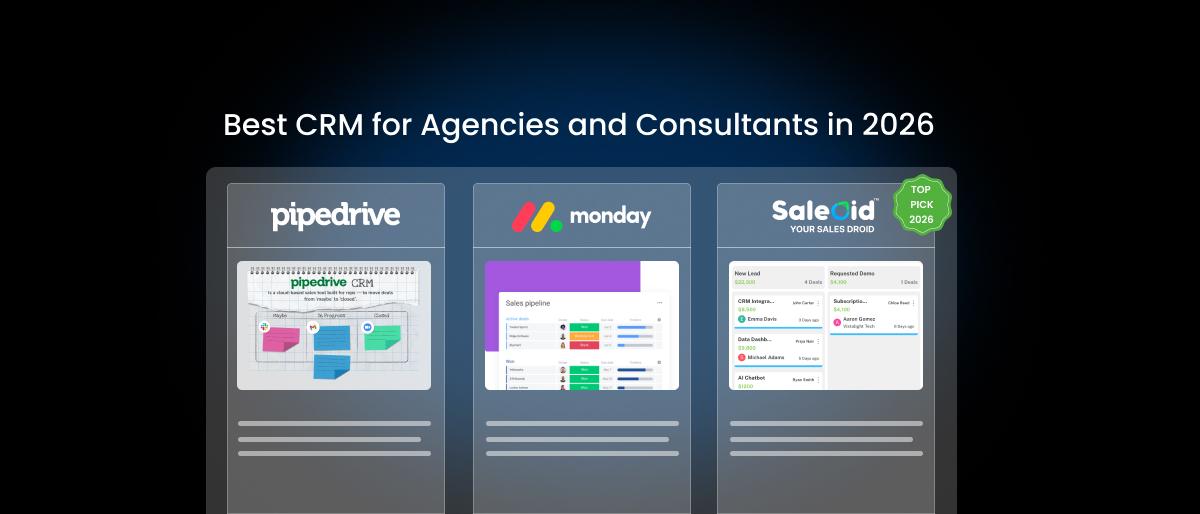
| Saleoid | $5/month | No (free trial) | Small agencies & consultants | High (built-in AI) | Full AI + chatbot | Solo to growing |
| HubSpot | Free, $9+/mo | Yes | All agency sizes | Medium (paid tiers) | AI on paid tiers | Early to scaling |
| Pipedrive | ~$14/user/mo | No (trial only) | Sales-led agencies | Strong | AI assistant (mid plan) | Early to growth |
| Monday CRM | $15/user/mo | No (trial only) | Workflow-heavy agencies | Strong | Limited | Growing to scaled |
| Zoho CRM | ~$14/user/mo | Yes (3 users) | Budget-scaling agencies | Very strong | Zia AI (mid plan) | Growth to scaling |
Note: Prices verified as of May 2026. Confirm current pricing on each vendor’s website before purchasing.
The 5 Best CRM Tools for Agencies and Consultants – Detailed Reviews
1. Saleoid – Best $5 AI CRM for Small Agencies and Consultants
Best for: Solo consultants, boutique agencies, and small service businesses that want AI-powered automation, lead tracking, and an all-in-one system without paying for enterprise features they will never use.
Not ideal for: Agencies requiring deep third-party integrations with enterprise stacks (Salesforce ecosystem, complex BI platforms) or advanced multi-department reporting from day one.
Ideal user: A 1–5 person agency or consultant managing 20–80 active leads and client relationships who wants AI handling follow-ups, a chatbot capturing inbound enquiries overnight, and invoicing handled from the same dashboard at $5/month.
Saleoid is the only CRM in this guide that earns the label “$5 AI CRM” as a genuinely functional system – not a stripped-down trial or a feature-locked entry plan. While most AI CRM platforms for agencies start at $50–$100+/month before meaningful automation becomes accessible, Saleoid makes AI a core part of its entry offering.
The platform is built modular by design, which makes it uniquely suited to agencies at different growth stages. A solo consultant starts with the core AI CRM at $5/month. As the practice grows, modules are added individually – email marketing, SMS campaigns, WhatsApp messaging, appointment scheduling, invoicing – without being bundled upfront into a tier that charges for unused features.
This is particularly relevant as an AI CRM for small businesses or consultants, where the tool requirement in month three (leads + follow-ups) is genuinely different from month twelve (leads + follow-ups + client billing + campaigns). Saleoid’s modular pricing means you are never paying for the month-twelve version in month three.
What makes Saleoid stand out as an AI CRM for agencies
- AI-powered follow-up automation triggered by lead behavior and not just a fixed-interval timer
- Built-in AI chatbot for 24/7 lead capture and qualification without additional tools or developer setup
- Smart deal prioritization, AI surfaces which lead need attention first across a full pipeline
- Workflow automation builder replaces manual task management across leads, deals, and client communications
- WhatsApp, SMS, and email marketing built in as add-on modules, not requiring third-party integrations
- Invoicing and subscription billing are available from the same system, eliminating a separate tool
- One-click onboarding designed for non-technical teams, operational in under two hours
Pricing
- $5/month on a 2-year plan; core AI CRM
- $9/month on an annual plan
- $15/month on a rolling monthly plan
- Add-on modules priced separately, pay only for what the business needs
Real-world use case for agencies
A 3-person digital marketing agency managing 40 active leads and 12 retainer clients sets up Saleoid over a single afternoon. The AI chatbot is connected to their website contact form, capturing and qualifying enquiries overnight without human input. Automated follow-up sequences run across all open new business leads. Retainer renewal reminders trigger at 45 days before contract end. Invoices are generated and sent from the same dashboard. What previously required a CRM, an email tool, a scheduler, and an invoicing app now runs in one system at $5/month plus the modules they actually use.
Pros
- Most affordable AI CRM for agencies, lowest verified entry price with genuine AI automation
- Modular pricing prevents overpaying for features not yet needed
- All-in-one capability: leads, marketing, scheduling, invoicing, AI automation in one system
- Built for small teams from the ground up, not an enterprise platform simplified down
- AI features available at entry level, not locked behind $50+/month upgrades
Cons
- Fewer native third-party integrations than HubSpot or Zoho at this stage
- Advanced analytics and custom reporting are more limited than enterprise platforms
- Smaller community and peer reference base than established players
Agency stage fit: Solo consultant through boutique agency (1–10 people). Strongest fit for service businesses, consultants, and agencies managing their own sales pipeline alongside delivery work.
2. HubSpot CRM – Best Free CRM for Agencies Starting Out
Best for: Agencies exploring CRM software for the first time who want to get organized without initial spending and have a budget to scale into paid tiers when automation and reporting become priorities.
Not ideal for: Budget-conscious agencies – HubSpot’s free plan is genuinely limited on automation, and Sales Hub paid tiers ($9–$100+/user/month) become expensive quickly as the team and contact list grow.
Ideal user: A 2–5 person agency in its first year of structured sales tracking, managing under 1,000 contacts, who wants a well-documented, easy-to-learn platform with a large integration ecosystem for connecting existing tools.
HubSpot CRM is the most widely used starting point for agencies exploring structured pipeline management, primarily because its free plan requires no credit card and delivers genuine contact and deal management functionality from day one. For agencies that have never used a CRM before, HubSpot’s onboarding resources, community documentation, and familiar interface make the first 90 days significantly easier than most alternatives.
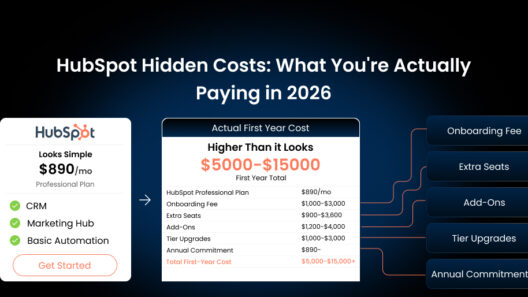
The tension arises at the growth stage. HubSpot’s free plan is deliberately designed to create upgrade pressure. Automation sequences, custom reporting, AI features, and meaningful email campaign capability all require paid Sales Hub or Marketing Hub plans. For a growing agency with expanding contact lists and a team of five or more, monthly costs can reach $200–$500 before the platform delivers its full value. Many agencies start with HubSpot and face a migration decision at the 12 to 18-month mark.
Key features
- Free contact and deal management; no time limit, no credit card required
- Email tracking with open and click notifications
- Basic visual sales pipeline with drag-and-drop deal stages
- Meeting scheduling links with calendar integration
- Broad integration ecosystem – Gmail, Outlook, Slack, and 1,000+ apps
- Live chat and basic chatbot builder on the free tier
Pros
- Genuinely free to start; no trial expiry or hidden credit card requirement
- Best-in-class onboarding resources and community documentation for new users
- Largest integration ecosystem of any tool in this guide
- Familiar interface with a low learning curve for teams new to CRM software
Cons
- Email sequences and follow-up automation require Sales Hub paid plans ($9+/user/month)
- AI features (predictive lead scoring, content assistant) locked to premium tiers
- Costs compound quickly; contacts, seats, and marketing features each have separate pricing triggers
- Free plan includes HubSpot branding on outgoing emails and chat widgets
Agency stage fit: Idea stage through early growth. Best used as a free organizational starting point with a clear plan for the moment free plan limitations begin constraining the workflow.
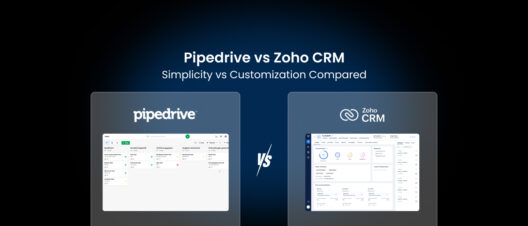
3. Pipedrive – Best CRM for Sales-Led Agencies and Consultants
Best for: Agencies and consultancies with an active outbound or proposal-driven sales process that needs crystal-clear deal pipeline visibility and a system built entirely around moving opportunities to close.
Not ideal for: Agencies that need built-in invoicing, project delivery management, or marketing campaigns, Pipedrive is a pure sales CRM and requires integrations or additional tools for anything beyond the pipeline.
Ideal user: A founder-led B2B agency or consulting firm of 2–10 people with a structured proposal and negotiation process, who wants to see every deal’s status instantly and have activity-based prompts keeping the pipeline moving without manual reminders.
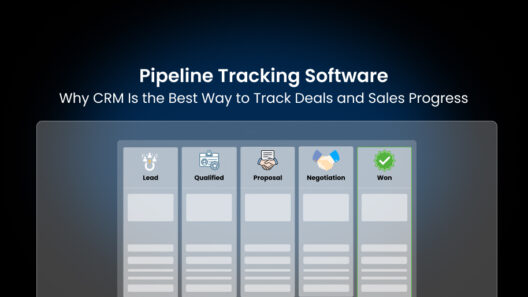
Pipedrive has maintained its position as the benchmark visual pipeline CRM for service businesses because it does one thing exceptionally well: making the sales process visible, trackable, and actionable without requiring any training or configuration expertise.
For consulting firms and B2B agencies with a defined proposal-to-contract process, Pipedrive’s interface is typically operational within a few hours of sign-up. Deals move visually through custom stages, every activity is automatically logged, and the AI Sales Assistant surfaces which deals need attention and what action to take next – based on historical patterns from the account’s own deal data.
The limitation for agencies is scope. Pipedrive is built for sales – not for client management, campaign tracking, or delivery coordination. Agencies that need to manage active retainers, track campaign performance alongside client conversations, or handle invoicing within the same system will find themselves building integrations or maintaining parallel tools alongside Pipedrive.
Key features
- Visual drag-and-drop pipeline; deals move through fully customizable stages
- Activity-based selling model, every deal has a scheduled next action (call, email, meeting, proposal)
- AI Sales Assistant surfaces next best actions and flags deals at risk of going cold
- Email integration with two-way sync (Gmail and Outlook) and email tracking
- Sales forecasting and custom reporting dashboards
- 350+ integrations including Slack, Trello, Asana, Zoom, and Xero
Pros
- Best-in-class visual pipeline, lowest learning curve of any deal-tracking CRM
- Activity-based approach keeps agency sales teams focused on the next right action
- AI Sales Assistant available on most plans, not just premium tiers
- Clean, distraction-free interface built exclusively for sales workflows
Cons
- No built-in invoicing, project management, or marketing campaign tools
- Per-user pricing (~$14–$34/month) scales up as the team grows
- Advanced automation is limited to the entry Essential plan
- Not an all-in-one solution, integrations required for non-sales agency functions
Agency stage fit: Early-stage through growing agencies (2–25 people). Best for B2B agencies and consulting firms where deal conversion, not client delivery coordination, is the primary operational challenge.
4. Monday CRM – Best CRM for Workflow-Heavy Agencies
Best for: Creative agencies, design studios, and workflow-heavy consultancies that need to manage new business and active client delivery in the same visual environment without maintaining two separate systems.
Not ideal for: Agencies that want a dedicated, sales-first CRM with deep pipeline analytics. Monday CRM’s sales features are less specialized than Pipedrive’s, and costs escalate quickly at scale.
Ideal user: A 5–20 person agency where the same team wins deals and delivers work, and where having both pipeline stages and project boards visible in one interface removes the daily friction of switching between a sales tool and a delivery tool.
Monday CRM sits at the intersection of CRM and project management, which makes it a natural fit for a specific type of agency: one where the sales team and the delivery team are the same people. Creative agencies, content studios, and boutique consultancies often operate this way; the founder or senior team member who pitches the work is also responsible for delivering it.
The platform’s signature strength is customization without code. You can build boards that precisely mirror the agency’s process, from initial enquiry through proposal, contract, onboarding, campaign delivery, and renewal, without being constrained by a preset pipeline structure. Each board can have its own columns, automations, and views, and team members can switch between the pipeline view and project board view for the same client without leaving the platform.
The trade-off is depth. Monday CRM is a general-purpose work management platform that has added CRM features, not a CRM platform that has added project features. Teams that need serious pipeline analytics, advanced deal forecasting, or deep contact intelligence will find Pipedrive or Zoho CRM more capable for pure sales work.
Key features
- Fully customizable boards spanning sales pipeline and project delivery
- Workflow automation for task assignments, status changes, and follow-up notifications
- Custom dashboards combining pipeline metrics and delivery progress
- Multiple views: Kanban, Gantt, calendar, list, and map, switchable per board
- Team collaboration tools with comments, file attachments, and @mentions
- 250+ integrations including Gmail, Slack, HubSpot, Salesforce, and Zoom
Pros
- Only tool in this guide that genuinely connects sales pipeline and client delivery in one interface
- Highly customizable, boards adapt to any agency workflow without developer involvement
- Visual, board-based interface is intuitive for creative and non-sales-trained teams
- Scales well across departments. Ops, finance, and delivery can all use the same platform
Cons
- Less specialized for sales-first workflows than Pipedrive or Zoho CRM
- Per-user pricing ($15+/user/month) adds up quickly at agency team sizes
- Advanced CRM features (forecasting, pipeline analytics) less mature than dedicated CRM tools
- Can become complex and cluttered if boards are not actively managed
Agency stage fit: Growing through scaling agencies (5–50 people). Best for agencies where clear separation between sales CRM software and project management creates more friction than it solves.
5. Zoho CRM – Best Budget-Scalable CRM for Growing Agencies
Best for: Agencies with growing teams and expanding contact lists that want deep CRM capability, workflow automation, and AI-powered insights at pricing that stays competitive as the business scales beyond 10 people.
Not ideal for: Agencies that need to be fully operational the same day they sign up, Zoho CRM’s configuration depth creates a steeper initial learning curve than simpler tools, and meaningful setup typically requires 1–3 days of investment.
Ideal user: A growth-stage agency of 8–30 people with a defined sales process that wants a highly customizable platform, AI-driven lead intelligence, and a broad ecosystem of integrated tools and is willing to invest in proper initial configuration to get there.
Zoho CRM offers one of the strongest feature-to-price ratios in the market for agencies that have outgrown entry-level tools and are not yet ready, or willing to pay enterprise platform prices. The depth of functionality available at Zoho’s mid-tier pricing rivals platforms that charge three times as much.
The platform’s AI layer, Zia, is available from mid-tier plans and provides lead scoring, deal health predictions, best-time-to-contact recommendations, and anomaly detection across pipeline data. For a growing agency managing 200+ leads and 50+ active client accounts, this level of intelligence, surfacing what needs attention and predicting what is at risk, replaces significant manual monitoring effort.
The investment required is upfront setup time. Unlike HubSpot or Pipedrive, Zoho CRM’s interface reflects its depth. The number of configurable elements can be overwhelming for teams expecting a simple pipeline view on day one. Agencies that approach setup strategically (define your pipeline stages, configure your automation rules, set up your dashboards before importing contacts) consistently find Zoho CRM to be one of the most capable platforms available at its price point.
Key features
- Lead, contact, account, and deal management with full relationship linking
- Zia AI for lead scoring, deal predictions, best-time-to-contact, anomaly detection
- Workflow automation with conditional logic, multi-step rules, and approval workflows
- Canvas visual drag-and-drop interface customization without coding
- Multichannel communication: email, phone, social media, and live chat all tracked in one record
- Native integration with the full Zoho ecosystem: Zoho Books, Campaigns, Desk, Projects, and Analytics
Pros
- Exceptional feature depth at mid-range pricing – rivals platforms costing 3x as much
- Zia AI available on Standard and Professional plans – not locked to enterprise
- Highly customizable to match complex agency sales and client management processes
- Free plan for up to 3 users, genuine entry point for very small teams
- Deep Zoho ecosystem integration if the agency uses Zoho Books, Campaigns, or Desk
Cons
- Steeper learning curve than any other tool in this guide, plan for 1–3 days of setup
- Interface can feel dated and dense compared to HubSpot or Monday CRM
- Support quality on lower-tier plans is inconsistent; community forums are more reliable
- Full potential requires committed configuration investment, not a same-day setup
Agency stage fit: Growing through scaling agencies (8–100+ people). Best for agencies that have validated their sales process and want a robust, AI-capable platform that scales without forcing a migration.
What Makes the Best CRM for Agencies in 2026?

The agency CRM landscape in 2026 has shifted meaningfully. AI automation is a practical expectation. The best agency CRM tools must deliver five non-negotiables:
1. Multi-channel lead capture into one pipeline
Modern agencies receive leads from LinkedIn outreach, referral emails, contact forms, Instagram DMs, cold email sequences, and paid campaigns, often simultaneously. The right CRM captures all of them into a single organized pipeline without manual data entry for each channel. According to experts, agencies that centralize lead capture see a 23% improvement in follow-up consistency within the first 90 days of CRM adoption.
2. Client conversation history – searchable and complete
Every call, email, meeting note, and proposal version should live inside the client’s CRM record, searchable in under 30 seconds. The inability to quickly recall what was discussed with a client two months ago is one of the most common causes of client dissatisfaction at agencies. The best agency CRM tools log communication automatically, without requiring manual data entry from the team.
3. Retainer and renewal management
Agencies derive most of their revenue from recurring retainers, yet most CRM tools are designed for one-time deal cycles. The best CRM for agencies tracks contract end dates, triggers renewal conversations at the right time (typically 45–60 days before expiry), and gives visibility into which retainers are at risk. This function alone, when automated, can meaningfully improve an agency’s annual renewal rate.
4. Automation that removes manual follow-up burden
Follow-up is where agencies consistently lose new business because delivery work takes priority. The right CRM removes this conflict entirely with automated follow-up sequences: if a prospect has not responded in five business days, a check-in email goes out automatically. If a deal sits untouched for two weeks, the owner receives a notification. These small automations, running consistently, produce significantly more conversions from existing lead volume without adding headcount.
5. Pricing that scales without punishing growth
Per-seat pricing models can create serious budget pressure for agencies growing from 3 to 10 people over 18 months. The best agency CRM tools either offer flat pricing at the entry level (Saleoid’s modular model), a generous free tier for early stages (HubSpot), or predictable per-seat pricing with feature access that justifies the cost at scale. As a general guideline, CRM spend for agencies should not exceed 3–5% of monthly revenue during growth stages.
Which CRM Fits Your Agency Type? Decision Guide by Size and Workflow
The right CRM for a solo consultant is different from the right CRM for a 15-person marketing agency. Use this guide to match your current situation to the right tool.
| Agency Type | Best CRM Pick | Why It Fits |
|---|---|---|
| Solo consultant / freelancer | Saleoid | $5/month AI CRM – handles leads, follow-ups, invoicing without complexity |
| Boutique agency (2–5 people) | Saleoid | Modular add-ons scale as team grows; AI automation runs pipeline without extra headcount |
| Marketing agency (5–20 people) | HubSpot CRM | Free start, scales with team; strong email + campaign integration for marketing workflows |
| Sales-led B2B agency | Pipedrive | Visual pipeline, activity-based selling, AI assistant for deal management |
| Workflow-heavy agency / creative studio | Monday CRM | Project + CRM in one; customizable boards for sales, delivery, and renewals |
| Budget-scaling agency | Zoho CRM | Deepest features per dollar; Zia AI available mid-tier; scales to 100+ people |
| Consulting firm (revenue-focused) | Pipedrive or Saleoid | Pipedrive for pipeline clarity; Saleoid if invoicing + follow-ups need to be in one system |
If your situation does not fit neatly into one row, the deciding factor is usually this: if your primary pain is losing leads and missing follow-ups, start with Saleoid or Pipedrive. If your primary pain is no visibility across client work and deals, start with Monday CRM or HubSpot.
CRM Features That Matter Most for Marketing Agencies and Consulting Firms
Not every CRM feature matters equally for agency work. These are the capabilities that actually move the needle for marketing agencies and consulting practices and what to look for when evaluating each one.
Multi-pipeline management
A marketing agency typically runs three parallel pipelines: new business, active retainers, and renewals. Each has different stages, different owners, and different time horizons. The best CRM for marketing agencies handles all three simultaneously without requiring separate dashboards or exports. Look for tools that allow multiple named pipelines with custom stages per pipeline, this is available in Pipedrive (all plans), Zoho CRM (Standard and above), HubSpot (paid tiers), and Saleoid (core plan).
Automated client follow-up sequences
Manual follow-up at agencies breaks down under delivery pressure. Automated sequences, if lead status is ‘proposal sent’ and no reply after 5 days, trigger a check-in email; if the retainer contract expires in 45 days, trigger a renewal conversation, and replace the mental load of remembering to follow up. This function should be available at entry-level pricing, not locked to premium tiers.
Campaign and project conversation logging
Marketing agencies need campaign-level notes inside client records, not just deal-level notes. When a client references a Facebook campaign from six weeks ago, the relevant discussion, performance numbers, and creative feedback should be findable inside that client’s CRM profile in under 30 seconds. Not buried in an email thread. Look for CRMs that support custom note categories or tags that distinguish campaign conversations from sales conversations.
Reporting that shows pipeline health and revenue forecast
Agency owners need to answer two questions instantly: how much revenue is likely to close this month, and which deals are at risk right now. A good CRM for agencies provides a real-time pipeline value view, a win-rate dashboard, and a revenue forecast, ideally adjustable by deal stage probability. Custom report builders that let you segment by service type, deal source, or team member are a meaningful differentiator at the growth stage.
6 Common Mistakes Agencies Make When Choosing a CRM
These are the mistakes that consistently appear at agencies that adopt CRM software and then stop using it within six months:
| Mistake | Why Agencies Make It | How to Avoid It |
|---|---|---|
| Picking a tool built for enterprise sales | Drawn in by brand recognition (Salesforce, HubSpot Enterprise) | Start with tools designed for teams under 20, add complexity later |
| Treating CRM as a contact database only | Never set up pipelines, automations, or follow-up workflows | Configure pipeline stages and at least one automation on day one |
| Choosing based on integrations, not daily use | Integration lists look impressive but most never get used | Test the core workflow, lead to close, before evaluating add-ons |
| Ignoring pricing at scale | Free or cheap plans become expensive as contacts/seats grow | Calculate cost at 2x your current team size before committing |
| Not involving the team in selection | Owner chooses, team ignores, CRM goes unused within 60 days | Trial with the 2–3 people who will use it daily, not just the founder |
| Skipping onboarding and pipeline setup | Sign up, import contacts, do nothing else, no structure built | Block 3 hours to build pipeline stages, import real leads, set one automation |
The pattern across all six mistakes is consistent: the decision is made based on brand recognition, feature count, or what a competitor agency uses, rather than whether the team will genuinely open the tool every morning because it makes their day easier.
Step-by-Step: How to Choose the Right CRM for Your Agency (10-Minute Framework)
Step 1: Map your current client journey, before looking at any tool
Write down, in order, how a new lead moves from first contact to signed contract at your agency. Where do leads come in? Who responds first? What are the steps between initial enquiry and signed agreement? How many touchpoints typically happen? What causes deals to go cold?
This map is more valuable than any demo. A CRM should match your actual process, not force you to redesign your workflow around the software’s assumptions.
Step 2: Identify your three biggest pipeline failures
List the three most common ways leads or clients are lost at your agency right now. Common answers: lead contacted once then forgotten; follow-up sent too late; retainer renewal conversation never initiated; client asked about something no one remembered discussing. These are your automation priorities, any CRM you choose must address them at entry-level pricing.
Step 3: Set a hard 12-month budget ceiling
Decide the maximum monthly spend before evaluating any tool. Include seat scaling, if you plan to add 3 team members in the next year, calculate the per-seat cost at that size now. A tool that costs $5/month today might cost $90/month at 5 users. Knowing this upfront prevents the common scenario of committing to a tool and then facing a budget conversation six months later.
Step 4: Test with 20 real leads, not demo data
Do not evaluate a CRM using sample data or a vendor-provided demo environment. Import 20 real leads, build your actual pipeline stages, and run your real follow-up process for 3–5 business days. If the system does not feel natural to open by day 3, it will not be adopted consistently by the team.
Step 5: Involve the two people who will use it daily
The most expensive CRM mistake agencies make is the founder choosing the tool, configuring it alone, and then expecting the team to adopt it. The two people who will use the CRM every day, typically whoever handles new business enquiries and whoever manages client relationships, should be part of the trial and the selection decision. If they do not find it useful within the first week, the platform will not get used, regardless of how capable it is.
Final Decision: Which CRM Should Your Agency Choose?
Use this guide to match your top priority to the right tool and read the agency stage notes before committing.
| Your Top Priority | Choose This CRM | Key Reason |
|---|---|---|
| AI automation + lowest price | Saleoid | $5/mo with built-in AI follow-ups, chatbot, and modular add-ons |
| Free entry-level plan | HubSpot CRM | Genuinely free core CRM – scales but costs rise quickly |
| Clearest sales pipeline | Pipedrive | Visual drag-and-drop, activity-based selling, AI assistant |
| CRM + project delivery in one place | Monday CRM | Boards span sales and delivery; great for creative agencies |
| Most features per dollar at scale | Zoho CRM | Zia AI, workflow automation, deep ecosystem at mid-range price |
The best CRM for small business or agency is the one your team opens every morning because it makes the day easier and the pipeline tighter. Start simple. Build the habit. Add capability as the workflow matures.
FAQs on CRM for Agencies
The best CRM for agencies in 2026 is Saleoid for AI automation at the lowest price ($5/month), HubSpot CRM for a free entry-level starting point, and Pipedrive for the clearest visual sales pipeline. The right choice depends on agency type and size: solo consultants and small agencies benefit most from Saleoid’s modular affordability, marketing agencies benefit from HubSpot’s integration ecosystem, and sales-led B2B agencies benefit from Pipedrive’s pipeline focus. Monday CRM is the best choice when sales and delivery management need to live in one interface.
Marketing agencies most commonly use HubSpot CRM, Monday CRM, and Pipedrive for day-to-day sales and client management. HubSpot is popular due to its free tier and strong email/campaign integrations. Monday CRM is widely used at creative and digital agencies where workflow management and CRM overlap. For smaller marketing agencies on tighter budgets, Saleoid offers AI-powered automation at $5/month, a fraction of what HubSpot’s paid tiers or Monday CRM charge at equivalent feature access.
Saleoid and Pipedrive are the top CRM choices for consultants in 2026. Salesoid is for solo and small practices that want AI follow-ups, invoicing, and lead capture in one affordable system; Pipedrive for consultants with a defined proposal-to-contract process who want the clearest pipeline visibility. HubSpot’s free plan is a practical starting point for consultants with very early-stage pipelines and limited budget. OnePageCRM is worth considering for action-focused consultants who want every contact to have a clear next step at all times.
CRM costs for agencies range from $0 (HubSpot free plan) to $100+/user/month (enterprise tiers). The most practical range for small to mid-sized agencies in 2026 is $5–$35/user/month. Specifically: Saleoid starts at $5/month for the full AI CRM; Pipedrive at ~$14/user/month; Monday CRM at ~$15/user/month; Zoho CRM at ~$14/user/month with AI on mid-tier plans; HubSpot free on the core CRM with paid automation from $9/user/month. Always calculate the 12-month cost at your expected team size.
Yes, even a 1–3 person agency benefits significantly from CRM software because the cost of missed follow-ups and lost leads exceeds the cost of even paid CRM tools within the first month of active use. At the small agency stage, a CRM does not need to be complex. What it must do: track every lead in one place, trigger follow-up reminders, log client conversations, and show the pipeline at a glance. All of this is available at $5–$15/month. The alternative, managing relationships across email threads, spreadsheets, and memory, creates systematic revenue leakage that compounds as the agency grows.
HubSpot CRM is good for agencies as a free starting point, but it becomes expensive quickly as automation and reporting needs grow. The free plan works well for agencies with under 1,000 contacts and no automation requirements. Once email sequences, workflow automation, and custom reporting are needed, paid Sales Hub plans ($20–$100+/user/month) become necessary. For agencies that primarily run campaigns and need marketing automation alongside CRM, HubSpot’s bundled Sales + Marketing Hub can justify the cost. For smaller agencies focused on sales pipeline and client management without heavy marketing automation, Saleoid or Pipedrive deliver more value per dollar.
Yes, Saleoid is specifically designed to replace the 3–5 disconnected tools most small agencies use. Its modular system covers: CRM and lead tracking, automated follow-up sequences, email and SMS marketing campaigns, appointment scheduling, WhatsApp communication, invoicing and billing, landing pages, and AI chatbot for lead capture. At $5/month for the core CRM with individual modules added as needed, it is one of the most cost-effective ways for a small agency or consultant to consolidate their tech stack without paying for an enterprise platform they use at 20% capacity.
Saleoid is not affiliated with or endorsed by any third-party brands mentioned. All trademarks, product names, and logos belong to their respective owners and are used for identification/comparison only. Details may change-verify on each vendor’s site.