

Quick Answer
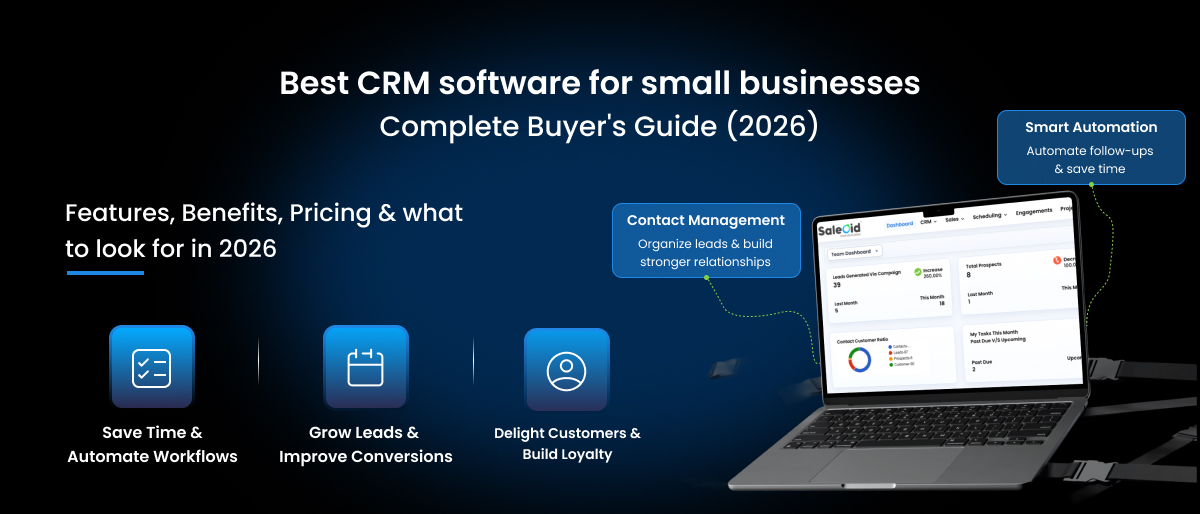
The best CRM software for small businesses is a tool that centralizes your contacts, tracks deals in a visual pipeline, and automates follow-ups so nothing slips through the cracks. After testing dozens of options, Saleoid is our top pick for small businesses in 2026 as it offers an all-in-one platform (CRM, marketing, billing) starting at just $5/month and a 15-day free trial.
Why Small Businesses Lose Deals (And How CRM Fixes It)
Let’s imagine a scenario that most small business owners know too well. You have a conversation with a promising lead at a networking event. You say you’ll follow up Tuesday. Tuesday comes, you get pulled into payroll, a client complaint, and three back-to-back calls. By Thursday, you remember the lead, but you can’t remember their name, where you stored their contact details, or what they were actually looking for. The deal dies.
This is a big system problem. And a CRM solves it.
According to Nucleus Research, sales teams using the best CRM software for small businesses can shorten their sales cycles by 8% to 14%. For small businesses, that can mean closing deals faster, following up consistently, and spending less time searching through spreadsheets and email threads. A CRM organizes customer information and also helps understand how to turn leads into customers.
When you add a CRM to your business, 3 things change almost immediately:
- Your contacts stop living in 5 different places, such as phone, email, spreadsheet, sticky note, and your head.
- Follow-ups happen automatically, even when you’re busy.
- You can actually see your pipeline, including who’s close to closing, who’s gone cold, and where your revenue is coming from.
In this guide, we compare the 7 best CRM options for small businesses, break down pricing honestly, and help you find the right fit in under 10 minutes.
What to Look for in the best CRM software for small businesses
Before you start comparing the best CRM software for small businesses, get clear on what a small business actually needs from a CRM versus what enterprise sales teams need. Most small businesses don’t need territory management, custom objects, or account-based marketing dashboards. Those features add cost and complexity without adding value.
Instead, here’s what actually matters:
1. Contact and Lead Management
The most basic function of any CRM is keeping your contacts organized. But not all contact management is equal. You want to be able to import your existing contacts from a CSV in under five minutes, tag and segment them by type (lead, customer, partner), and see the full history of every interaction, calls, emails, and notes, in one place. If you have to click through four screens to find out when you last spoke to someone, the tool isn’t working for you.
2. Visual Sales Pipeline
A Kanban-style drag-and-drop pipeline board is the difference between knowing where your deals are and guessing. You should be able to see every active deal by stage, like New, Contacted, Proposal Sent, Negotiating, Closed, and drag a deal from one column to the next when something changes. The best CRM software for small businesses also shows the total deal value at each stage, so you can forecast revenue without opening a spreadsheet.
3. Automated Follow-Ups and Reminders
This is the one feature that pays for a CRM within the first month. Set up a simple automation: when a deal moves to ‘Proposal Sent’, trigger an email follow-up in 3 days if there’s no reply. No manual task required. These automatic nudges keep leads warm without adding work to your plate. Without this, you’re back to relying on memory.
4. Email Integration
Your CRM should sync two-ways with Gmail or Outlook. Emails you send from your inbox should appear in the CRM contact record, and vice versa. Better CRMs also show you email open rates and click tracking so you know if a prospect is engaging with your messages, even when they haven’t replied yet.
5. Reporting and Sales Forecasting
You don’t need a 40-dashboard analytics suite. You need three reports: how much is in your pipeline, how much did you close this month, and which team members are hitting their activity goals. If your CRM can’t show you these in under two clicks, it’s not built for small business operations.
6. Mobile App
If you’re in the field, meeting clients, or just away from your desk, you need full CRM access from your phone. Not a read-only view. You should be able to add a contact, update a deal stage, log a call, and send an email all from your mobile. Many The best CRM software for small businesses have weak mobile apps; always test this before committing.
Features Small Businesses Often Pay For (But Don’t Actually Need)
- Advanced territory management, useful only for national sales teams with geographic splits
- Custom objects and API workflow builders, relevant once you have a dedicated CRM admin
- Account-based marketing (ABM) tools generally add value at 50+ employees only
If a tool is pushing these features heavily in their sales pitch, ask yourself: Do I actually need this in the next 12 months? If not, you’re paying for complexity, not capability.
Best The best CRM software for small businesses: Comparison (2026)
| CRM Tool | Best For | Starting Price | AI Features | Free Plan | Ease of Use |
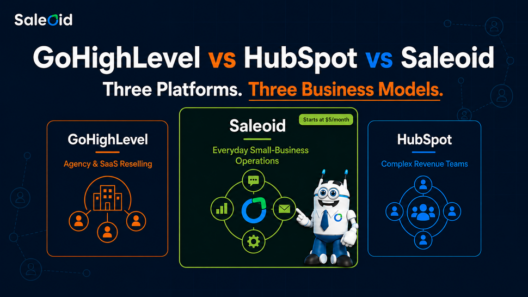
| Saleoid | Small biz + agencies | $5/mo (2-yr plan) | Lead scoring, automation | Yes | ★★★★★ |
| HubSpot | Marketing-heavy teams | $15/user/mo | Content AI, forecasting | Yes (limited) | ★★★★ |
| Zoho CRM | Budget SMBs | $14/user/mo | Zia AI assistant | Yes | ★★★ |
| Pipedrive | Pipeline-focused sales | $14/user/mo | AI email assistant | No | ★★★★ |
| GoHighLevel | Agencies + resellers | $97/mo flat | Workflow AI | No | ★★★ |
| Freshsales | Growing sales teams | $9/user/mo | Freddy AI scoring | Yes (limited) | ★★★★ |
| Keap | Service businesses | $249/mo (2 users) | Basic automation | No | ★★★ |
Note: Pricing as of June 2026. Always verify current pricing on vendor websites before purchasing.
Ready to organize your sales pipeline? Try Saleoid free for 15 days →
1. Saleoid – Best Overall for Small Businesses
Saleoid AI CRM Software offers an affordable starting point for small businesses and growing teams that want to manage customer relationships without committing to expensive CRM plans. Its Custom plan starts at $5/month with two-year billing, or $15/month with monthly billing. The plan includes one user, 2,500 contacts and companies, and five workflow automations. As your team grows, you can compare the Growth and Premium plans for higher user limits and additional capacity. Visit the Saleoid pricing page to review current plans and features.
What sets Saleoid apart is that it genuinely covers the full revenue lifecycle: lead capture, pipeline management, email marketing, billing, document management software for small businesses, and automation, all in one workspace. There’s no integration tax, no data lag between tools, and no ‘which system is the source of truth?’ confusion.
Standout feature: Built-in lead scoring, visual drag-and-drop pipeline, marketing automation, invoicing, and a client portal, all in one flat-priced package.
Honest limitation: Fewer native third-party integrations compared to HubSpot. If you rely heavily on specific enterprise tools, check the integrations list first.
Best for: Freelancers, startups, agencies, and service businesses with 1–50 employees who want everything in one place without per-seat pricing.
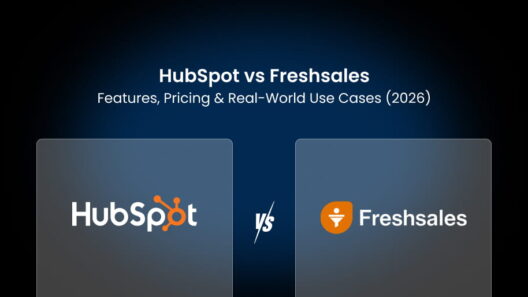
2. HubSpot CRM – Best Free Plan
HubSpot’s free plan is genuinely useful as it handles basic contact management, a pipeline view, and email logging without charging a cent. For a solopreneur just getting started with CRM, it’s a reasonable entry point.
The real catch is that HubSpot’s free plan is designed to move businesses into its paid ecosystem, where costs can rise quickly as your needs grow. Features like advanced automation, custom reporting, and deeper marketing capabilities often require Professional-tier plans. HubSpot’s CRM Suite Professional starts at approximately $890 per month, and certain Professional and Enterprise products may also require one-time onboarding fees that can range from $1,500 to several thousand dollars, depending on the Hub and implementation requirements.
Standout feature: Best-in-class free plan; excellent email marketing integration; large ecosystem of native integrations.
Honest limitation: Free plan paywalls key features aggressively. Total cost of ownership grows quickly as your team or needs expand.
Best for: Marketing-led teams that need deep email automation and don’t mind the higher price at scale.
Businesses looking for a more affordable HubSpot Alternative often choose Saleoid to avoid rising subscription costs.
3. Zoho CRM – Best for Budget-Conscious Teams That Need Customization
Zoho CRM offers an impressive depth of features at a very competitive price. The Standard plan at $14/user/month includes a solid pipeline, automation rules, and Zia, Zoho’s AI assistant that can analyze deals, suggest follow-up times, and flag at-risk contacts.
The downside is complexity. Zoho’s interface hasn’t aged particularly gracefully, and setting up automations and workflows requires more time than most small business owners are willing to invest upfront. If you have the patience to configure it properly, you get tremendous value. If you want to be up and running in an afternoon, it can feel overwhelming.
Standout feature: Zia AI assistant, extensive integration ecosystem, and affordable pricing with genuine depth.
Honest limitation: Steeper learning curve; interface can feel dated compared to newer tools.
Best for: Small businesses that are willing to invest setup time in exchange for deep customization at a low price.
If Zoho’s setup complexity feels overwhelming, consider a simpler Zoho Alternative.
4. Pipedrive – Best for Pure Sales Pipeline Management
If your primary need is a clean, fast, visual deal tracker, Pipedrive does this better than almost anyone. The pipeline UI is excellent, setup takes less than an hour, and the activity-based selling approach keeps sales reps focused on the next action rather than the next report.
Where Pipedrive falls short is everything outside of pipeline tracking software. Marketing automation is thin, there’s no free plan, and the billing and invoicing tools feel bolted on rather than native. If you want a CRM that also runs your marketing, you’ll hit Pipedrive’s ceiling quickly.
Standout feature: Best-in-class pipeline UI with a genuinely fast setup experience.
Honest limitation: No free plan; weak marketing automation; not suitable as a full business platform.
Best for: Sales-first teams that purely need deal tracking and aren’t looking for marketing or billing functionality.
Companies seeking more marketing and automation features often look for a Pipedrive Alternative.
5. GoHighLevel – Best for Agencies Managing Multiple Clients
GoHighLevel was built for marketing agencies, and it shows. The flat $97/month pricing model covers unlimited sub-accounts, which means you can manage CRM, funnels, and campaigns for 20 different clients under one dashboard. The white-label option lets you brand it as your own platform and resell it to clients, a feature that’s genuinely unique at this price point.
For a single business owner, though, GoHighLevel is complete overkill. It’s complex, the learning curve is real, and the pricing doesn’t make as much sense when you only need one account.
Standout feature: White-label capability and flat pricing for unlimited client accounts, ideal for agency models.
Honest limitation: Steep learning curve; overkill for a single business; additional AI and SMS features cost extra.
Best for: Marketing and digital agencies managing the best CRM software for small businesses for multiple clients.
Small businesses that find GoHighLevel too complex may prefer a simpler GoHighLevel Alternative.
6. Freshsales – Best AI-Assisted CRM for Mid-Stage Teams
Freshsales offers Freddy AI, one of the better AI implementations at the small business price point. Freddy scores your contacts based on behavioral and profile data, surfaces deals that are at risk of going cold, and suggests the best time to follow up. The Growth plan starts at $9/user/month.
Support quality and feature development can be inconsistent compared to more established players. Marketing automation is also thinner than Saleoid or HubSpot, so if campaigns matter to you, Freshsales alone won’t cut it.
Standout feature: Freddy AI for predictive lead scoring and deal insights at an accessible price.
Honest limitation: Support quality can be inconsistent; marketing automation is limited.
Best for: Growing sales teams that want AI-assisted insights without Salesforce-level pricing.
7. Keap – Best for Service-Based Businesses That Need CRM + Invoicing
Keap (formerly Infusionsoft) is built for coaches, consultants, and service businesses that need to manage clients and collect payments in the same tool. The native invoicing, payment collection, and appointment scheduling are tightly integrated with the CRM, which makes it genuinely useful for solo service providers.
The pricing, though, is hard to justify. Keap’s entry plan starts at $249/month for 2 users, which is expensive when tools like Saleoid offer billing and CRM together for a fraction of that cost.
Standout feature: Native invoicing and payment collection built into the CRM contact record.
Honest limitation: Expensive for what it delivers; not ideal for product businesses or ecommerce.
Best for: Independent service professionals who need scheduling, CRM, and invoicing in one place.
How to Choose the Right CRM for Your Business
The actual problem with most CRM buying guides is that they tell you to ‘consider your needs’ without actually helping you figure out what your needs are. So instead of generic advice, here’s a four-question framework that will actually narrow down your shortlist.
Four Questions to Ask Before You Buy
1. How many users need access?
Solo or 2-3 users? Per-seat pricing doesn’t hurt you. But if you’re planning to add staff, or already have a team of 5+, per-seat costs compound fast. A tool at $15/user/month seems fine until you have 10 users and you’re paying $150/month before adding any paid features. Flat-rate tools like Saleoid or GoHighLevel make much more financial sense at team scale.
2. Do you need marketing automation, or just a pipeline tracker?
If you want to nurture leads with email sequences, run campaigns, and score contacts by engagement, you need a CRM with marketing automation (Saleoid, HubSpot). If you just want to track deals and remind yourself to call people, Pipedrive is cleaner and cheaper for that specific need.
3. Do you need AI features today, or is basic automation enough?
AI lead scoring, predictive forecasting, and sentiment analysis are genuinely useful, but only if you have enough deal volume for the AI to work with. If you’re processing 20 leads a month, AI features won’t move the needle. If you’re processing 200+, they matter. Don’t pay for AI features you won’t use.
4. What tools do you already use?
Make a list of your must-keep tools, such as Gmail or Outlook, Slack, Shopify, QuickBooks, whatever they are. Then check each CRM’s integration page before you sign up. Switching a CRM is painful enough; finding out on day 30 that it doesn’t sync with your email is worse.
CRM Buying Mistakes Small Businesses Make
- Buying for features you’ll use in 2 years. The CRM that’s right for you today is one your team will actually use. A tool with 200 features and a 3-month implementation curve will collect dust.
- Ignoring per-user pricing. $50/user sounds reasonable until you have 10 users. Always calculate the 12-month cost at your expected team size, not your current one.
- Choosing the biggest brand over fit. HubSpot and Salesforce are excellent tools for the right company. They are not the default right answer for a 5-person service business.
- Not checking data migration before signing. Some tools (HubSpot’s free plan included) have restrictions on data export. Ask about this upfront.
CRM Pricing: What You’ll Actually Pay
Free plans always come with strings attached. HubSpot’s free CRM locks email sequences, detailed reporting, and list segmentation behind paid tiers. Zoho’s free plan caps at 3 users. Saleoid’s 15-day trial lets you test the full platform. After that, the custom plan starts at $5/month.
Below is a cost comparison at different team sizes based on 2026 pricing:
| Tool | 3 Users/mo | 10 Users/mo | 25 Users/mo |
| Saleoid | $5 | $49 | $199* |
| HubSpot Starter | $45 | $150 | $375 |
| Zoho CRM Standard | $42 | $140 | $350 |
| Pipedrive Essential | $42 | $140 | $350 |
| GoHighLevel Starter | $97 | $97 | $97 |
Best CRM by Business Type
Not every small business is the same. A freelance consultant has different CRM needs than a 10-person real estate team. Below is a quick guide to the best fit by business type, each with a link to a deeper comparison.
Best CRM for Startups
Startups need a CRM that’s free or cheap to start, fast to set up, and won’t reprice aggressively when the team grows. The worst thing that can happen is signing up for a great tool only to get hit with a 3x price increase the moment you add your fifth employee.
Top pick: Saleoid is a perfect CRM for Startups because of its flat pricing and modular structure that lets you start lean and expand. HubSpot’s free plan is a reasonable starting point if you need a known name with zero upfront cost.
Best CRM for Agencies
Agencies have a unique challenge, they need to manage multiple client accounts, often with different pipelines and contacts, without paying for separate subscriptions for each client. White-label capability is also a major differentiator for agencies that want to present a branded client portal.
Top picks: Saleoid for sub-accounts at no extra cost and a flat pricing model. GoHighLevel if white-label reselling is core to your business model.
Best CRM for Solo Business Owners and Freelancers
If it’s just you, the CRM needs to be simple, fast, and affordable. You don’t need workflow automation for 10 sales reps. You need a place to track who you’ve talked to, what you promised, and what needs to happen next.
Top picks: Saleoid’s free trial and low entry plan, HubSpot’s free plan for basic use, or Pipedrive’s Essential plan if you prefer a pure pipeline view.
Best CRM for Real Estate
Real estate CRM needs are specific: lead capture from portals, appointment scheduling, pipeline tracking by property, and the ability to manage follow-ups across a long buying cycle. AI tools that surface high-intent buyers and flag at-risk deals are increasingly valuable here.
Saleoid handles appointment scheduling, lead capture via forms and landing pages, and pipeline management natively, making it a strong option for independent agents and small brokerages.
Best CRM for Ecommerce
Ecommerce CRM needs revolve around order history, cart abandonment automation, and connecting customer purchase data to your marketing campaigns. The key requirement is Shopify or WooCommerce integration so customer purchase records appear in the contact profile.
Check integration availability carefully for this use case, and look for CRMs that can trigger automations based on purchase behavior, not just form submissions.
AI CRM Features: What’s Actually Worth Paying For
Every CRM vendor is putting ‘AI’ on their homepage in 2026. But the reality of AI in small business CRM is more nuanced than the marketing copy suggests. Some AI features genuinely change how you work. Others are marketing gloss on features that already existed.
Let’s see what’s actually worth paying for:
AI Lead Scoring
Lead scoring automatically ranks your contacts by likelihood to close based on their behavior, email opens, page visits, demo requests, response speed, and demographic data like company size and industry. For a small business processing 50+ leads per month, this tells your team who to call first without manual triage. Saleoid includes this natively; HubSpot has it on paid plans; Freshsales’ Freddy AI is one of the best implementations at the lower price tier.
Predictive Sales Forecasting
Instead of guessing what revenue will look like next month, predictive forecasting analyzes your historical close rates by deal stage, deal size, and rep activity to give you a probability-weighted revenue projection. This is genuinely useful once you have 6+ months of pipeline data in the system.
Email Personalization and Timing
AI-suggested subject lines and send-time optimization (sending emails when individual contacts are most likely to open them) are becoming standard. They’re not magic, but they do move open rates by 10–20% on average, which matters if email is a core part of your outreach.
Conversational AI and Chatbots
AI chatbots that qualify inbound leads, answer FAQs, and route contacts to the right pipeline 24/7 are one of the highest-ROI AI features for small businesses. You capture leads at 2am without staffing a support team. This feature is increasingly included in all-in-one platforms at no extra cost.
Sentiment Analysis
Some advanced CRMs can analyze email tone and flag deals where the contact’s language has turned more negative or distant, surfacing at-risk deals before they go quiet. Useful for teams that run long sales cycles.
For a deeper breakdown of which platforms lead in AI features for small businesses, see our full comparison: Best AI CRM for Small Businesses →
Switching CRM or Migrating from Spreadsheets
If you’re reading this as someone who’s currently running your sales process on Google Sheets, you’re not alone, and the good news is that migrating to a CRM is much less painful than it sounds.
Migrating from Spreadsheets to CRM
- Export your contacts as a CSV from Google Sheets or Excel.
- Map your column headers to the CRM fields: Name, Email, Phone, Company, Lead Status, Notes.
- Clean duplicates before you import. It’s much harder to clean them inside the CRM after the fact.
- Most CRMs complete a standard CSV import in under 10 minutes.
The hardest part is committing to keeping the CRM updated going forward. Pick a tool your team will actually use daily, not the most feature-rich one on paper.
Switching from Another The best CRM software for small businesses
Before you cancel your current subscription, export everything: contacts, deal history, activity logs, email templates, and any custom fields you’ve built. HubSpot’s free plan, in particular, has restrictions on data portability. Check what’s included in your current tier before assuming you can take everything with you from our list of The best CRM software for small businesses.
- Most platforms offer free migration assistance – ask before signing up, not after.
- Allow 2–4 weeks for the team to fully adopt a new system before judging its value.
- Run both systems in parallel for 2 weeks if your deal volume is high enough that you can’t afford gaps.
FAQs
Saleoid is our top recommendation for small businesses in 2026. It covers the full customer journey, lead capture, pipeline management, email marketing, billing, and client communication, in one flat-priced platform starting at $5/month. For teams that need a completely free starting point, HubSpot’s free CRM is a strong runner-up. For deep customization on a tight budget, Zoho CRM is worth evaluating.
CRM pricing varies significantly by vendor and pricing model. Free plans are available from providers such as HubSpot and Zoho, while paid plans can range from a few dollars per month to hundreds or even thousands of dollars for larger teams. Per-seat tools like HubSpot Starter (around $15/user/month) and Zoho CRM Standard (around $14/user/month) increase in cost as your team grows. Other platforms use a hybrid model. For example, Saleoid starts at $5/month for up to three users, with additional users added at a low per-user rate, while GoHighLevel offers a flat-rate plan starting at $97/month. When comparing CRM software, look beyond the entry-level price and calculate your total cost of ownership based on your expected team size, required features, add-ons, and any onboarding or implementation fees.
If you’re managing more than 20 active leads or have a team of 2 or more people working on sales, a CRM pays for itself. The average small business loses 20% of potential deals to poor follow-up alone. At $5-15/month, even a single recovered deal typically covers months of CRM costs. If you’re a solo freelancer with a small, stable client list and no active sales pipeline, a CRM may be unnecessary; a simple contact spreadsheet may be enough.
A CRM manages contacts and tracks deals through your sales pipeline. Marketing automation handles lead nurturing, email drip campaigns, behavioral triggers, lead scoring, and campaign analytics. They are separate disciplines, but modern platforms like Saleoid and HubSpot combine both in one system. For small businesses, a single platform that handles both is almost always preferable to maintaining separate tools that need to stay in sync.
Yes, all major CRMs accept CSV imports. The standard process includes: (1) Export your spreadsheet as a CSV file. (2) Clean up the data, remove duplicates, standardize phone number formats, fill in missing emails. (3) Map your column headers to the CRM’s fields (Name, Email, Phone, Company, Lead Status). (4) Import. Most CRMs complete this process in under 10 minutes.
For a full walkthrough, see our CRM migration guide →
HubSpot’s free CRM is genuinely free; you can manage contacts, a basic pipeline, and log emails without paying anything. But the features most small businesses actually need aren’t free. Email sequences (automated sales follow-ups campaigns) require Sales Hub Starter at $15/user/month. Detailed reporting, list segmentation, and custom dashboards require Professional at $890/month, with a $3,000 mandatory onboarding fee. For small businesses that need full automation capability without the price escalation, alternatives like Saleoid deliver more total value.
Bottom Line: Which CRM Should You Choose?
After comparing all 7 options, here’s the honest summary about The best CRM software for small businesses:
- Saleoid is the best all-in-one choice for the best CRM software for small businesses, flat pricing, no per-seat traps, marketing and billing included, and a genuine free trial.
- HubSpot is the best free entry point if you need a zero-cost start and primarily need pipeline + email tracking.
- Zoho CRM is the best value for teams that want deep customization and are willing to invest setup time.
- Pipedrive is the cleanest option if your only need is a visual deal pipeline with no marketing requirements.
- GoHighLevel is the right call for marketing agencies managing multiple client accounts under one roof.
Use the four-question framework from Section 4 to narrow your shortlist: How many users? Marketing automation or just pipeline? AI today or later? What integrations matter? Those four answers will cut your options from seven to two.