

Running a small business today means handling more conversations, more leads, and more customer expectations than ever before. What once worked like spreadsheets, email threads, or notes saved across different apps, now starts to feel unmanageable as the business grows. Follow-ups get delayed, customer details are hard to find, and sales opportunities quietly slip away.
This is exactly why more owners are actively searching for a reliable CRM for small businesses. Not because CRM software is new, but because small teams are realizing that growth becomes difficult without a structured way to manage leads and relationships.
Many businesses reach a point where managing leads in Excel or switching between multiple tools no longer makes sense. They need a system that keeps customer information organized, shows where every deal stands, and helps teams stay consistent with follow-ups. In simple terms, they need a small business CRM software that removes confusion instead of adding complexity.
The challenge, however, is choice. There are hundreds of CRM tools available today and each one of them claims to be the best. Some focus on sales pipelines, others on marketing automation, and many bundle features that small teams may never actually use. As a result, business owners often struggle to identify the best CRM for small businesses that fits their workflow, budget, and team size.
Moreover, in 2026, the expectations from CRM tools have also changed. Small companies are no longer looking only for contact storage. They want an affordable CRM for small businesses that can manage leads, automate routine tasks, and reduce the need for multiple disconnected tools. Ease of use, pricing clarity, and scalability now matter just as much as features.
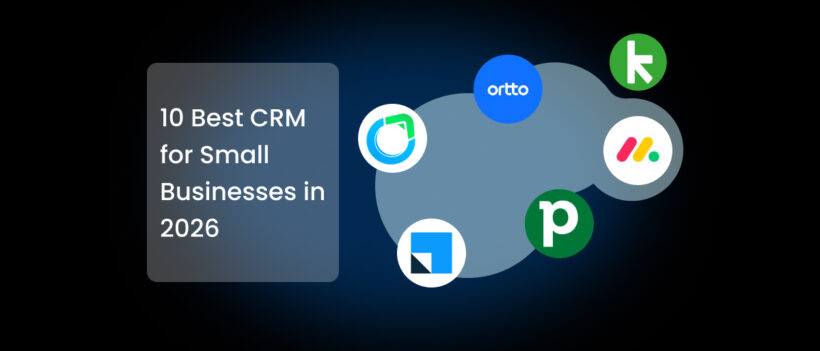
This guide brings together the 10 best CRM software options for small businesses.
What Small Businesses Should Look for in a CRM

Choosing the right CRM for small businesses is not about picking the platform with the longest feature list. For most small teams, the real goal is – finding a system that makes daily work easier, keeps customer information organized, and helps sales move forward without extra effort.
Many small businesses make the mistake of choosing a CRM that looks powerful but feels complicated once the team starts using it. A good small business CRM software should reduce workload, not create another system that needs constant management.
Below are the key things small businesses should focus on before selecting a CRM.
1. Ease of Use Comes First
Small teams usually don’t have dedicated CRM managers or technical specialists. If the system takes weeks to understand, adoption becomes difficult and the team eventually goes back to spreadsheets or personal tracking methods.
An easy CRM for small businesses should feel intuitive from day one. Adding contacts, updating deals, and scheduling follow-ups should take seconds, not multiple steps. When a CRM is simple to use, teams naturally rely on it every day.
2. Clear Lead and Sales Pipeline Management
One of the main reasons businesses invest in a sales CRM for small business is visibility. Owners need to know exactly where each deal stands, which leads are new, which are being negotiated, and which are close to closing.
A sales pipeline crm software helps teams prioritize work and avoid missed opportunities. Without this clarity, sales often depend on memory rather than process.
3. Automation That Saves Time
Small businesses operate with limited resources, so automation plays a big role. The right CRM should handle repetitive tasks like follow-up reminders, email sequences, and activity tracking.
A CRM with automation for small businesses helps ensure that no lead is forgotten while allowing the team to focus on conversations and closing deals instead of administrative work.
4. Affordability and Transparent Pricing
Budget matters. Many businesses start searching for an affordable CRM for small businesses because software costs can quickly add up. A CRM should provide value without forcing upgrades just to access basic functionality.
Pricing should also be predictable. Small businesses benefit from tools that grow with them rather than requiring large upfront commitments.
5. Ability to Replace Multiple Tools
Today’s businesses often juggle separate apps for emails, scheduling, documents, and follow-ups. A modern all-in-one CRM for small business can reduce this tool overload by bringing essential functions into one platform.
Having customer data, communication history, and tasks in one place improves workflow and prevents information from getting lost across systems.
6. Scalability Without Complexity
The needs of a business change as it grows. The best CRM tools allow teams to start simple and expand gradually. A scalable cloud CRM for small business should support growth without forcing a complete system change later.
The best CRM is always the one that your team actually uses consistently. So, always focus on usability, cost control, automation, and long-term flexibility while choosing a CRM for your small business.
Best CRM for Small Businesses
Before diving into detailed reviews, let’s have a quick overview of the top CRM platforms small businesses are considering in 2026. This comparison highlights pricing, usability, and core capabilities to help you quickly identify which CRM for small businesses may fit your needs.
| CRM Software | Best For | Key Features | Starting Price* | Suitable for Small Businesses | Learning Curve |
|---|---|---|---|---|---|
| Saleoid | Solo founders, small & growing businesses wanting an all-in-one system | Sales CRM, marketing automation, invoicing, project management, appointment scheduling, document management, email marketing | $5/month (custom plan) | ⭐⭐⭐⭐⭐ Excellent for startups & small teams | Easy |
| Autopilot (Ortto) | Marketing-driven businesses | Customer journey automation, email marketing, analytics, segmentation | ~$29/month | ⭐⭐⭐ Good for marketing-focused teams | Medium |
| Monday CRM | Teams needing CRM + workflow management | Visual pipelines, automation, dashboards, integrations, collaboration tools | ~$12/user/month | ⭐⭐⭐⭐ Good for growing teams | Medium |
| LeadSquared | Lead-heavy sales teams | Lead capture, distribution automation, sales tracking, marketing automation | Custom pricing | ⭐⭐⭐ Suitable for structured sales teams | Medium–High |
| Pipedrive | Sales-focused small businesses | Visual sales pipeline, deal tracking, automation, reporting | ~$14/user/month | ⭐⭐⭐⭐ Strong for sales teams | Easy |
| Act-On | B2B marketing automation | Email campaigns, lead nurturing, analytics, automation workflows | Custom pricing | ⭐⭐⭐ Better for marketing-heavy companies | Medium |
| Zoho CRM | Budget-conscious growing businesses | Lead management, automation, reporting, AI assistant, integrations | ~$14/user/month | ⭐⭐⭐⭐ Popular among SMBs | Medium |
| HubSpot CRM | Startups exploring CRM for the first time | Free CRM, contact tracking, email tools, marketing integrations | Free (heavily paid tiers later) | ⭐⭐⭐ Good initially, costly as you scale | Medium |
| Keap | Service businesses & consultants | Sales automation, invoicing, email marketing, client management | ~$159/month | ⭐⭐⭐ Suitable but expensive for small teams | Medium |
| Salesmate | Small sales teams needing automation | Pipeline management, calling, automation, reporting | ~$15/user/month | ⭐⭐⭐⭐ Good balance of features & usability | Easy–Medium |
Note: *Pricing is approximate entry-level pricing and may vary based on billing terms, users, or feature tiers.
Many CRM tools look similar at first glance, but differences appear in pricing structure, ease of adoption, and how quickly teams can start using the system.
Some platforms focus heavily on marketing automation, others on sales pipelines, while newer all-in-one solutions aim to reduce the need for multiple tools altogether.
The best CRM for small businesses is usually the one that balances simplicity, affordability, and scalability without overwhelming small teams.
1. Saleoid: A Modular CRM Built for Small Businesses
Saleoid positions itself as a modular CRM and growth platform designed specifically for small service businesses and growing teams. Instead of offering a large, complex system from the beginning, Saleoid starts with a simple core CRM and allows businesses to expand functionality gradually as their needs evolve.
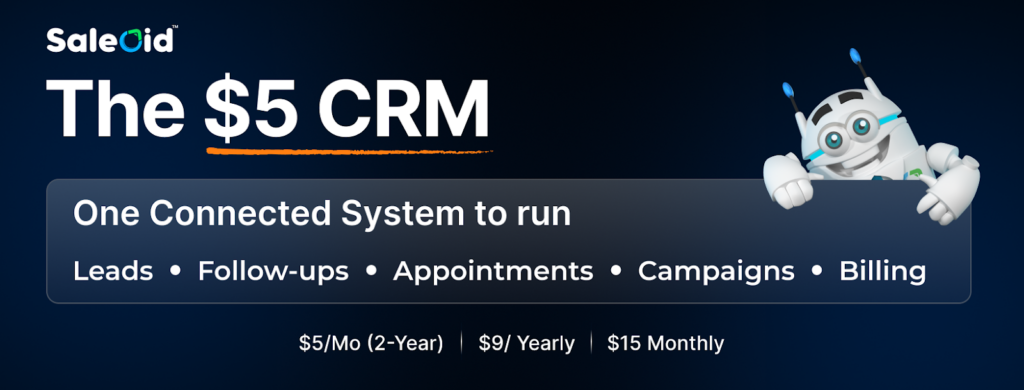
At its foundation, Saleoid helps businesses manage the entire customer journey inside one connected system, from capturing leads to managing follow-ups, scheduling appointments, running campaigns, and handling billing. The idea is to replace multiple disconnected tools with a single workflow that small teams can manage without technical expertise.
In practical terms, businesses can run:
Leads → Follow-ups → Appointments → Marketing Campaigns → Invoicing and Payments
from one dashboard, which further reduces the need to switch between separate software for sales, marketing, and operations.
Why Saleoid Is Known as the “$5 CRM”
Saleoid often refers to itself as a $5 CRM, but this positioning is less about being a stripped-down tool and more about how its pricing model works.
Unlike many CRM platforms that require businesses to purchase bundled plans upfront, Saleoid follows a modular approach:
- Businesses start with a core CRM at $5/month on a 2-year plan
- A yearly option is available at $9/month
- Monthly flexibility is offered at $15/month
Instead of forcing upgrades to unlock unrelated features, companies can add additional apps only when they actually need them. This allows small businesses to control costs during early growth stages while still having access to advanced capabilities later.
A Modular System Instead of Forced Bundles
One of Saleoid’s key differentiators is how features are introduced. Many CRM platforms package tools into tiers, meaning businesses must upgrade entire plans even if they only need one additional function.
Saleoid takes a different route. It combines an all-in-one ecosystem with modular flexibility.
Businesses can start with basic CRM capabilities and gradually add tools such as:
- Appointment scheduling
- Email marketing and campaigns
- Landing pages and form builders
- Automation workflows and follow-ups
- Invoicing and subscription management
- SMS and WhatsApp communication
This approach helps avoid paying for tools that remain unused, which is a common concern among small businesses adopting CRM software.
Built for Small Teams, Not Enterprise Complexity
Many CRM platforms are originally designed for large organizations and later adapted for smaller companies. Saleoid, however, is built with small teams in mind from the beginning.
The platform focuses on usability and operational flow rather than enterprise-level configuration. Teams can manage contacts, automate follow-ups, and track deals without needing dedicated administrators or long onboarding processes.
Automation and workflow builders are integrated to help businesses run daily processes, such as reminders, lead nurturing, and customer communication, instead of using CRM only as a contact database.
Rather than positioning itself purely as a traditional sales CRM, Saleoid aims to function as a practical growth stack that evolves alongside the business, making it particularly suitable for startups, agencies, consultants, and service-based companies managing multiple customer interactions.
2. Autopilot (Ortto)
Autopilot, now known as Ortto, is primarily built for businesses that rely heavily on marketing automation and customer journey tracking. It focuses more on understanding how customers interact with campaigns rather than managing day-to-day sales operations. For marketing-driven teams that want deeper visibility into engagement and behavior, it can be a useful platform, though smaller businesses may need time to fully understand and configure its workflows.
Key Features:
- Customer journey automation to map and track user interactions
- Email marketing campaigns with personalization options
- Audience segmentation for targeted communication
- Marketing analytics and performance tracking
- Visual journey builder for campaign workflows
3. Monday CRM
Monday CRM is an extension of the broader Monday work management platform, designed for teams that want CRM capabilities alongside project and workflow management. It works well for businesses that already rely on structured processes and collaboration tools. The interface is visual and flexible, making it suitable for growing teams that want to manage sales activities and internal workflows in the same environment.
Key Features:
- Visual sales pipelines for tracking deals and progress
- Workflow automation for tasks and follow-ups
- Custom dashboards for performance tracking
- Integrations with popular business tools
- Team collaboration features for shared visibility
4. LeadSquared
LeadSquared is often chosen by organizations that handle a large volume of incoming leads and require structured distribution and tracking. It is commonly used by sales-driven businesses where lead capture, assignment, and follow-up speed are critical. While powerful, the platform may feel more suited to teams with defined sales processes rather than very small or early-stage businesses.
Key Features:
- Lead capture from multiple channels
- Automated lead distribution among sales teams
- Sales activity tracking and performance monitoring
- Marketing automation for nurturing campaigns
- Built-in reporting for lead conversion analysis
5. Pipedrive
Pipedrive is a sales-focused CRM known for its simplicity and visual approach to pipeline management. It is designed for businesses that want a clear overview of deals without dealing with unnecessary complexity. Small sales teams often prefer it because it is easy to learn and keeps the focus on moving deals forward rather than managing extensive configurations.
Key Features:
- Visual sales pipeline for tracking opportunities
- Deal and contact management in one place
- Automation for reminders and repetitive tasks
- Sales reporting and forecasting tools
- Activity tracking for calls, emails, and meetings
6. Act-On
Act-On is primarily built for businesses that rely heavily on marketing-driven sales, especially in B2B environments. Rather than functioning as a traditional sales-first CRM, it focuses more on helping companies manage campaigns, nurture leads over time, and track marketing performance. For organizations where marketing automation plays a bigger role than daily sales tracking, Act-On can be a useful platform, though it may feel more complex for smaller teams looking for a simple CRM setup.
Key Features:
- Email campaign management and automation
- Lead nurturing workflows
- Marketing analytics and performance tracking
- Customer journey automation
- Segmentation and targeting tools
7. Zoho CRM
Zoho CRM is a well-known choice among growing small and medium-sized businesses looking for a balance between affordability and functionality. It offers a wide range of tools covering lead management, automation, and reporting, making it suitable for teams that want flexibility without moving into enterprise-level pricing. While the platform is feature-rich, new users may need some time to fully understand its setup and customization options.
Key Features:
- Lead and contact management
- Sales automation and workflow rules
- Reporting dashboards and analytics
- Built-in AI assistant for insights and predictions
- Integrations with the wider Zoho ecosystem and third-party tools
8. HubSpot CRM
HubSpot CRM is often the starting point for businesses exploring CRM software for the first time, mainly because of its free entry-level plan. It provides essential tools for managing contacts, tracking communication, and organizing basic sales activities. Many startups begin with HubSpot due to its ease of adoption, though businesses sometimes find that costs increase as advanced features and automation become necessary over time.
Key Features:
- Free contact and deal management
- Email tracking and communication tools
- Basic sales pipeline management
- Marketing and email integrations
- Reporting and activity tracking
9. Keap
Keap is designed mainly for service-based businesses, consultants, and small teams that want sales automation combined with client management. It combines CRM functionality with invoicing and email marketing, making it useful for businesses that manage long-term customer relationships. However, its pricing can feel high for very small teams or early-stage businesses, especially compared to newer CRM alternatives.
Key Features:
- Sales and follow-up automation
- Client and contact management
- Email marketing campaigns
- Invoicing and payment tracking
- Appointment and task management
10. Salesmate
Salesmate focuses on helping small sales teams streamline their workflow through automation and communication tools. It offers a clean interface and practical features that support everyday sales activities without overwhelming users. The platform strikes a balance between usability and functionality, making it appealing for teams that want automation and reporting without a steep learning curve.
Key Features:
- Visual sales pipeline management
- Built-in calling and communication tracking
- Workflow automation and reminders
- Sales reporting and performance insights
- Contact and deal management tools
How to Choose the Right CRM (Without Wasting Time or Money)

Choosing a CRM for small businesses can feel overwhelming. Most owners start by comparing feature lists or pricing pages, but that usually leads to confusion rather than clarity. The truth is, the right CRM is the one that fits how your business actually works day to day.
For solo founders and small teams, a CRM should simplify operations, not introduce another system that takes weeks to understand. Before committing to any platform, it helps to step back and evaluate your real needs instead of chasing popular software names.
A. Start With Your Business Stage, Not the Software
The CRM that works for a growing agency may not suit a solo consultant, and a system built for large enterprises can quickly become overwhelming for small teams.
a. If you’re a solo business owner
You likely need a simple system to manage leads, schedule follow-ups, and keep customer information organized. An easy-to-use sales CRM for small business with automation and reminders is usually enough. Complex customization and advanced analytics may only slow you down.
b. If you have a small team (2–5 people)
Visibility becomes important. Everyone should be able to see deal progress, assigned tasks, and customer conversations without asking each other constantly. A small business CRM software with shared pipelines and activity tracking helps teams stay aligned.
c. If your business is growing quickly
You may need automation, reporting, and integrations that support marketing and billing workflows. At this stage, choosing a scalable cloud CRM for small business prevents switching platforms later.
B. Check the Hidden Costs Before You Decide
Pricing is where many businesses make expensive mistakes. A CRM may look affordable at first but become costly once you start using it fully.
Before choosing any platform, ask yourself:
- Will pricing increase as my contacts or users grow?
- Do I need additional tools alongside this CRM?
- Are important features locked behind higher plans?
- Will I need paid onboarding or technical setup?
- Can my team realistically use this every day?
An affordable CRM for small business should remain affordable as you grow, not only at the starting point.
C. A Simple 5-Minute CRM Decision Framework
If you’re unsure where to begin, this quick evaluation can help narrow your options.
a. Count the tools you currently use
If you rely on multiple apps for leads, emails, scheduling, and billing, an all-in-one CRM for small business may save both time and money.
b. Look at your follow-up process
If reminders depend on memory or sticky notes, automation should be a priority.
c. Check team visibility
If only one person knows the status of deals, you need a CRM with clear pipeline tracking.
d. Calculate your monthly software spend
Sometimes replacing several small subscriptions with one connected system improves workflow and reduces overall costs.
D. Red Flags to Avoid When Choosing a CRM
Small businesses often regret CRM decisions for the same reasons. Watching for these early can prevent wasted time and money.
- Choosing software only because it’s popular
- Paying for features your team doesn’t understand or use
- Selecting enterprise-level tools too early
- Ignoring ease of use during trials
- Depending entirely on a free plan without considering future growth
A good CRM for small businesses should feel manageable from the beginning and remain useful as your needs evolve.
E. Match the CRM to Your Priority
Different businesses solve different problems with CRM software. Clarifying your main goal makes selection easier.
| If Your Priority Is | Look for a CRM That Focuses On |
|---|---|
| Keeping costs low | Flexible or modular pricing |
| Managing leads better | Strong sales pipeline tools |
| Automating follow-ups | Workflow and automation features |
| Reducing tool overload | All-in-one functionality |
| Growing steadily | Scalable small business CRM software |
When a system feels simple, organized, and aligned with your workflow, adoption happens naturally. For most small teams, the right CRM for small businesses is the one that brings clarity to leads, consistency to follow-ups, and structure to growth without adding unnecessary complexity.
Frequently Asked Questions about Sales CRM Software
1. Will my team actually use this every day?
A CRM only works if it becomes part of daily operations. If the interface feels complicated during the trial phase, adoption will likely remain low after purchase. An easy-to-use small business CRM software usually delivers better long-term results than a powerful system that nobody uses consistently.
2. Does this CRM solve my current problem or future assumptions?
Some businesses buy advanced tools expecting future growth. Instead, focus on what you need now, managing leads, tracking conversations, and improving follow-ups. A scalable CRM for small businesses should grow with you without forcing unnecessary complexity at the start.
3. Will I still need other tools alongside it?
If you still require separate apps for scheduling, email campaigns, invoicing, or customer tracking, your workflow may remain fragmented. Many businesses now prefer an all-in-one CRM for small businesses that reduces tool switching and keeps information centralized.
4. How predictable is the pricing as I grow?
Costs can increase when contacts, users, or automation needs expand. Look beyond the starting price and understand how billing changes over time. An affordable CRM for small businesses should remain sustainable as your customer base grows.
5. How easy is it to move my data later if needed?
Businesses evolve, and software choices sometimes change. A good CRM should allow easy data export and migration without locking you into long-term dependence.
Saleoid is not affiliated with or endorsed by any third-party brands mentioned. All trademarks, product names, and logos belong to their respective owners and are used for identification/comparison only. Details may change—verify on each vendor’s site.