
There’s a moment every sales manager knows well. End of the month is 3 days out, the numbers aren’t where they need to be, and no one on the team can give a straight answer about which deals are actually close to closing. Someone pulls up a spreadsheet. Someone else opens their email. A third person checks a sticky note on their monitor.
This is what running a sales team without proper pipeline tracking looks like, and it happens more often than most businesses would like to admit.
The fix isn’t complicated. It’s getting the right system in place so that every deal in motion has a home, a status, an owner, and a next step. Pipeline tracking software does exactly that. And when your CRM executes it perfectly, it transforms how your sales team operates at every level.
What Is Pipeline Tracking Software?

Pipeline tracking software empowers sales teams to organize, monitor, and manage every active deal across their entire process, from the moment a lead qualifies to the final win or loss.
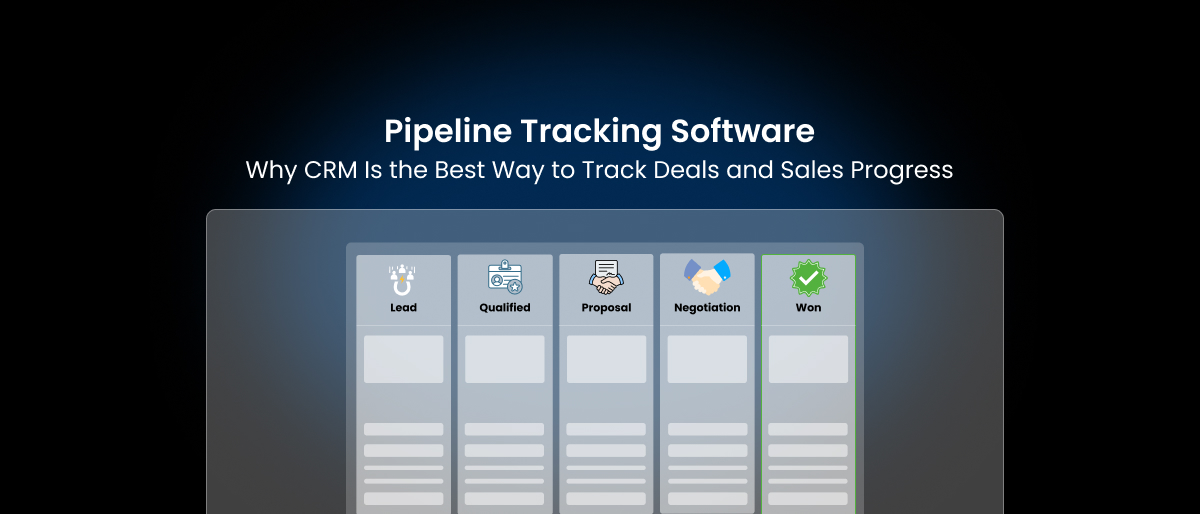
The “pipeline” in the name refers to the visual and structural representation of your sales process. Every deal sits at a specific stage, maybe “proposal sent,” maybe “in negotiation,” maybe “awaiting signature”, and your pipeline gives you a real-time map of where everything stands. Move a deal forward, and it advances on screen. Lose a deal, and it’s removed from active tracking. Close one, and it shows up in your win column.
If you’re still unclear about how a pipeline differs from the broader sales journey, this breakdown of sales pipeline vs sales funnel explains it clearly.
At its core, sales pipeline tracking software answers three questions your team should always be able to answer quickly:
- What deals are we working right now?
- Where does each deal stand?
- What needs to happen next to push each deal forward?
If your current setup can’t answer those 3 questions in under a minute, you don’t have a tracking system, you have a guessing game. Good pipeline tracking CRM tools eliminate the guessing entirely by putting every deal’s status, history, and next action in one visible, searchable, shareable place.
The concept isn’t new, but the execution has evolved significantly. Early pipeline tracking was manual – hand-drawn on whiteboards, maintained in binders, or tracked in spreadsheets someone updated on Fridays if they remembered. Modern pipeline management software automates the tracking, connects it to your communication tools, and turns deal data into actionable insight in real time.
Why Businesses Struggle With Tracking Sales Deals
Most small and mid-size businesses don’t fail at sales because they can’t sell. They fail at sales because they can’t see their sales.
Sales progress tracking breaks down for a few predictable reasons, and most of them come back to the same root problem: information is scattered across too many places.
A rep sends a proposal by email. Their notes from the discovery call are in a personal doc. The follow-up reminder is in their phone calendar. The pricing approval they needed sits in a Slack thread from two weeks ago. None of that lives in the same place, and none of it is visible to their manager or teammates unless the rep manually summarizes it, which they rarely do.
The result is a sales operation that runs on memory and personal habit rather than system and process. When a rep leaves the company, their deals leave with them. And when a manager asks for a pipeline update, it takes an hour to compile. When leadership wants a revenue forecast, the numbers are soft at best and made up at worst.
There are a few specific patterns that make sales progress tracking so difficult:
A. Deals move through informal channels:
A lot of sales progress happens in email threads and phone calls that never get logged anywhere. The deal advances in practice, but nothing in the system reflects that advance.
B. Reps update inconsistently:
Some reps are disciplined about logging activity. Others rely on memory until things fall apart. Without a system that makes updating easy and expected, you get uneven data across the team.
C. There’s no standard for what “stage” means:
If 3 reps each define “qualified” differently, their pipeline data means different things. One rep’s “qualified lead” is another rep’s “I had a decent first call.” Without standardized definitions, deal pipeline tracking numbers are impossible to compare or act on.
D. Teams grow without processes scaling:
A solo salesperson can track everything in their head. Two salespeople can share a spreadsheet. But by the time a team has five or ten reps working different territories and product lines, informal tracking collapses under its own weight.
The solution isn’t discipline or better habits. It’s a system that makes tracking the path of least resistance, one where logging a call is faster than not logging it, and where the pipeline updates itself wherever possible.
Common Deal Tracking Tools Businesses Use
Before most businesses land on a dedicated system, they cycle through a few common approaches to deal tracking. Each one has a phase of life where it works reasonably well, and a point where it stops working entirely.
A. Spreadsheets
The spreadsheet is where almost every sales tracking effort starts. It’s free, flexible, and everyone already knows how to use it. You set up columns for deal name, company, stage, deal size, rep, and expected close date, and for a while, it does the job.
The limitations show up fast once the team grows. Spreadsheets don’t update automatically. They can’t send a reminder when a deal has gone cold for two weeks. They don’t connect to your email, so activity isn’t tracked. And every time two people edit the same file, something breaks. A spreadsheet is a snapshot of a moment, not a live view of reality.
This is exactly why many teams eventually move from spreadsheets to dedicated systems. This blog contains a detailed comparison of CRM vs Excel for sales tracking if you’re evaluating the shift.
B. Project Management Tools
Some teams try to bend a project management tool into a sales tracking solution. You can set up boards with columns for each sales stage and move deals across like task cards.
This works better than a spreadsheet for visibility, but these tools aren’t built for sales data. There’s no native concept of deal value, no close probability, no sales-specific reporting. You can make them work, but you’re always fighting the tool’s underlying logic, which was designed for tasks and projects, not revenue and relationships.
C. CRM Systems
A CRM is where deal tracking tools reach their full potential. Unlike spreadsheets or project tools, a CRM is purpose-built for the way sales teams actually work. It connects deals to contacts, companies, email history, call logs, and documents. It tracks activity automatically where possible and makes manual updates simple where automation can’t reach.
More importantly, a CRM treats a deal as a living record, not a row in a table. Every interaction, every stage change, every note and document gets attached to the deal, building a complete history that any team member can access at any time.
The shift from spreadsheets to CRM isn’t just a software upgrade but a shift from passive record-keeping to active sales management. CRM deal tracking gives you data you can actually act on.
Why CRM Software Is Better for Pipeline Tracking
Every category of tool mentioned above can hold deal information. Only CRM software for small businesses is actually designed to help you manage those deals over time, and that distinction matters a lot. If you’re evaluating options, this guide to the best CRM for small businesses breaks down tools that are actually built for growing teams.
Below, we’ve discussed what separates pipeline tracking CRM from every other approach:
A. Deal Visibility That’s Always Current
In a spreadsheet, visibility depends on whoever last updated it. In a CRM, deal visibility is real-time and automatic. When a rep moves a deal from “discovery” to “proposal,” the pipeline view updates instantly. Email goes out, it’s logged. When a meeting happens, it’s recorded. Managers can see the full state of every deal without asking a single rep for an update.
This kind of track sales deals visibility is what separates guessing from knowing. Leadership can review the pipeline on a Monday morning and actually understand what’s happening with every deal in flight, not just the ones reps remembered to mention.
B. Automation That Keeps Deals Moving
One of the most common reasons deals die isn’t that the prospect said no, it’s that someone forgot to follow up. A rep got busy, a week slipped by, and the deal went cold without anyone realizing it.
A CRM solves this through automation. You can set rules that trigger follow-up reminders when a deal has sat in the same stage for too long. Can automate the delivery of proposal documents after a discovery call is logged. You can schedule reminder sequences that keep the rep engaged without requiring them to remember everything manually.
Automation in a CRM doesn’t replace the human relationship that drives sales. It protects it by making sure nothing falls through the cracks.
C. CRM Dashboards for the Full Picture
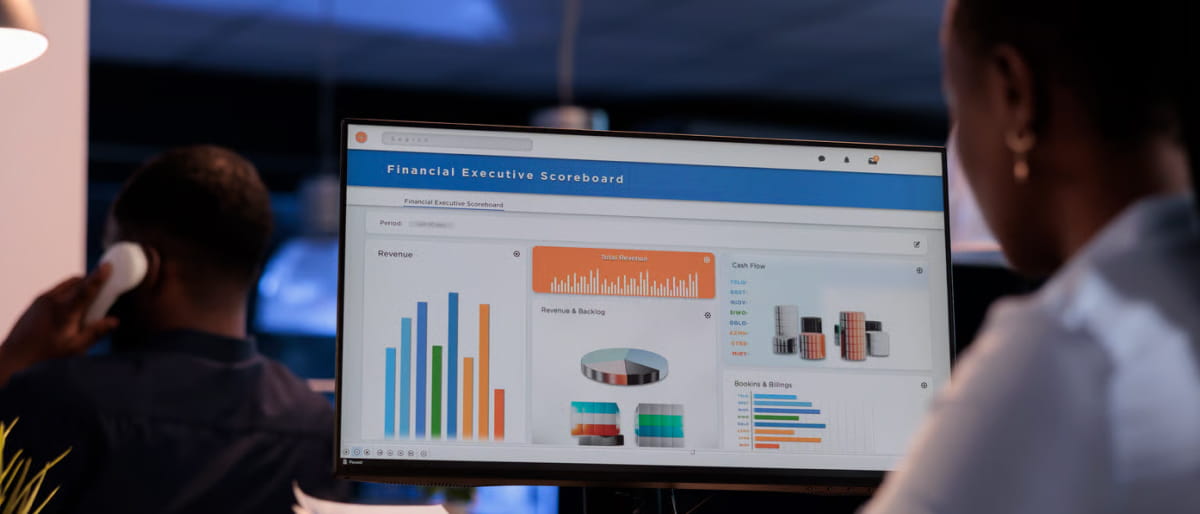
Where spreadsheets give you rows and project tools give you boards, CRM dashboards give you insight. A well-configured dashboard pulls together deal count, total pipeline value, average deal size, stage-by-stage breakdown, and individual rep performance, all in one view, updating continuously as data changes.
This is the difference between knowing what happened and understanding what’s happening right now and what’s likely to happen next. CRM dashboards are the command center for sales leadership, giving managers the visibility they need to coach reps, reassign deals, and make accurate revenue projections.
Looking for the right CRM for your startup? We’ve put together a detailed guide on the best sales CRM for startups covering what to look for, what to avoid, and how to pick a system that actually grows with your team.
How CRM Dashboards Help Track Sales Progress
A CRM dashboard is only as useful as the data behind it, but when that data is clean and current, dashboards become genuinely powerful tools for sales progress tracking.
Think of the dashboard as the difference between watching a live match and reading the score the next morning. Both give you the result, but one lets you make decisions while the game is still going.
What Good CRM Dashboards Show You
A CRM dashboard for sales pipeline tracking typically gives you several views simultaneously. At the aggregate level, you see your total pipeline value: the sum of all active deals, weighted or unweighted by probability.
Below that, you see how deals are distributed across stages. If 70% of your deals are sitting in “proposal sent” and almost none are in “negotiation,” something is wrong at that transition point and you can address it.
You also see time-based data. How long has the average deal spent in each stage? Which deals are aging beyond your typical sales cycle? A deal that’s been in “consideration” for 45 days when your average is 10 needs attention, and a dashboard surfaces that without anyone having to dig for it.
- Individual rep views within the dashboard let managers see which reps have full, active pipelines and which ones have gone quiet. It’s not about surveillance, it’s about knowing where coaching is needed before the end of the month arrives and it’s too late to course-correct.
- Forecasting views pull close dates and deal probabilities together to project expected revenue for the week, month, or quarter. This gives leadership a realistic picture of where the business is headed rather than an optimistic guess based on whatever deals feel close.
The best CRM dashboards are configurable, meaning your team can build views that reflect your specific sales process rather than a generic template. When your dashboard is designed around how your business actually sells, it becomes a tool your team checks every morning, not a report they glance at once a month.
What Features to Look for in Pipeline Tracking Software
Not all pipeline tools are built the same. When you’re evaluating CRM pipeline tracking software for your team, there are a handful of features that separate a system worth using from one that creates more work than it saves.
A. Customizable Pipeline Stages
Your sales process is not identical to every other company’s. A good pipeline tool lets you define your own stages based on how your deals actually move, from your specific qualification criteria to your unique post-proposal process. Rigid, non-customizable stages force your team to fit their real work into a system that wasn’t designed for them, which leads to inaccurate tracking and frustrated reps.
B. Deal Reminders and Follow-Up Alerts
This is one of the most practical features a deal tracking software for sales teams can offer. Automated reminders that trigger when a deal has been inactive for a set period, say 5 business days, keep deals from going cold through neglect. Reps shouldn’t have to rely on memory to know when to follow up. The system should tell them.
C. Reporting That Goes Beyond Counts
Knowing how many deals are in your pipeline is table stakes. What you actually need is insight: Which stage has the highest drop-off rate? Which rep has the fastest average close time? Which deal source produces the highest lifetime value? Solid reporting features inside sales pipeline CRM let you answer those questions with real data, not gut feelings.
D. Revenue Forecasting
Any serious pipeline management software should let you build revenue forecasts based on your pipeline data. When you can see expected close dates, deal values, and conversion probabilities together, forecasting becomes a data exercise rather than a negotiation between optimism and reality. Sales leadership should be able to pull a 90-day forecast in minutes, not hours.
E. Activity Logging and Email Integration
If your pipeline tool doesn’t connect to your email, you’re still doing double work like logging activity manually after every interaction. Native email integration means calls, emails, and meetings are captured automatically (or with one click), keeping the deal record accurate without eating up rep time.
F. Mobile Access
Sales don’t stop when someone leaves the office. Reps who are on the road, at a trade show, or visiting a client site need to be able to pull up deal information, log activity, and move deals forward from their phone. Track sales deals in CRM only works when access isn’t limited to a desk.
How Saleoid Helps You Track Your Sales Pipeline
There’s a version of sales pipeline tracking that requires stitching together a spreadsheet, a project board, an email tool, and a forecasting doc. And spending hours each week trying to reconcile them into something that resembles a coherent picture.
Then there’s what Saleoid offers.
Saleoid is a sales CRM built with a practical goal in mind: helping small teams track deals clearly without forcing them into a complicated system they’ll never fully use. Instead of assuming a perfectly structured sales process, it’s designed for the way real pipelines actually behave, where deals move at different speeds, follow-ups sometimes get delayed, and managers still need a clear picture of revenue at any moment.
Visual Pipeline Tracking in One Place
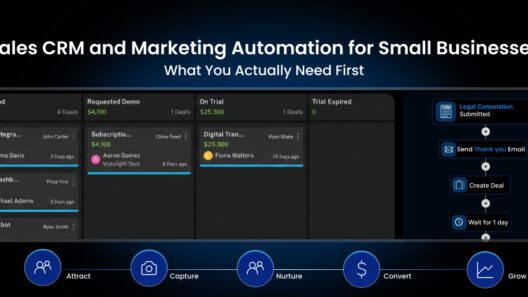
At the center of the platform is a visual pipeline board that shows every active opportunity in one place. Each deal has a defined stage, an owner, a deal value, and the next step attached to it. Moving deals through the pipeline is simple, and the full pipeline can be reviewed in seconds instead of piecing together updates from emails, spreadsheets, or team calls.
To help teams prioritize the right opportunities, Saleoid also includes a win probability scale. Each deal can be assigned a probability of closing based on its stage and engagement level, giving managers a clearer way to forecast revenue and helping reps focus their attention on deals most likely to convert.
Why Saleoid Works for Startups and Small Teams
One of the reasons Saleoid works particularly well for startups and small teams is its flexible structure. Rather than forcing businesses to purchase an entire technology stack upfront, the platform allows them to build their CRM gradually. Teams can start with a custom plan beginning at $5 per month, add only the tools they currently need, and expand later by adding more apps at $1 per app as the business grows. For teams that prefer a ready-to-use setup, bundled plans start at $19 per month.
This approach makes it easier for startups, solo founders, and small sales teams to adopt a proper pipeline tracking system without committing to a large, expensive CRM platform too early.If your team needs a simpler way to track deals, follow-ups, and revenue, Saleoid gives you a practical CRM in Budget.