
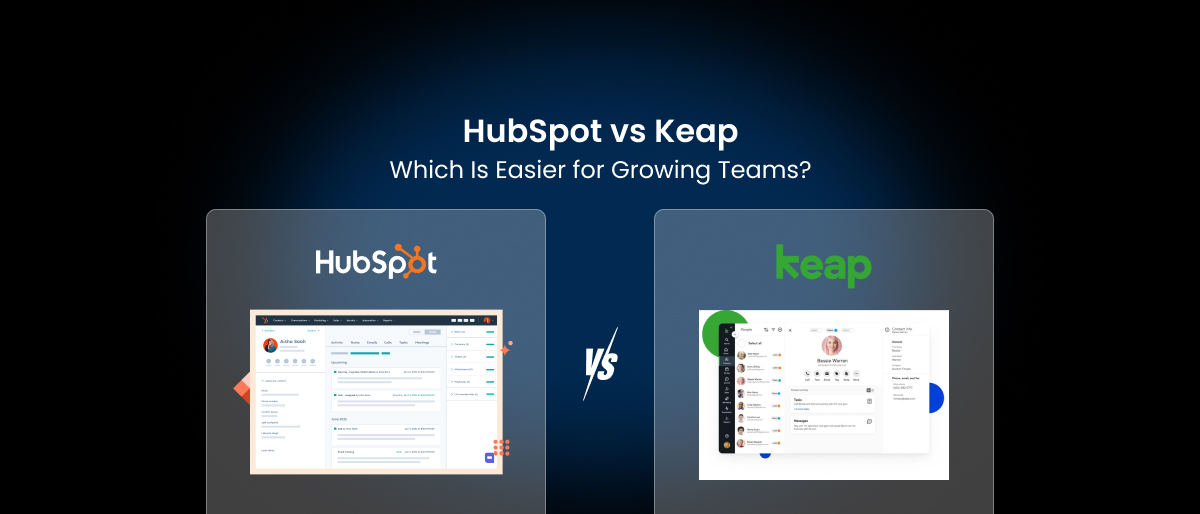

If you’re running a growing business and shopping for a CRM, chances are you’ve landed on two of the most popular options: HubSpot and Keap. Both platforms promise to organize your contacts, automate your marketing, and help close more deals, but the experience of using them and paying for them can be very different.
In this guide, we break down the real HubSpot vs Keap comparison so you can make a smarter decision for your team. We’ll look at features, pricing, ease of use, and what happens when your business starts to scale.
What Is HubSpot?
HubSpot is a powerhouse marketing and CRM platform built for businesses of all sizes, with features that scale from small teams to enterprise organizations. It offers a wide range of hubs: Sales, Marketing, Service, CMS each packed with sophisticated tools.
HubSpot’s free tier draws many businesses in, but the advanced features that growing teams actually need are locked behind its Professional and Enterprise tiers, which can run into thousands of dollars per month.
HubSpot is one of the most widely reviewed CRM platforms available. Rated 4.4/5 on G2 based on 13,000+ reviews across its hubs, and 4.5/5 on Capterra from over 4,400 reviews. It’s used by over 228,000 customers worldwide
For teams that find the pricing hard to justify, looking at a HubSpot alternative that delivers similar capabilities at a fraction of the cost is a logical next step.
What Is Keap?
is a CRM and marketing automation tool designed with small businesses in mind. It combines contact management, email marketing software, sales pipeline crm, and payment processing in one place.
Keap operates with over 200,000 users worldwide as of 2026. On review platforms, Capterra scores Keap at approximately 4.1/5, but notably, only 21% of Capterra reviewers call it “good value,” while 56% flag cost as a problem.
Keap has a loyal following among solopreneurs and service-based businesses, but its pricing grows alongside your contact list and user count, which can make scaling more expensive than it initially appears. If the costs are becoming a concern, many businesses start exploring a Keap alternative that offers more flexibility without the price jumps.
HubSpot vs Keap: Feature Comparison
When it comes to Keap vs HubSpot features, both platforms cover the CRM basics like contact management, pipeline tracking, and marketing automation. But the experience can be very different depending on the size of your team and the complexity of your workflows.
CRM & Pipeline Management
Both HubSpot and Keap offer solid CRM and sales pipeline management. HubSpot’s CRM is arguably more polished and suited for larger, multi-department sales teams. Keap’s pipeline is simpler and works well for small teams that don’t need heavy customization.
Email Marketing & Automation
HubSpot offers multiple channels but is strongest in email and inbound marketing. Keap includes solid email marketing and automation even at its base plan, which is one of its core strengths.
SMS & WhatsApp Marketing
This is where Keap falls short. Keap supports SMS marketing (primarily in the U.S.), but lacks broader multi-channel messaging like WhatsApp. HubSpot also focuses primarily on email, making both platforms less than ideal for teams that want to reach customers across different messaging channels.
Project Management & Client Portals
Neither platform offers full project management. HubSpot includes basic task and project tools, while Keap offers task management but lacks dedicated project workflows. For growing service-based businesses that need to manage both clients and projects from one place, this is a significant gap.
Online Booking & Billing
Keap supports invoicing and payments, though it’s mostly built around sales-focused workflows. HubSpot includes basic payments and invoicing, but subscription management and advanced billing often require additional tools or integrations. Both platforms require additional tools or integrations to handle end-to-end service delivery.
Keap Pricing: What You’ll Actually Pay
One of the most common complaints about Keap is that keap pricing increases as your business grows. Keap’s Max plan typically starts around $299 per month depending on user count and contact limits.
For a small but growing team, this creates a frustrating situation: the tool that was affordable when you started becomes a significant expense just as you’re gaining momentum.
HubSpot Pricing: The Upgrade Trap
HubSpot’s free tier is genuinely useful for getting started, but it doesn’t take long before you hit its limits. Need advanced automation? That’s a Professional plan. Want custom reporting? Enterprise tier. HubSpot’s pricing structure creates steep jumps- you might be paying $20/month, then suddenly find yourself looking at $500+ just to unlock one or two features your team actually needs.
HubSpot’s Marketing Hub Enterprise can run as high as $3,600 per month, covering only 5 core seats and 10,000 marketing contacts.
Keap Pros and Cons
Understanding keap pros and cons helps you weigh whether it’s the right fit for your stage of growth.
Pros:
- Simple and accessible interface for small teams
- Combined CRM, email, and payments in one tool
- Solid automation for sales-focused workflows
- Appointment scheduling included
Cons:
- Pricing rises sharply with more users and contacts
- No native WhatsApp marketing or social scheduling
- No built-in project management or client portal
- Limited A/B testing and lead scoring on lower tiers
- Requires third-party integrations for more complex workflows
HubSpot Pros and Cons
Pros:
- Powerful and mature platform with a large ecosystem
- Well-designed interface with strong onboarding resources
- Deep integration options across the HubSpot suite
- Strong analytics and reporting tools
Cons:
- Advanced features locked behind very expensive tiers
- Can require dedicated HubSpot specialists or consultants to manage properly
- Not ideal for small businesses that only need a fraction of the platform
Which Is Easier for Growing Teams?
When evaluating a CRM for growing teams, ease of use is about more than just the interface- it’s about whether the platform can grow with you without forcing unexpected cost jumps or tool sprawl.
HubSpot is powerful but complex. It’s built for enterprise teams with dedicated marketing and sales operations staff. For a lean, fast-moving team, HubSpot can feel like overkill- and the pricing often forces businesses to pay for capabilities they don’t need just to access the ones they do.
Keap is more approachable, but its pricing model and limited feature set become constraints as teams expand. The lack of native multi-channel marketing, project management, and client-facing tools means you’ll eventually need to bolt on other software- which adds cost and complexity.
The reality is that neither HubSpot nor Keap was designed with the flexibility that modern growing teams need.
Neither Fits Your Budget? Here’s What to Consider
HubSpot and Keap are both capable platforms, but neither is cheap once you outgrow the basics.
HubSpot’s free CRM is genuinely useful, but meaningful automation and reporting start at the Professional tier, which runs $890/month for Marketing Hub or $1,300/month for the full Customer Platform bundle (5 seats). On top of that, mandatory onboarding fees hit $1,500 for some Professional plans and $4,500 for the CRM Suite, costs that catch many buyers off guard.
Keap, now owned by Thryv Holdings, starts at $299/month (billed monthly) for 2 users and 1,500 contacts. Each additional user costs $35/month, and contacts are charged in increments, so costs scale quickly as your list grows.
For small businesses and solopreneurs who need CRM + automation + marketing in one place but can’t justify $300–$1,300/month, there are leaner alternatives worth evaluating. Saleoid, for instance, takes a modular approach: its base CRM starts at $5/month (on a 2-year plan), with extra apps added at $1 each, so you only pay for what you actually use. The Business Suite bundle starts at $19/month for teams that want a pre-built setup.
It’s not a like-for-like replacement for HubSpot’s enterprise depth or Keap’s mature automation engine, but if budget is the dealbreaker, it’s worth a look before committing to either.
👉 See our full breakdown of budget-friendly CRM alternatives → HubSpot Alternatives
A Smarter Alternative: Saleoid
If you’re comparing HubSpot vs Keap specifically because you’re looking for easy to use CRM software for small businesses that doesn’t punish you for growing, it’s worth looking at what’s changed in the market.
Saleoid is an all-in-one CRM platform built for businesses that need full functionality without enterprise-level pricing. Here’s what sets it apart from both HubSpot and Keap:
- Transparent, affordable pricing plans start at $5/month(2-year plan) that lets you pay only for the features you actually use
- No forced upgrades– features like automation, client portals, and landing pages are available without needing to jump to an expensive tier
- Native multi-channel marketing– including Email, SMS, WhatsApp, and social scheduling, all in one platform
- Built-in project management, billing, and e-signatures– eliminating the need for third-party tools
- Dedicated CRM manager included for personalized onboarding and support
- Free sub-accounts for agencies and businesses managing multiple clients or brands
Where Keap charges $299/month for 2 users and 1,500 contacts, and HubSpot charges $3,600/month for an enterprise marketing plan, Saleoid’s Unlimited plan is available at just $39/month- with access to the full feature set.
For growing teams that want a CRM that scales with them cleanly, Saleoid removes both the pricing complexity of HubSpot and the feature gaps of Keap.
HubSpot vs Keap vs Saleoid: Pricing Comparison (2026)
| HubSpot | Keap | Saleoid | |
| Free Plan | ✅ Yes, free CRM forever | ❌ No | ❌ No (15-day free trial) |
| Entry Price | $0 (Free CRM) / $20/seat/mo (Starter) | $249/mo billed annually / $299/mo monthly | $5/mo (2-year plan) / $19/mo (Business Suite) |
| Users Included | 1 seat (Starter) | 2 users | 1 user |
| Contacts Included | Unlimited (Free/Starter CRM) | 1,500 contacts | 2,500 contacts |
| Marketing Automation | From $890/mo (Marketing Hub Pro) | Included from base plan | Included from base plan |
| Extra Users | $20–$150/seat/mo (varies by hub & tier) | $35–$39/mo per user | $6/mo per user |
| Extra Contacts | $40–$250 per 1,000 (Marketing Hub) | ~$36 per 1,000 | Included in plan tiers |
| One-time Onboarding Fee | $1,500 (Pro) / $4,500 (Suite Pro) / $12,000 (Enterprise) | $499–$1,500 | None |
| Capterra Rating | 4.5/5 (4,400+ reviews) | 4.1/5 (1,298 reviews) | 4.8/5 (9 reviews) |
| Best For | Mid-market & enterprise teams | Small service businesses & solopreneurs | Budget-conscious SMBs & growing teams |
Note: Pricing based on publicly available data, May 2026. Always verify on the vendor’s official pricing page.
HubSpot vs Keap: Which Should You Choose?
The right answer depends on your team size, how you sell, and how much you’re willing to pay as you grow.
Choose HubSpot if…
- You have a dedicated marketing team running multi-channel campaigns
- You need advanced reporting, attribution, and revenue tracking across sales and marketing
- You’re planning to scale beyond 10 users and want a platform that grows with you
- You already use tools like Salesforce, Slack, or LinkedIn Sales Navigator and need deep integrations
- You’re comfortable starting free and budgeting for a significant upgrade when you hit the Pro tier
Choose Keap if…
- You’re a solo operator, coach, or small service business with under 2,500 contacts
- Your core need is automating follow-ups, appointment booking, and invoicing in one place
- You don’t need multi-channel marketing (WhatsApp, social scheduling, SMS outside the US)
- You’re okay with a $249–$299/month starting point and can plan for costs rising with your contact list
- You want automation that’s faster to set up than HubSpot’s Pro workflows
Consider Saleoid if…
- Budget is the primary blocker. HubSpot’s Pro tier and Keap’s base price are both out of reach
- You need WhatsApp marketing, client portals, e-signatures, and project management in one tool
- You want to pay only for the features you use, starting at $5/month and adding modules as you grow
- You run an agency or manage multiple sub-accounts under one subscription
Ready to See the Difference?
Stop overpaying for features you don’t need or juggling multiple tools to run your business. Explore Saleoid’s pricing or schedule a demo to see how it compares to HubSpot and Keap.
FAQs on HubSpot vs Keap
It depends on your growth stage. HubSpot’s free CRM is a strong starting point for small businesses that want basic contact management and pipeline tracking without spending anything. However, once you need marketing automation, advanced reporting, or more than one pipeline, you’re looking at HubSpot’s Professional tier, which starts at $890/month for Marketing Hub. Keap bundles CRM, email automation, and invoicing from its base plan at $249/month, making it a better all-in-one option for small teams that don’t need enterprise-level features.
At the entry level, Keap’s $249/month base plan is more expensive than HubSpot’s free CRM or $20/seat Starter plan. However, Keap includes automation, invoicing, and email marketing from day one, while HubSpot charges separately for each hub. For a small team needing a fully loaded tool, Keap can be cheaper than assembling equivalent HubSpot hubs, but as your contact list and user count grow, Keap’s pricing scales quickly and can become more expensive than mid-tier HubSpot plans.
Keap’s published price covers 2 users and 1,500 contacts, but most businesses quickly exceed both. Each additional user costs $35–$39/month, and contacts are billed in increments as your list grows. On top of that, a one-time implementation fee of $499–$1,500 is required for all new customers. When you factor in text messaging tiers, extra contact blocks, and coaching add-ons, real Year 1 costs for a typical small business commonly land between $400–$800/month, not the $249 starting price.
HubSpot’s biggest hidden cost is the jump between tiers. The free plan and $20/seat Starter plan are genuinely affordable, but the moment you need advanced automation, custom reporting, or A/B testing, you’re pushed to the Professional tier, which starts at $890/month for Marketing Hub or $1,300/month for the full Customer Platform. Add mandatory onboarding fees ($1,500 for Pro, $4,500 for Suite Pro), contact overages on Marketing Hub, and Breeze AI credit packs, and the real cost of a “mid-size” HubSpot setup can easily reach $2,500–$5,000/month for a 10-person team.
Both platforms offer solid email automation, but for different use cases. Keap’s visual automation builder is widely regarded as one of its strongest features; it makes it easy to set up multi-step sequences, branching logic, and delay timers without technical knowledge, which is why it’s a favorite among solo operators and small service businesses. HubSpot’s email automation is more powerful at scale, with multichannel workflows, smart content, and campaign attribution, but those features are locked behind the Professional tier at $890/month for Marketing Hub.
Yes, both platforms support contact and data migration, though the process isn’t seamless either way. Moving from Keap to HubSpot typically involves exporting contacts and tags as a CSV, then remapping fields and rebuilding automation sequences in HubSpot’s workflow editor. HubSpot’s migration guides and its ecosystem of certified partners make this manageable for most teams. Going the other direction, HubSpot to Keap, is less commonly documented but follows the same CSV-based process. Budget 1–3 days of setup time depending on the complexity of your existing automations.
Neither platform is purpose-built for e-commerce, but both can support it with the right setup. HubSpot integrates with Shopify, WooCommerce, and BigCommerce through its native connectors, making it a reasonable choice for e-commerce teams that want to tie marketing campaigns to purchase data. Keap includes basic order management and payment processing, which works for service businesses selling simple products or subscriptions, but lacks the deeper e-commerce analytics that dedicated tools or HubSpot Professional provide. For most e-commerce businesses, HubSpot is the stronger long-term choice.
HubSpot offers a genuinely free CRM with no time limit, it includes contact management, pipeline tracking, email tools, live chat, and basic reporting for up to 5 users. It’s one of the most complete free plans in the CRM market. Keap does not offer a free tier; it provides a 14-day free trial with limited functionality (including a 25-email send cap), after which a paid plan starting at $249/month is required. If you need a free starting point, HubSpot is the clear choice, or consider Saleoid’s 15-day free trial followed by plans starting at $5/month.
Disclaimer: Pricing and feature information for HubSpot and Keap is based on publicly available data at the time of writing. Plans and pricing are subject to change. All trademarks, product names, and logos belong to their respective owners and are used for identification/comparison only. Always verify current pricing on each vendor’s official website.