


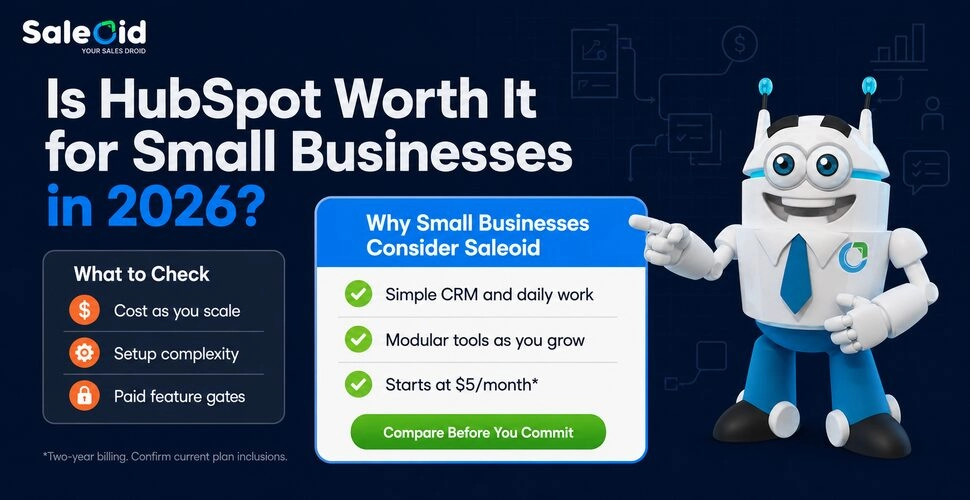

The honest answer isn’t yes or no. It depends entirely on which version of HubSpot you’re actually using, and whether the version that’s useful for your business is the one you can afford.
That’s the gap this article closes. Not a feature list you could copy from HubSpot’s own website. Not a vague “it depends on your needs” conclusion that leaves you no better informed than when you started. A real, tier-by-tier evaluation of what HubSpot delivers at each price point, what it withholds until you pay more, and whether those trade-offs make sense for a small business.
Are you using HubSpot’s free plan and thinking about upgrading? This guide is for you. Evaluating HubSpot before signing up? You’ll find the answers here. Already paying and wondering if the subscription is worth the cost? This guide will help you decide.
Quick answer: For most small businesses under 20 people, HubSpot only becomes genuinely useful at Professional tier, and even then only if you’re on one Hub. For a typical small business, that’s Marketing Hub Professional, which starts near $18,000 in year one once the onboarding fee and contact tiers are included. If your business needs CRM, marketing automation, invoicing, and project tools without that price jump, Saleoid is the most direct HubSpot alternative. Saleoid offers one flat-priced plan starting at $19/month that covers what most small teams would otherwise pay HubSpot Professional plus 2 or 3 other subscriptions for.
How We Evaluated HubSpot for This Guide
Saleoid, a CRM and business operations platform that competes with HubSpot, publishes this guide, so we want to be upfront about how we put it together.
We checked every price, tier limit, and fee cited here directly against HubSpot’s own pricing and product pages, including HubSpot’s published pricing, and cross-referenced this information against third-party review platforms and documented customer experiences before verifying it again ahead of publication.
Where HubSpot performs well for a given use case, we say so plainly, including in the pros and cons and verdict sections below. Our goal is for this to be the guide we’d want to read if we were the ones evaluating HubSpot, not a sales pitch dressed up as an article.
Note: We checked the pricing in this guide against HubSpot’s pricing pages and Sales Hub pricing guide in September 2026. HubSpot updates its pricing periodically, so confirm the current numbers directly with HubSpot before budgeting.
What HubSpot Actually Is in 2026
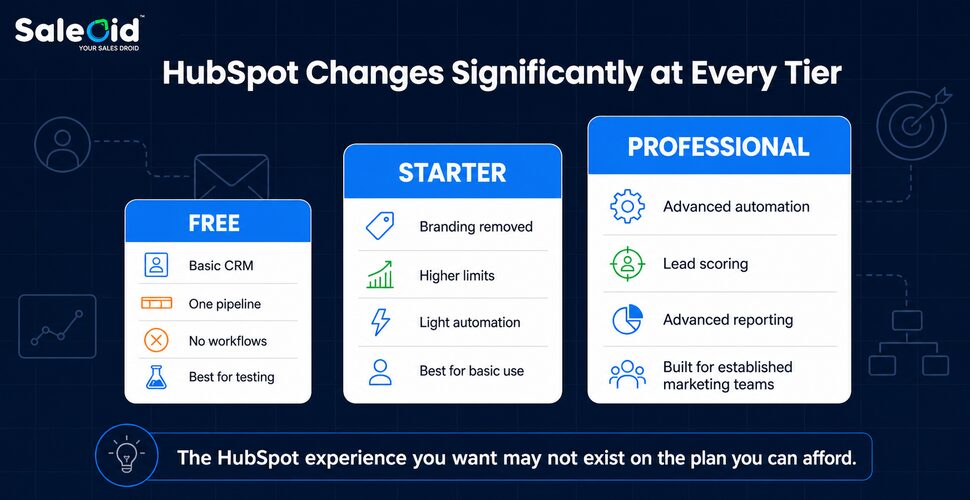
HubSpot offers a suite of separate software products called Hubs that you can purchase individually or bundle together. Marketing Hub, Sales Hub, Service Hub, Content Hub, and Operations Hub each offer their own pricing tiers: Free, Starter, Professional, and Enterprise. Each Hub also limits many features to specific tiers.
This architecture matters for small businesses. What you want from HubSpot is often unavailable on your current tier. To understand why, look at HubSpot’s business model. The free CRM works as a customer acquisition tool. Starter removes common frustrations, such as HubSpot branding on emails. Professional is where HubSpot becomes the full platform it markets itself as.
The question “is HubSpot worth it?” is really several different questions depending on which Hub and which tier you’re evaluating, which is exactly why so many buyers end up confused about what “HubSpot pricing” even means. The next section breaks that down directly.
HubSpot CRM Pricing by Hub (2026)
The terms “HubSpot CRM pricing” and “HubSpot Professional” can mean different things. It depends on which Hub you are pricing. HubSpot charges per seat for Sales Hub and Service Hub. Marketing Hub uses both per-seat pricing and a marketing-contact tier. For multiple Hubs, HubSpot usually uses quote-based pricing above the Starter tier for the CRM Suite or Customer Platform. Here’s how the published rates compare.
| Tier | Sales Hub | Service Hub | Marketing Hub | CRM Suite (multi-Hub) |
| Free | $0, unlimited users | $0, unlimited users | $0, 1,000 marketing contacts | $0, Free CRM across Hubs |
| Starter | ~$15 to $20/seat/month | ~$15 to $20/seat/month | ~$15 to $20/seat/month, 1,000 contacts | ~$15 to $20/seat/month (Starter Customer Platform, all Hubs) |
| Professional | ~$90 to $100/seat/month | ~$90 to $100/seat/month | $890/month, 3 seats, 2,000 contacts included | Typically $1,300+/month for a small team; quote-based |
| Enterprise | ~$150/seat/month | ~$150/seat/month | $3,600/month, 5 seats, 10,000 contacts included | Typically $5,000+/month; quote-based |
Onboarding fees are mandatory at Professional and Enterprise, and they vary by Hub rather than being one flat number. HubSpot’s current published rates show onboarding fees for Sales Hub and Service Hub Professional. The fee is roughly $1,500. Enterprise increases the fee to roughly $3,500. Marketing Hub has a higher onboarding fee. Professional costs $3,000 for onboarding. We use this figure in the year-one cost example later in this guide.
A few things worth knowing before you price this out for your own team:
- Sales Hub and Service Hub don’t carry contact-tier pricing. That charge only applies to Marketing Hub, so if you only need the CRM and pipeline side, you won’t hit it.
- Multi-Hub Professional bundles require a sales call. HubSpot does not publish one fixed price for combining Marketing Hub Professional with Sales Hub Professional. Your final quote may depend on your specific requirements and negotiations.
- HubSpot’s pricing is comparable to other mid-market CRMs at the Professional tier. HubSpot Sales Hub Professional costs close to Salesforce Enterprise on a per-seat basis. Simpler, flat-priced CRMs often cost much less than both platforms.If you want the fuller picture across vendors, our CRM pricing comparison lays out how the major platforms stack up side by side.
For the full line-item breakdown of what a 5-person team actually pays once contacts, seats, and onboarding are added up, see the HubSpot Hidden Costs breakdown later in this guide, or check Saleoid’s own CRM pricing to compare against a flat-rate model.
Is HubSpot Free Worth It?
For what it is, HubSpot’s free plan is genuinely impressive. You get a real CRM with contact management, deal pipelines, task tracking, and email tracking. It also includes basic forms, live chat, meeting scheduling links, and a basic reporting dashboard. None of that expires. No credit card required. For a freelancer, a solo founder, or a very early-stage team, it’s a legitimate starting point.
HubSpot’s free tier in 2026 has more restrictions than before. Many older guides still quote outdated limits. Here’s what new accounts actually get:
- 1,000 marketing contacts, not the one million older guides describe. New accounts created after September 2024 are capped at 1,000 contacts for active marketing. You can store more, but you can only email-market to 1,000.
- 2,000 marketing emails per month, for your entire account, not per user.
- 2 users on most tool restrictions, some features cap at two users even though the CRM itself technically allows more.
- 1 deal pipeline, the moment you have multiple sales processes, you hit this ceiling.
- 10 custom properties, meaning you can’t build the level of contact detail a growing business needs.
- No workflow automation, the most sought-after HubSpot feature doesn’t exist on the free plan at all.
- HubSpot branding on every email you send, every form, every meeting link, every chat widget.
If the free tier already feels limited, compare low-cost paid CRMs before upgrading. This can help you decide whether a paid CRM offers better value than staying on the free tier. Our $5 CRM vs Free CRM comparison walks through that trade-off directly.
Verdict
HubSpot Free is worth using as a contact management and pipeline visibility tool for teams under 1,000 contacts who don’t need automation. It’s a solid proof-of-concept for whether you’d want to invest in the paid version. For any business actively growing, you’ll hit a hard limit within 6 to 12 months, usually the contact cap, the pipeline limit, or the absence of automation, and the upgrade decision becomes unavoidable.
Is HubSpot Starter Worth It?
HubSpot Starter removes HubSpot branding from your emails, forms, meeting links, and chat widgets. It increases your email send limits, lifts some user caps, adds basic ad management features, and gives you light automation, up to 10 automated actions for email sequences.
For businesses that found the free plan genuinely useful but kept hitting the branding and contact limits, Starter is a reasonable next step. The price per seat, roughly $15 to $20/month depending on billing cycle, is manageable for a small team, and removing HubSpot branding from customer-facing assets is a legitimate quality-of-life improvement.
The significant limitation is that Starter still doesn’t include real workflow automation. You can trigger one or two email follow-ups after a form submission, but the kind of multi-step, condition-based automation that most businesses associate with HubSpot, the reason many people sign up in the first place, remains unavailable. That lives in Professional.
Verdict
HubSpot Starter is worth it as a step up from Free if your primary pain points are branding removal and slightly higher limits. It’s not worth it if you’re expecting automation, you won’t find it here. At roughly $15 to $20/seat/month, it’s also not particularly cheap compared to platforms that include full automation at entry-level pricing. The main reason to be on Starter is that you’re building toward Professional and want to start with HubSpot’s ecosystem.
Is HubSpot Professional Worth It?
This is where the real evaluation happens. Professional is the tier where HubSpot unlocks advanced workflow automation, reporting, lead scoring and campaign tools. It is also where the price changes significantly.
Marketing Hub Professional: $890/month. It includes three Core Seats and 2,000 marketing contacts. On top of that:
- Required onboarding fee: $3,000 at signup.
- Additional marketing contacts: $250/month per additional 5,000 contacts above the included 2,000.
- Additional Core Seats: $50/seat/month.
- HubSpot Credits: Professional includes 3,000 credits per month, with additional usage available at extra cost.
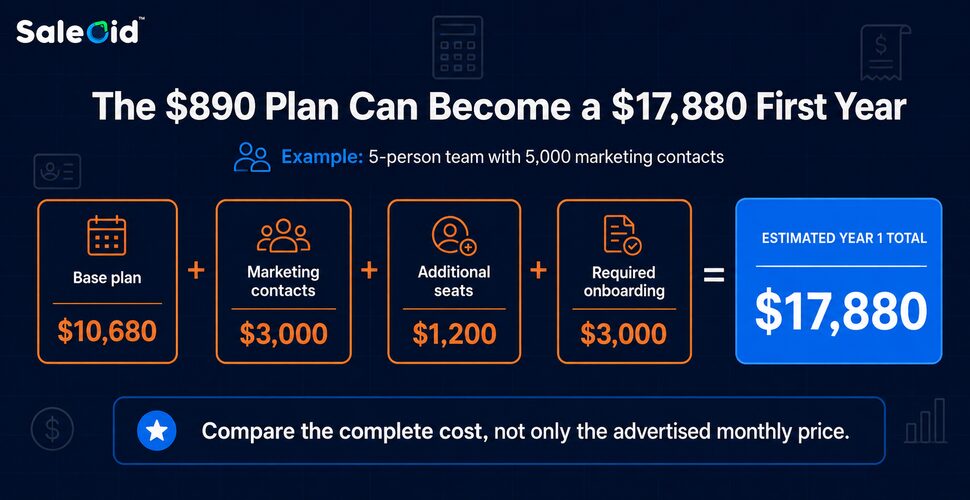
For a 5-person small business using Marketing Hub Professional and actively marketing to 5,000 contacts:
| Cost Item | Amount |
| Base plan (12 months × $890) | $10,680 |
| Additional marketing contact tier | $3,000 |
| Additional seats (2 × $50 × 12) | $1,200 |
| Required onboarding fee | $3,000 |
| Year 1 total | $17,880 |
The contact calculation is important. HubSpot distinguishes between marketing and non marketing contacts. Only contacts designated for marketing count toward your paid Marketing Hub tier, while non-marketing contacts can remain stored in the CRM without the same marketing contact charge.
Once you factor in contact tiers, seats, onboarding and other usage costs, the subscription price is only part of the total. See the HubSpot Hidden Costs breakdown for the full picture.
What You Actually Get for That
Professional adds unlimited marketing automation actions, advanced reporting, lead scoring, campaign management and other tools designed for more sophisticated marketing operations. If you run a structured inbound strategy and these capabilities replace separate tools or substantial manual work, the higher price can make sense. For a full side-by-side breakdown, see Saleoid as a HubSpot Alternative.
Where It Breaks Down for Small Businesses
The biggest issue is the cost jump. The $3,000 onboarding fee adds to an already substantial first-year commitment.
Marketing contacts are another cost variable. A business with a small active marketing audience may stay within the included tier, while a company emailing thousands of contacts can pay considerably more.
Professional also becomes difficult to justify when a small business upgrades mainly to unlock one advanced feature but uses little of the wider platform.
Verdict
HubSpot Professional is worth considering when automation, reporting and integrated marketing directly support revenue and replace enough software or manual work to justify the cost.
For smaller teams that mainly need CRM, pipeline management and light automation, Professional can be more platform than they need. Check Saleoid’s CRM pricing to see how the plans compare.
Is HubSpot Worth It for Startups?
Early-stage startups can get real value from HubSpot’s free tier as a starting point: it’s a usable CRM with no time limit and no cost, which matters when every dollar is going toward building the product. The friction shows up at the growth stage. Once a startup needs real automation and proper reporting, the jump to Professional at $890/month for Marketing Hub, plus a $3,000 onboarding fee, is difficult to justify before consistent revenue is established.
HubSpot does offer discounted pricing for eligible early-stage startups through its startup program, which is worth checking directly if you’re venture-backed and under a certain funding threshold. Outside of that program, most startups are better served by staying on HubSpot Free or Starter until revenue catches up, or by using a flat-priced alternative that includes automation without the Professional-tier price jump.
Is HubSpot Worth It for Enterprise Companies?
For larger organizations, the calculation flips. Enterprise-tier HubSpot (roughly $150/seat/month on Sales or Service Hub, $3,600/month on Marketing Hub) is built for teams that need custom reporting, multiple business units, and the kind of workflow complexity that smaller platforms don’t support.
At this scale, the per-seat and per-contact costs are a smaller percentage of overall operating budget, and the onboarding fee is a rounding error compared to the cost of choosing the wrong platform. For an established company with a dedicated RevOps or marketing operations function, HubSpot Enterprise is a legitimate, well-supported choice, not an overreach the way Professional often is for a 5-person team.
The Real Question: What Are You Actually Comparing HubSpot Against?
Most small businesses evaluating HubSpot aren’t choosing between HubSpot and nothing. They’re trying to solve a specific problem: managing leads, automating follow-ups, keeping track of clients, and getting paid, ideally in one place rather than four. If you’re starting that search from scratch rather than from HubSpot specifically, our broader guide to the CRM for small businesses is a good place to establish your buying criteria first, and our CRM pricing comparison is a useful second stop once you have a shortlist.
The legitimate question isn’t “is HubSpot powerful?” It clearly is. The question is whether HubSpot’s particular combination of features, tier structure, and pricing model is the right match for a business of your size, budget, and operational complexity. It’s also worth noting that HubSpot Sales Hub Professional is priced close to Salesforce’s Enterprise tier per seat, so if your shortlist includes Salesforce, you’re likely comparing two platforms at a similar price point rather than HubSpot being the expensive outlier.
A few scenarios where HubSpot Professional makes sense for a small business:
- You have a content-heavy inbound marketing strategy and need automation, lead scoring, and campaign attribution in one platform
- Your team has HubSpot experience and you’re not starting from scratch
- You’ve budgeted $1,000 to $1,500/month for your CRM and marketing stack
- Your primary growth driver is marketing, not service delivery or operations
A few scenarios where it doesn’t:
- You need invoicing, WhatsApp marketing, project management, and a client portal alongside your CRM, and you’d need multiple separate tools or additional Hubs to get them
- Your team is under 10 people, and the $15,000+ Year 1 cost for Professional is a lot to commit before you know it’s working
- You want a flat, predictable monthly bill that doesn’t scale with your contact list or team headcount
- Your priority is getting operational quickly, not spending weeks in onboarding
What Do Small Businesses Actually Use HubSpot For and What Do They Wish It Did?
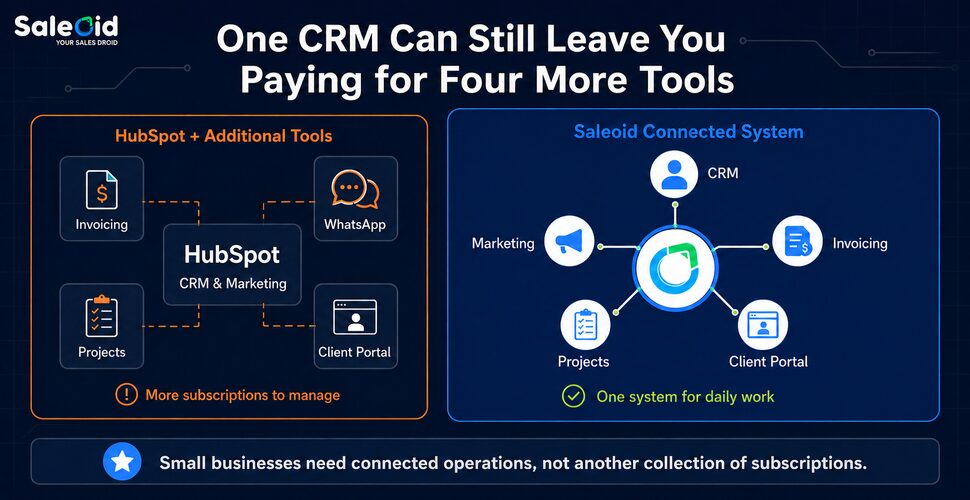
The most common frustration pattern among small businesses on HubSpot isn’t that the platform doesn’t work. It’s that the features they actually use daily are available at Professional, but the features they wish were available. Invoicing, WhatsApp integration, project boards, and a client portal aren’t available at any HubSpot tier without additional Hubs or third-party tools.
Paying $890/month for marketing automation and then separately paying for FreshBooks, a WhatsApp marketing tool, a project management platform, and a client portal tool puts the real monthly cost of a complete small business stack at well over $1,000/month for a business that probably started evaluating HubSpot because it wanted to simplify, not add more subscriptions.
This is the gap that’s worth being honest about when evaluating HubSpot. The all-in-one promise is real, but fully delivered only when you’re using multiple Hubs together, each with its own Professional-tier pricing.
For any business actively growing, you’ll hit a hard limit within 6 to 12 months, usually the contact cap, the pipeline limit, or the complete absence of automation. When that happens, the upgrade decision becomes unavoidable. Here’s exactly what to expect when you outgrow the HubSpot free plan.
HubSpot Pros and Cons for Small Businesses (Honest Summary)
Genuine strengths:
- The free CRM is one of the most functional free tools in the market – real, usable, not a trial
- Marketing Hub Professional is a genuinely capable platform for inbound-led businesses
- Clean, well-designed interface with a manageable learning curve compared to Salesforce
- Strong ecosystem of integrations and a large community for support
- Continuous product development, HubSpot invests heavily in new features and AI tooling
Real limitations for small businesses:
- The Starter to Professional price jump is substantial, with Marketing Hub moving from a $20/month Starter starting price to $890/month for Professional.
- Mandatory $3,000 onboarding fee at Professional tier before you’ve used a single advanced feature
- Contact tier pricing creates variable, growing monthly bills as your list scales
- Per-seat charges compound as the team grows, not a flat price
- Invoicing, WhatsApp marketing, project management, and client portals require additional Hubs or third-party tools at every tier
- Annual commitment lock-in at Professional and Enterprise, no mid-contract cancellation permitted
That lock-in also matters if you decide to leave mid-contract. If you’re already committed and want to know your options, here’s how to cancel HubSpot without losing your data.
HubSpot vs. Saleoid at a Glance
Putting the two side by side makes the trade-off concrete for a small team of 3 to 10 people:
- Entry cost for a small team: HubSpot Professional starts near $18,000 in Year 1 with onboarding. Saleoid Growth is $25/month for up to 10 users, with no onboarding fee.
- Automation: Locked behind HubSpot Professional. Included in Saleoid’s core plans from the start, including its AI CRM for small businesses features for lead scoring and follow-up suggestions.
- Invoicing, WhatsApp marketing, project management, client portal: Not available on any HubSpot tier without extra Hubs or third-party tools. Included in Saleoid.
- Pricing model: HubSpot scales per seat and per contact tier. Saleoid uses flat, team-based pricing that’s predictable as you grow.
Where HubSpot still wins: mature inbound marketing teams with dedicated marketing headcount and an established content engine will use more of Professional’s depth than Saleoid currently offers. For most small teams, that depth goes largely unused.
Is HubSpot Worth It? The Honest Verdict
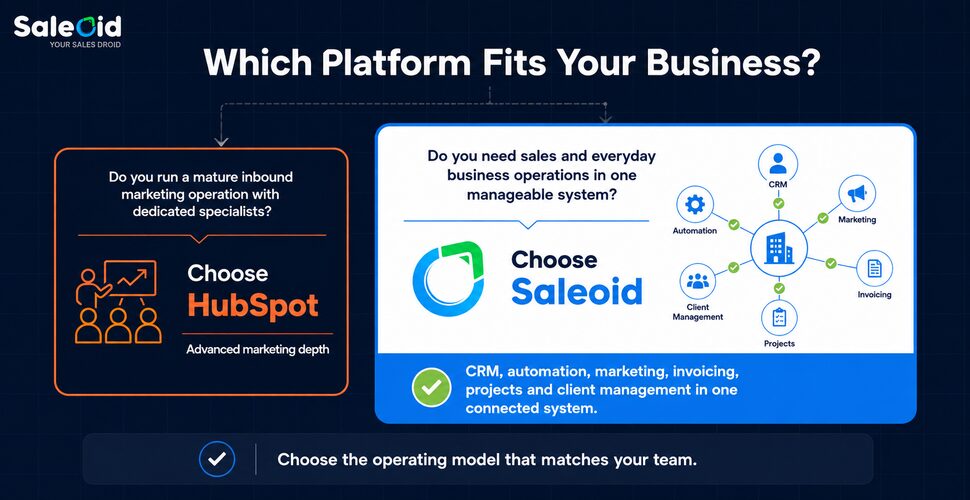
For large marketing teams, mid-market B2B companies, and businesses where inbound marketing is the core growth engine and budget isn’t a constraint: yes, HubSpot Professional is worth it. It’s a well-built platform that delivers on its promise for the customer profile it was designed for.
For most small businesses with teams of 2 to 20 people trying to manage leads, deliver work, keep clients happy, and get paid without spending $18,000 in Year 1 on a single platform: HubSpot is more expensive than the value it returns at the stage where most small businesses are operating.
That’s not a criticism of HubSpot as a product. It’s an honest acknowledgment that HubSpot was built for a specific type of buyer, and small businesses who aren’t that buyer end up paying enterprise prices for a fraction of the platform’s actual use.
If you’re concluding that HubSpot isn’t the right fit for where your business is right now, the most direct replacement is Saleoid. It’s built for exactly the profile HubSpot underserves: CRM, automation, email and WhatsApp marketing, invoicing, project management, and a client portal in one flat-priced plan, without per-seat charges, contact-tier pricing, or a mandatory onboarding fee. For the full feature-by-feature breakdown, read our Saleoid vs HubSpot comparison. When you’re ready to switch, our step-by-step guide on how to migrate from HubSpot covers exactly what to expect.
Frequently Asked Questions
For very early-stage businesses under 1,000 contacts that need basic CRM and deal tracking, HubSpot Free is a solid starting point. But the 2026 free plan is significantly more limited than older guides describe, capped at 1,000 marketing contacts, 2,000 emails per month, one deal pipeline, and no workflow automation. Most businesses hit these limits within 6 to 12 months of growth and face an upgrade decision.
HubSpot’s pricing structure is designed around tiered access. The features most small businesses need, including workflow automation, sequences, and advanced reporting, are locked behind Professional, which runs roughly $90 to $100/seat/month on Sales or Service Hub, or $890/month on Marketing Hub, plus a mandatory onboarding fee. The per-contact and per-seat pricing models then add variable costs on top as the business grows.
Marketing Hub Professional includes workflow automation, email sequences, A/B testing, lead scoring, custom reporting, social media management tools, and campaign attribution for a base of 3 seats and 2,000 marketing contacts at $890/month. It does not include invoicing, WhatsApp marketing, project management, or a client portal. These require additional Hub subscriptions.
Marketing Hub Professional includes workflow automation, email sequences, A/B testing, lead scoring, custom reporting, social media management tools, and campaign attribution for a base of 3 seats and 2,000 marketing contacts at $890/month. Sales Hub and Service Hub Professional, priced separately at roughly $90 to $100/seat/month, add deal automation, forecasting, and advanced reporting without the contact-tier pricing. None of them include invoicing, WhatsApp marketing, project management, or a client portal; these require additional Hub subscriptions or third-party tools.
For most small businesses, Sales Hub Professional is the more defensible single-Hub purchase, since it avoids Marketing Hub’s contact-tier pricing. If inbound marketing specifically is your growth driver and you have the budget, Marketing Hub Professional can be worth it. For a team mainly needing CRM, pipeline, invoicing, and light marketing in one place without a five-figure first-year commitment, a flat-priced alternative like Saleoid is usually the better buy.
Yes, a certified HubSpot partner is never required at any tier. You can self-onboard for free using HubSpot’s own documentation and HubSpot Academy, or use HubSpot’s direct guided onboarding, which is what the mandatory onboarding fee already covers at Professional and Enterprise. A certified partner is an additional, optional cost worth considering mainly for complex, multi-Hub implementations or highly customized setups, not something you need to use HubSpot at all.
Saleoid is the best HubSpot alternative for most small businesses of 3 to 10 people. It combines CRM, marketing automation, invoicing, WhatsApp marketing, project management, and a client portal into one flat-priced plan starting at $19/month, with no mandatory onboarding fee and no per-contact pricing tiers. Businesses with a large, established inbound marketing operation and dedicated marketing staff may still get more value from HubSpot Professional; everyone else is generally better served by a consolidated, flat-priced platform like Saleoid. See our full roundup of HubSpot alternatives for small business if you want to weigh more than one option.
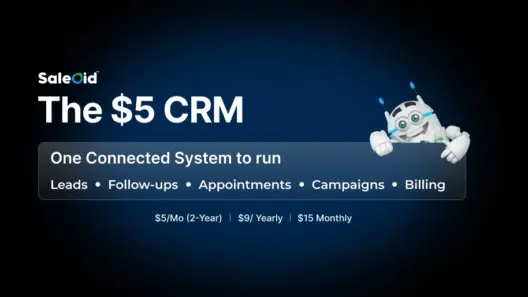
Yes, several CRMs offer lower-cost plans than HubSpot’s paid Professional tiers. Saleoid is one option for small businesses looking for an affordable CRM, with its Custom plan starting at $5 per month with two-year billing, or $15 per month with monthly billing. It includes one user, 2,500 contacts and companies, and five workflow automations. The Growth plan starts at $29.40 per month with two-year billing and includes five users. Compare Saleoid pricing with HubSpot’s free tools to see which option best fits your budget and feature needs. Our $5 CRM vs. Free CRM comparison can also help you decide whether to stay on a free plan or move to a paid CRM.
Yes, HubSpot’s free CRM has no time limit. You can use it indefinitely within its constraints: 1,000 marketing contacts, 2,000 emails per month, one deal pipeline, no workflow automation, HubSpot branding on all customer-facing assets. Most growing businesses find that these constraints become operational friction within the first year.
Still on the fence? Don’t take our word for it. Book a 30-minute demo and see exactly how Saleoid handles your use case. Book a Free Demo →
Disclaimer: The pricing, features, fees, and other information presented in this article are based on publicly available data from the vendor’s official website, reputable third-party review platforms, and experiences shared by verified customers. While every effort has been made to ensure accuracy at the time of writing, product offerings and pricing may change over time. Readers should verify the latest information directly with the respective provider before making a purchasing decision.