

Pipedrive is good at one thing, but one thing isn’t enough anymore. Ask most salespeople what they like about Pipedrive and they’ll say the same thing – the pipeline view is clean, the deal tracking is intuitive, and new team members get comfortable with it fast. That’s a real advantage, and it’s the reason Pipedrive has stayed popular for years.
But ask those same salespeople where it frustrates them, and the conversation shifts quickly. You want to trigger a follow-up email when a deal moves to a new stage? That’s a workflow. Workflows are locked behind higher plans. So, you need to find out Pipedrive alternatives for better automation.
You want to run a drip sequence without jumping to a separate tool? You’ll need an integration. You want marketing and sales automation living on the same platform? Pipedrive isn’t that product, and the price tag, especially at scale, makes that limitation harder to justify.
This blog isn’t an attack on Pipedrive. It’s a practical guide for businesses that have outgrown what it does well and need a CRM that handles automation properly, without charging enterprise rates for features that should be standard.
Each Pipedrive alternative below is chosen specifically for its automation capabilities and pricing transparency, the two areas where Pipedrive leaves the most room for improvement.
Where Pipedrive Falls Short: Automation and Pricing

Before jumping to alternatives, it’s worth being specific about the gaps. These aren’t vague complaints but consistent friction points that come up when businesses try to do more with Pipedrive than basic deal management.
- Workflow automation is gated. Basic automations like moving a deal or sending a notification are available, but multi-step sequences, conditional branching, and anything resembling marketing automation requires the Advanced plan or higher.
- No native email marketing. Pipedrive doesn’t run campaigns. If you want to nurture leads through email sequences, you need a third-party integration, which adds cost and creates a data sync problem.
- Add-ons inflate the real price. The base plan looks reasonable until you add the LeadBooster, Web Visitors, or Campaigns add-on. By the time you’ve got the features a growing business actually needs, the monthly cost has climbed considerably.
- Reporting has a ceiling. Pipedrive’s reporting does the basics, but custom dashboards and revenue forecasting with any real depth require the higher tiers.
- Scales in cost faster than in capability. As your team grows, per-user pricing on the plans that include serious automation gets expensive quickly relative to what you’re getting.
If you’re still in the comparison stage and evaluating whether Pipedrive is the right CRM in the first place, you can also read our detailed comparison of HubSpot vs Pipedrive for small businesses.
Quick Comparison: Pipedrive Alternatives for Better Automation
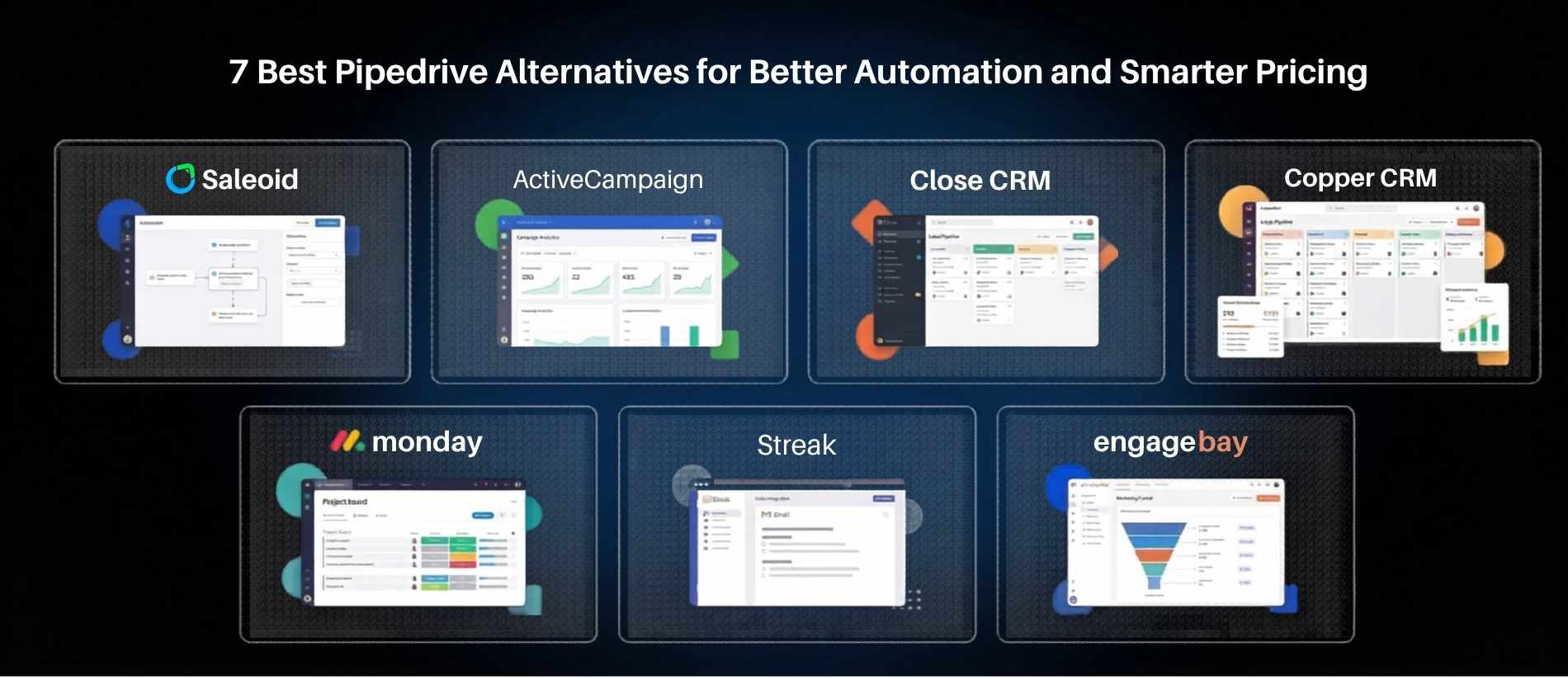
Below is a snapshot of 7 Pipedrive alternatives for better automation that are covered in this blog, compared on the factors that matter most:
| Tool | Automation Strength | Starting Price | Best For |
| Saleoid | Advanced | From $5/month | Small–mid biz wanting automation + value |
| ActiveCampaign | Advanced | From ~$15/mo | Email-heavy marketing automation |
| Close CRM | Advanced | From $35/per seat/mo | Inside sales & outbound calling teams |
| Copper CRM | Basic | From $9/per seat/mo | Google Workspace users |
| Monday CRM | Moderate | From $12/per seat/mo | Visual/project-driven sales teams |
| Streak | Moderate | From $49/user/mo | Solos/freelancers inside Gmail |
| EngageBay | Advanced | Free initially, then from $12.74/user/mo | All-in-one on a tight budget |
Top 7 Pipedrive Alternatives for Better Automation and Pricing
1. ActiveCampaign: When Automation Is the Whole Point
ActiveCampaign is where you go when your main frustration with Pipedrive is the automation ceiling. This platform was built around automation first, the CRM functionality came later, and that heritage shows. The visual automation builder lets you create multi-step sequences based on almost any trigger: email opens, site visits, deal stage changes, form submissions, custom event data.
Best for: Businesses where email marketing and sales automation need to operate as one system.
Automation capabilities: Multi-branch conditional workflows, lead scoring, site tracking, behavioral triggers, automated segmentation. One of the deepest automation engines available outside enterprise platforms.
Pricing: Starts around $15/month at the entry level, scaling by contact count and feature tier. The CRM features become available from the Plus plan upward.
Why it beats Pipedrive here: Automation isn’t an add-on in ActiveCampaign, it’s the core product. You get email marketing, automation, and CRM in one subscription without paying separately for each layer.
2. Saleoid: Built for Small Business, Priced Like It Too
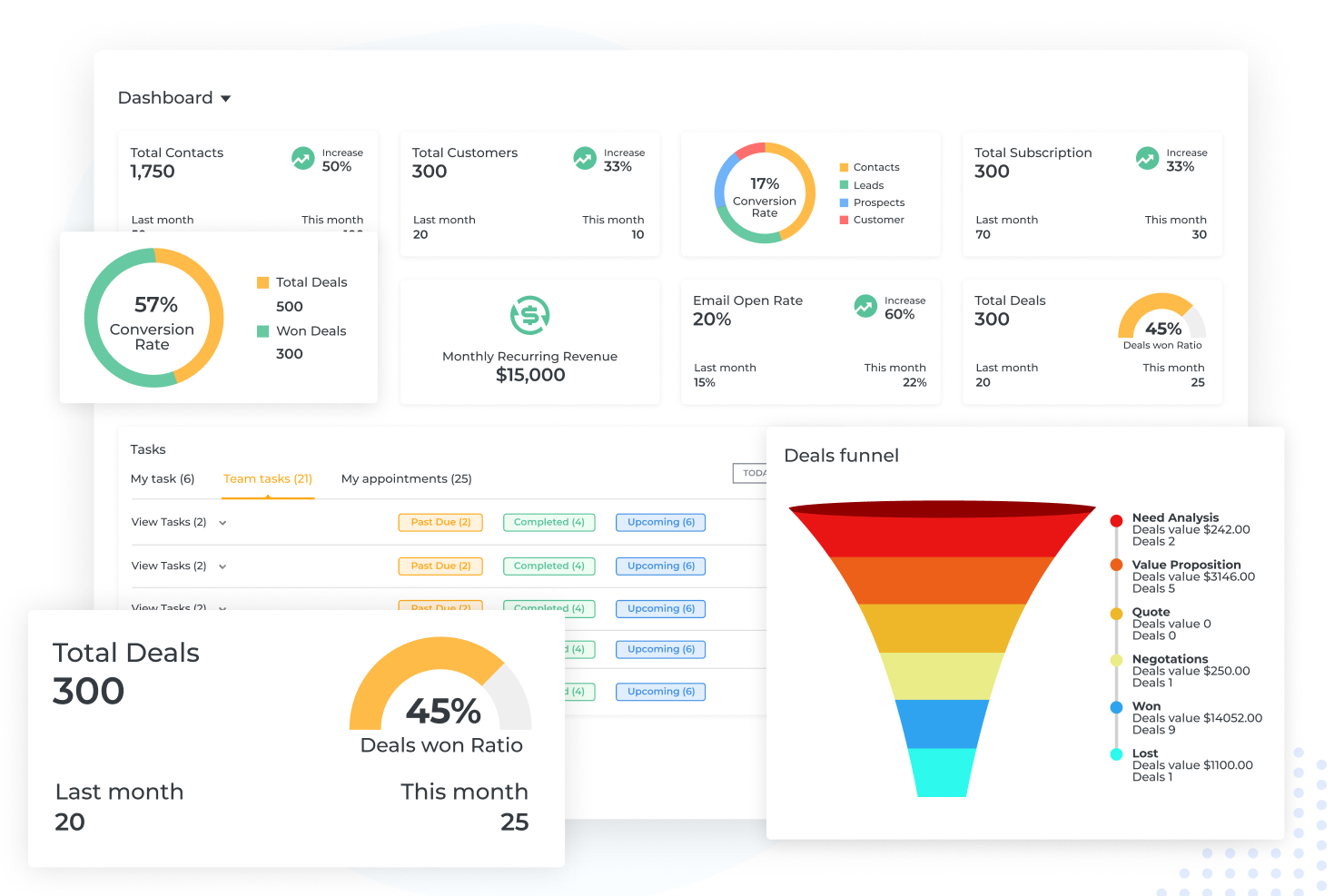
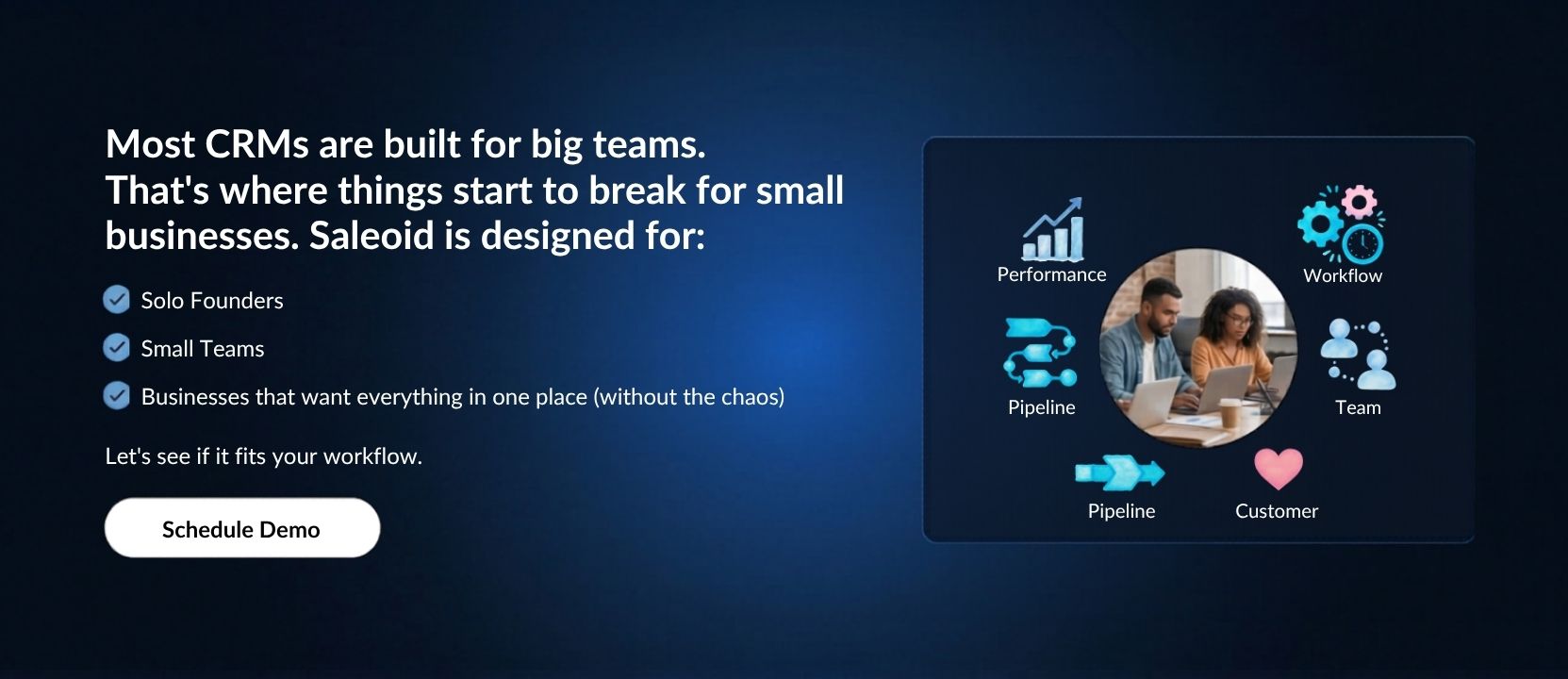
Saleoid is an AI CRM for small businesses that helps small and growing teams manage customer relationships, organize sales activities, and reduce repetitive work without starting with an expensive CRM subscription.
For businesses comparing Saleoid with Pipedrive, the key consideration is how each platform fits their budget and workflow. Pipedrive focuses on sales pipeline management, while Saleoid offers CRM capabilities with automation options for businesses that want to manage leads and customer activities in one place. Compare the available features and plan limits to determine which platform better fits your needs.
Saleoid is worth considering if you want an affordable starting point for lead management and sales organization. As your business grows, you can compare its plans to find the right combination of users, contacts, and automation capacity.
Best for: Small businesses, consultants, and growing teams looking for an affordable CRM with sales management and automation capabilities.
Automation capabilities: The Custom plan includes five automations. Check the current feature documentation and plan details to confirm whether specific workflows, such as automated follow-ups, lead assignment, pipeline triggers, task creation, and notifications, are supported.
Pricing: Saleoid’s Custom plan starts at $5 per month with two-year billing, or $15 per month with monthly billing. It includes one user and 2,500 contacts and companies. Growth and Premium plans offer higher user and contact limits. See Saleoid pricing page for current details.
Why consider it over Pipedrive? Saleoid may suit businesses that prioritize a low starting price and want to evaluate CRM and automation capabilities together. Compare the plans based on your required workflows, integrations, reporting, and total cost rather than assuming that either platform includes every feature at its entry level.
3. Close CRM: Outbound Sales Teams, This One’s Built for You
Close CRM has a specific audience and does not attempt to hide it, i.e. inside sales teams that live on calls, emails, and fast follow-ups. If your sales process involves high-volume outreach, the built-in calling, SMS, and email sequencing tools inside Close make it significantly more capable than Pipedrive for that workflow.
Best for: Inside sales and outbound-heavy teams who need calling, emailing, and sequencing from within the same platform.
Automation capabilities: Email sequences, automated follow-up tasks, call outcome triggers, workflow rules based on deal activity. Strong automation specifically around the outreach workflow.
Pricing: Starts at $35/per seat/month. Not the cheapest, but the built-in calling features remove the need for a separate tool, which offsets the cost for teams that use it daily.
Why it beats Pipedrive here: Sequences, power dialer, and email automation are native and not integrations. For outbound teams, this is a meaningful structural difference.
4. Copper CRM: For Teams Already Living Inside Google Workspace
Copper sits inside Gmail and Google Calendar natively, not as an integration, but as a proper embedded experience.
If your team manages every customer interaction through Google tools, Copper removes the context switching that makes other CRMs feel like extra work. It logs emails automatically, pulls in contact details, and manages pipelines without ever leaving the inbox.
Best for: Businesses that run entirely on Google Workspace and want a CRM that feels like a natural extension of it.
Automation capabilities: Workflow automation for task creation, email notifications, pipeline stage changes, and follow-up reminders. More functional than Pipedrive’s base automation within its niche.
Pricing: From $9/per seat/month. Reasonable for Google-native functionality.
Why it beats Pipedrive here: If Google Workspace is your operating system, Copper eliminates the friction of using a separate CRM entirely. Automation and data entry happen in tools your team already uses.
5. Monday CRM: Visual, Flexible, and Better for Cross-Team Workflows
Monday CRM works particularly well for businesses where sales don’t operate in isolation, where deals involve handoffs to operations, account management, or project delivery teams.
The board-based interface means every team can see what’s happening across the business, and automation recipes handle the routine notifications and status changes that would otherwise require manual updates.
Best for: Teams where the sales-to-delivery handoff is complex and visibility across departments matters.
Automation capabilities: Trigger-based automation recipes, status change notifications, due date reminders, cross-board dependencies, and integrations with email and communication tools.
Pricing: Starts at $12/per seat/month. One of the more accessible entry points on this list.
Why it beats Pipedrive here: Cross-team workflow automation is a genuine strength. If your deals involve more than just the sales team, Monday CRM handles that coordination more naturally than Pipedrive.
6. Streak: Zero Platform Switching for Gmail-Based Businesses
Streak takes a different approach from most CRMs. It doesn’t ask you to log into a separate platform at all.
Everything happens inside Gmail. For solopreneurs, freelancers, or very small teams whose sales process is entirely email-based, that frictionless setup is a genuine advantage, especially since most tools fail because people stop logging into them.
Best for: Solo operators and micro-teams that manage customer relationships primarily through Gmail and don’t want another platform to maintain.
Automation capabilities: Email tracking, mail merge for personalised outreach, automated reminders, and pipeline stage triggers. Moderate depth, not suited for complex workflows, but strong for what it does.
Pricing: Free plan for individuals, paid plans from $49/per user/month.
Why it beats Pipedrive here: Cost and friction. If you’re a small team, Streak removes both the setup overhead and the monthly cost of a full CRM while still giving you pipeline visibility and basic automation.
7. EngageBay: All-in-One at a Price That’s Hard to Argue With
EngageBay does something rare. It bundles CRM, email marketing, marketing automation, live chat, and helpdesk into one platform at a price point that’s accessible for small businesses.
The automation capabilities, particularly on the marketing side, are significantly deeper than Pipedrive, and the free plan is genuinely functional rather than just a teaser.
Best for: Small businesses that want CRM, marketing automation, and customer support tools without subscribing to three separate platforms.
Automation capabilities: Drip campaigns, workflow automation, lead scoring, web tracking, automated task creation, and sequence-based nurturing. One of the strongest automation toolsets at this price range.
Pricing: Free plan available. Paid plans start from around $12/user/month.
Why it beats Pipedrive here: You get marketing automation, CRM, and support tools in one subscription for less than Pipedrive’s mid-tier plan, which still doesn’t include marketing features.
Best Alternative Based on What You Actually Need

Picking Pipedrive alternatives for better automation from a list of 7 can still feel overwhelming. So, we’ve mentioned some sharp features that will narrow it down:
- Need the strongest automation engine available, then ActiveCampaign. Nothing on this list runs deeper multi-step automation, especially when marketing and sales need to work together.
- Need affordable CRM with solid automation and no pricing surprises, then Saleoid. Built for small businesses that want genuine functionality without per-feature upgrade traps.
- Need all-in-one (CRM + marketing + support), then EngageBay. The breadth of features at entry-level pricing is unusual.
- Running outbound sales with high call and email volume, then Close CRM. Native sequences and calling make it structurally better for that workflow than anything else on this list.
- Your entire team lives in Google Workspace, then Copper or Streak. It will depend on team size. Copper for teams, Streak for solos and very small operations.
- Sales involves cross-team handoffs to operations or delivery, then Monday CRM. The board-based visibility and cross-department automation handle that complexity better than a pure sales CRM.
Zoho CRM is another commonly considered alternative to Pipedrive, especially for businesses looking for a broader feature set at a lower cost. We’ve compared them in detail in our Pipedrive vs Zoho CRM comparison.
Final Take: Not Every Alternative Is Better, But Some Are, For the Right Reasons
Pipedrive isn’t a bad product. For a small sales team that needs a clean visual pipeline and nothing else, it does exactly what it promises. The problem is that most businesses eventually need more, and the path to “more” inside Pipedrive tends to involve either an expensive plan upgrade or stitching together third-party integrations that create data management headaches.
If automation is the gap, whether that’s automated follow-ups, triggered email sequences, lead scoring, or marketing workflows, then the tools above are structured to deliver that without making you pay separately for each piece. That’s why you need Pipedrive alternatives for better automation.
Pricing is the other honest consideration. Several platforms on this list offer more automation capability at a lower cost than Pipedrive’s mid and upper tiers. As your team scales, that difference compounds. It’s worth running the numbers on what you’re actually paying per user versus what you’re getting before renewing on autopilot.
If you’re specifically looking for a CRM that’s built with small businesses in mind, modular, automation-friendly, and priced in a way that doesn’t punish growth, Saleoid is worth putting at the top of your trial list. It doesn’t try to be the most feature-heavy platform in the room. It tries to be the one your team actually uses, every day, without friction. You can check Saleoid CRM pricing here.
That, at the end of the day, is the only benchmark that matters.
FAQs on Pipedrive Alternatives for Better Automation
Some of the best Pipedrive alternatives for better automation include ActiveCampaign, Saleoid, EngageBay, Close CRM, and Monday CRM. These tools offer advanced workflow automation, email automation, and lead management features that Pipedrive only offers in higher-tier plans.
Businesses switch from Pipedrive when they need better automation, built-in email marketing, advanced reporting, and more flexible pricing. Many growing businesses outgrow Pipedrive when they need marketing and sales automation in one platform.
Pipedrive is good for small businesses that mainly need deal and pipeline management. However, businesses that need automation, email marketing, and lead nurturing often look for more advanced Pipedrive alternatives.
Some CRM software more affordable than Pipedrive include Saleoid, EngageBay, and ActiveCampaign, especially when automation and email marketing features are included in the base plan.
The best CRM for automation for small businesses includes Saleoid, and EngageBay. These platforms offer workflow automation, automated follow-ups, email sequences, and lead tracking in one system.
Saleoid is not affiliated with or endorsed by any third-party brands mentioned. All trademarks, product names, and logos belong to their respective owners and are used for identification/comparison only. Details may change-verify on each vendor’s site.