
Many small business owners and sales teams struggle with losing track of potential customers, forgetting to follow up, or managing messy spreadsheets. This can lead to lost sales and frustrated customers.
If you’ve ever felt overwhelmed trying to keep up with all your contacts and sales activities, you’re not alone. Luckily, Sales CRM software is designed to solve these exact problems, making your sales process smooth and helping your business grow. Modern tools now go a step further with AI CRM capabilities that predict which leads will convert and automate the busywork entirely.
What Is Sales CRM Software? (A Simple Definition)
Sales CRM software stands for Customer Relationship Management software focused on sales. It’s a tool that helps you organize customer information, track sales opportunities, and automate follow-ups, all in one place.
Imagine having a digital assistant that remembers every detail about your leads and customers, alerts you when to reach out, and helps you close deals faster. That’s what a Sales CRM does.
Basic Functions with Easy Examples:
- Manage Contacts: Store names, phone numbers, and emails in one spot instead of scattered notes or spreadsheets.
- Track Leads: See where each lead is in your sales process, whether they’re just interested or ready to buy.
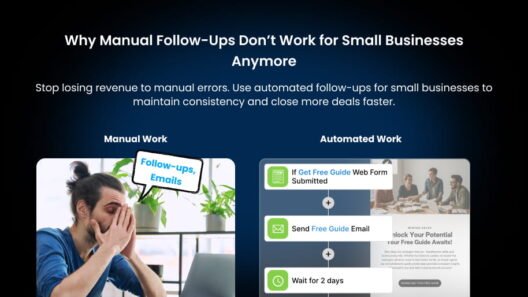
- Automate Follow-Ups: Schedule automatic reminders or emails so you never forget to contact a hot prospect. With automate follow-ups, the system does the chasing for you.
Example: Instead of juggling sticky notes and phone reminders, your CRM tells you, “It’s time to follow up with Sarah, she asked about your product last week.”
How Does a Sales CRM Actually Work? (Step by Step)
A CRM automates both your administrative tasks and your data organization, so your sales reps spend less time on data entry and more time building relationships. Here’s the typical flow from a new lead to a closed deal:
- Capture: A new lead comes in through a web form, email, ad, or phone call, and the CRM automatically creates a contact record, no manual typing.
- Organize: All details, such as emails, calls, notes, and documents, are stored against that one contact, so anyone on your team has the full history.
- Nurture: The CRM triggers reminders and automated emails so the lead is followed up on time, every time.
- Move through the pipeline: As the lead progresses (Lead → Contacted → Proposal → Won), you drag them through visual stages so you always know what to do next.
- Close & report: When the deal is won, the CRM logs the revenue and feeds it into reports so you can see exactly what’s working.
Because it integrates with your existing tools and communication channels (email, calendar, phone, and messaging), everything stays in sync without copy-pasting between apps.
The 4 Main Types of CRM
Not every CRM does the same job. Understanding the four main types helps you pick the right one:
- Operational CRM: Manages day-to-day sales, marketing, and service tasks, the most common type for small businesses.
- Analytical CRM: Analyzes customer data to reveal trends, forecast sales, and guide decisions.
- Collaborative CRM: Facilitates communication across sales, support, and marketing so everyone shares the same customer view.
- Strategic CRM: Focuses on long-term customer relationships and building loyalty over time.
Most all-in-one platforms like Saleoid blend operational and analytical features so beginners get the best of both without juggling multiple tools.
5 Essential Sales CRM Features Every Business Needs
Here are the key features to look for:
| Feature | What It Does | Why It Matters |
| Lead & Contact Management | Stores all customer info in one place | Keeps your data organized and accessible |
| Sales Pipeline Tracking | Visualizes stages like Lead → Contact → Proposal → Won | Helps prioritize and focus on hot leads |
| Task & Activity automation | Automates emails and follow-up reminders | Saves time and prevents missed opportunities |
| Reporting & Analytics | Tracks sales performance and customer trends | Enables smarter, data-driven decisions |
| Mobile Accessibility | Lets you access the CRM on any device | Manage sales on the go, anytime, anywhere |
CRM vs. No CRM: What Changes?
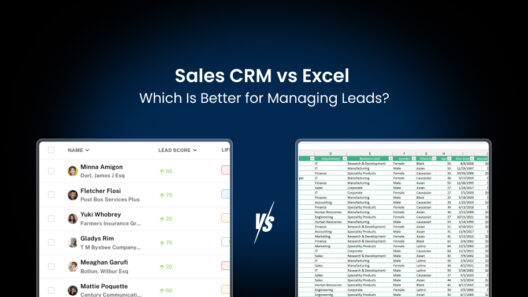
Before deciding, it helps to picture life without a CRM. If you’re still tracking leads in spreadsheets, you’ve probably hit these walls, and it’s exactly why so many teams switch. (For a deeper breakdown, see our guide on Sales CRM vs Excel.)
| Without a CRM (spreadsheets / notes) | With a Sales CRM |
| Leads slip through the cracks; no reminders to follow up | Automatic reminders so no hot lead is forgotten |
| Data scattered across files, inboxes, and sticky notes | One central record per customer, accessible to the whole team |
| No visibility into which deals are close to closing | Visual pipeline shows exactly where each deal stands |
| Reporting means hours of manual spreadsheet work | Built-in reports update automatically |
How Sales CRM Software Helps Businesses Grow

Sales CRM software is more than just a contact list, it’s a powerful business growth tool.
- Improve Customer Relationships: Quickly access customer info and personalize communication so customers feel valued. This is the core of any strong customer relationships strategy.
- Increase Sales Efficiency: Automate boring tasks so your team spends more time selling and less on admin.
- Stay Organized & Focused: Know exactly which leads need attention and which deals are close to closing.
- Make Better Decisions: Use built-in reports to see what’s working and where to improve your sales process.
- Boost Customer Retention: Track past purchases and interactions to offer timely support and upsell opportunities.
The payoff is real: businesses that use a CRM report up to 29% higher sales revenue and a 34% increase in sales productivity (source). That’s the kind of growth every business wants.
Where AI Fits In: The Modern Sales CRM
In 2026, the biggest shift in CRM is artificial intelligence. An AI CRM layers smart features on top of the basics:
- Predictive lead scoring: AI ranks your leads by how likely they are to convert, so you focus on the best ones first.
- Sales forecasting: AI analyzes your pipeline to predict revenue more accurately than manual guesses.
- Automated data entry: AI logs calls, emails, and notes for you, eliminating busywork.
- Agentic assistants: AI agents can draft follow-up emails, suggest next steps, and surface deals at risk.
For beginners, the takeaway is simple: you no longer need a big team to work like one. AI handles the heavy lifting so a one-person business can compete with much larger sales operations.
Who Should Use Sales CRM Software?
If your business involves selling to customers, you can benefit from aIf your business involves selling to customers, you can benefit from a Sales CRM, including:
- Small Businesses & Startups wanting to grow efficiently
- Sales Teams needing to close more deals
- Freelancers & Consultants managing multiple clients
- Any business aiming to improve customer relationships and sales processes
It also pays to look at industry-specific needs when choosing a CRM:
- Real estate teams benefit from property and listing tracking.
- Healthcare organizations need HIPAA-compliant data handling.
- Manufacturers rely on inventory and order management alongside their pipeline.
Even if you’re running a one-person business, a CRM can help keep your sales organized and professional.
A Quick Comparison of CRM Softwares
Pricing below reflects typical published entry-level plans and can change, always check each vendor’s page for current rates.
| CRM Name | Best For | Standout Feature | Starting Price |
| Saleoid | Small & growing businesses | All-in-one CRM with automation | From $5/user/mo |
| HubSpot | Startups & small teams | Excellent “Free-Forever” plan | Free/paid from ~$7/mo |
| Salesforce | Enterprise & large teams | Advanced customization & AI | From ~$25/user/mo |
| Pipedrive | Visual sellers | Easy-to-use visual pipeline | From ~$14/user/mo |
| Zoho CRM | Growing businesses | Great integration with Zoho suite | Free/paid from ~$14/mo |
Tips for Choosing
- Set a Budget: Many CRMs offer free or affordable plans for small businesses, Saleoid starts at just $5 a month.
- Check Features: Prioritize the ones you really need, like pipeline tracking or automation.
- Think Long-Term: Choose a CRM that scales with your business.
How to Get Started With a CRM (Beginner Tips)
- Start small: Import your existing contacts and pick just one or two features to use first, usually contact management and the pipeline.
- Define your stages: Map your real sales process into pipeline stages (e.g., Lead → Contacted → Proposal → Won).
- Set up automation: Turn on follow-up reminders so the system nudges you at the right time.
- Connect your email & calendar: Sync your tools so every interaction is logged automatically.
- Review your reports weekly: Check what’s converting and adjust. Small, consistent use beats a perfect setup you never touch.
How to Get Started With Saleoid
Saleoid is built for beginners: sign up, import your contacts, and you’ll have a working pipeline in minutes. Pick a plan from $5/month, connect your email, and let the automation handle your follow-ups from day one.
Ready to Grow Your Sales with CRM?
Sales CRM software can completely change how you manage customers and sales by automating routine tasks, keeping your sales pipeline organized, and improving communication, making your sales team more productive and driving business growth.
Don’t wait to lose another lead! Explore powerful tools that simplify your sales, email marketing, billing, and more, all in one place with Saleoid’s complete business toolkit starting at just $5 a month.
Choose a plan that fits your needs, saves you time and money, and helps you focus on growing your business. Try Saleoid today and take the first step toward running your business more easily and intelligently.
Related Reading: Your Complete Sales CRM Guide
Want to go deeper? This post is your starting point, explore the guides below to master each part of using a CRM:
Getting started & comparisons
- Sales CRM vs Excel: Which Is Better for Managing Leads? – See exactly what you gain by moving off spreadsheets.
- Best Affordable CRM Software in 2026 – What you actually need vs. what you’re overpaying for.
- Best Sales CRM for Startups in 2026 – An honest comparison, real prices, and the right pick for your stage.
- Saleoid vs HubSpot CRM: Which Is Better for Small Businesses? – A head-to-head for small teams.
Going further with your CRM
- What Is an AI CRM? The Complete Guide for Small Businesses (2026) – How AI is changing CRM in 2026.
- Best CRM with Invoicing in 2026 – Stop running your business across five tabs.
- CRM Problems for Businesses: 7 Signs Your Stack Is Costing You Revenue – Know when it’s time to switch.
FAQs on sales CRM software
A: CRM stands for Customer Relationship Management. A Sales CRM is software that helps you manage contacts, track deals, and automate sales tasks in one place.
A: It helps you manage customer data efficiently and automate sales tasks, leading to more closed deals and happier customers.
A: A CRM focuses on the front office, managing customers, leads, and sales. An ERP focuses on the back office, such as finance, inventory, and operations. Many small businesses start with a CRM and add ERP features as they scale.
A: No, CRMs are arguably more valuable for small businesses and solo operators, because they replace messy spreadsheets and make a small team look and perform like a much bigger one.
A: Yes, many popular CRMs have free or low-cost plans designed specifically for small businesses, with Saleoid starting at $5/month.
A: Most tools are user-friendly and can be learned within a few hours to days, especially with free tutorials and customer support.
A: Yes, by tracking past interactions and purchases, you can provide personalized service that keeps customers coming back.
A: Yes, most CRM software has mobile apps so you can manage sales anytime, anywhere.