
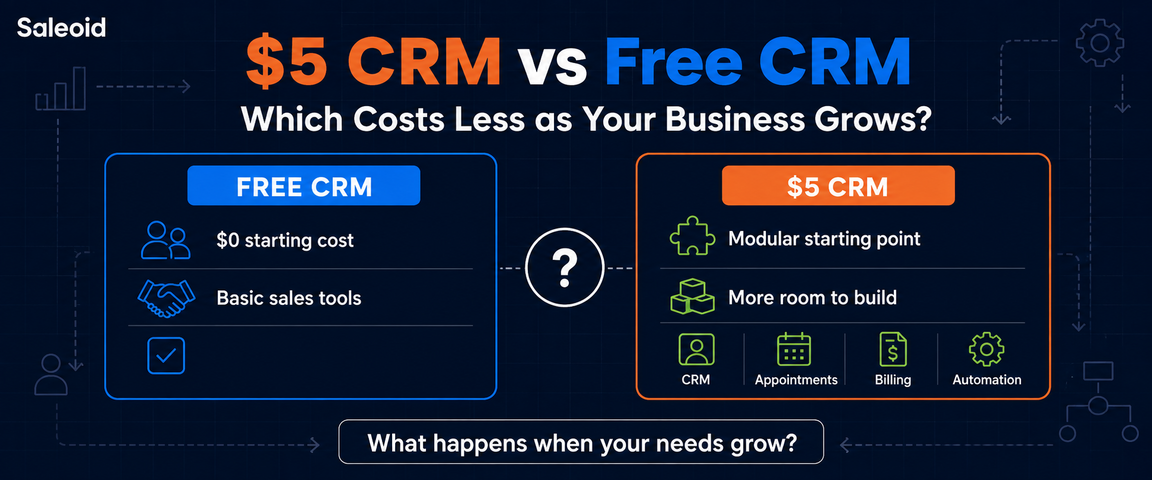

At first, the answer seems obvious. If a free CRM gives you enough users, contacts, and essential tools, paying nothing can be the smarter choice. The calculation becomes less simple once your business starts adding employees, generating more leads, or needing features such as automation, scheduling, billing, and customer communication.
The real $5 CRM vs free CRM comparison is therefore not about saving 5 dollars today. It is about what each option could cost your business over the next 12 to 24 months as your requirements change.
A free plan may remain the cheapest option. A small monthly subscription may also prevent much larger expenses later. The important part is knowing which pricing model matches the way you expect your business to grow.
$5 CRM vs Free CRM: The Short Answer
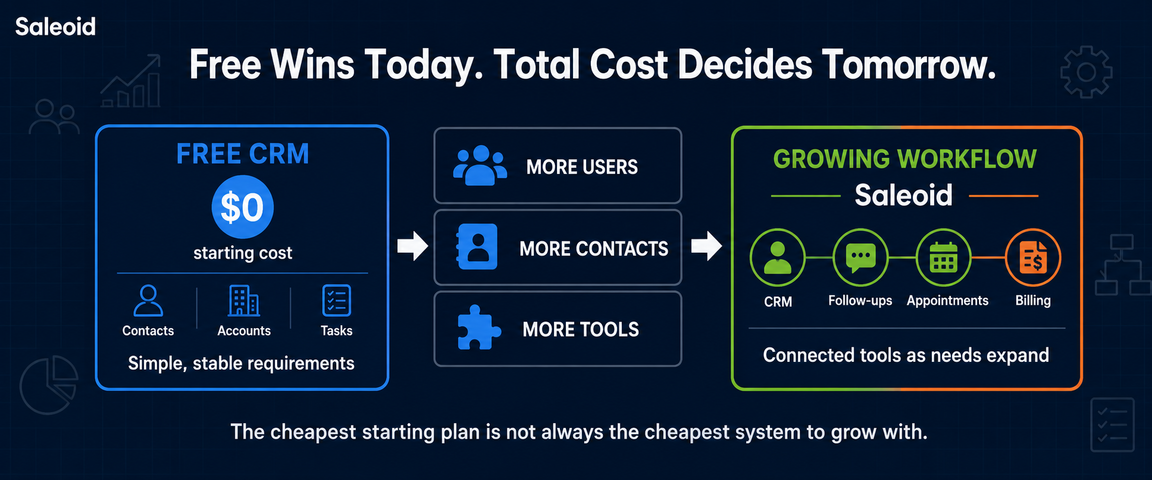
A free CRM is cheaper at the beginning because the subscription itself costs nothing. If its user, contact, and feature limits match your needs, there is no reason to pay simply for the sake of upgrading. Saleoid $5 CRM can become a better value as your business grows. Extra users, automation, reporting, integrations, communication tools, or separate software can raise the cost of a free plan.
There is no universal break-even point for a $5 CRM vs free CRM. The cheaper option depends on how quickly your team, contact database, and software requirements expand over the next year or two.
What Does a $5 CRM Actually Include?
A $5 CRM usually sits between a restricted free plan and a larger paid business suite. At this price, you should expect a defined allowance for users, contacts, automation, or other core features rather than unlimited access to everything.
Saleoid’s Custom plan is one example. Its effective price is $5 per month with two year billing, which means a $120 base commitment. The CRM pricing plan currently includes one user, 2,500 contacts and companies, three accounts, and five automations with automation history. Extra users cost $6 each.
You can also add individual applications, including appointments, forms, invoicing, landing pages, and email marketing, with some apps starting at around $1.
So, the $5 price is best understood as a configurable starting point. Your final cost depends on the users, applications, and functionality your business actually needs.
What Does a Free CRM Actually Give You in 2026?
Free CRM plans vary more than the $0 price suggests. One provider may restrict users, another may cap contacts, while another may let you stay free until you need more advanced tools. Understanding these free CRM limitations matters more than comparing feature counts alone.
| CRM | Free Users | Important Starting Limit or Characteristic | Main Growth Question |
| Saleoid Custom | 1 included | 2,500 contacts and companies | Would adding users or apps cost less than choosing a bundle? |
| HubSpot Free CRM | 2 | 1,000 contacts | Will contact growth or another user trigger an upgrade first? |
| Salesforce Free Suite | 2 | Core sales, service, and marketing tools | Can the business remain within a two-person setup? |
| Zoho CRM Free | 3 | Essential lead, contact, and deal management | Will feature requirements appear before team growth? |
| Freshsales Free | 3 | Core CRM capabilities | Do you need paid functionality while the team is still small? |
HubSpot Free CRM
Contact growth is the key number to watch with HubSpot. Its free CRM allows up to 2 users and 1,000 contacts.
That means a 2-person business can reach the plan boundary simply by generating more leads. If HubSpot is on your shortlist, it is also worth understanding what happens when you outgrow the HubSpot free plan before building your longer-term workflow around it. Businesses approaching this limit may also want to explore a HubSpot alternative that offers more flexibility as their contact database grows.
Salesforce Free Suite
A different constraint applies to Salesforce Free Suite. Two people can use its core sales, service, and marketing tools without paying a subscription. This can make it a practical starting point for very small businesses that only need basic CRM access and have a limited number of users.
The cost question becomes immediate when person three needs access. A business that remains owner-operated or has a very small sales team may stay within the free tier much longer than one hiring quickly. Before choosing a platform, it can also help to compare HubSpot vs Salesforce to see how their pricing, features, scalability, and user limits differ for small businesses. This comparison can make it easier to determine which CRM is likely to remain cost-effective as the team and customer base grow.
Zoho CRM Free
Three users change the calculation again. Zoho CRM’s free edition supports up to three people and includes essential CRM functions for managing areas such as leads, contacts, and deals. This makes it a reasonable starting point for very small teams that need core CRM capabilities without adding another monthly software expense.
For a three-person team, paying for CRM purely to gain additional seats may make little sense. Features unavailable in the free edition are more likely to determine when an upgrade becomes worthwhile. Businesses that need more flexibility, simpler pricing, or additional features can also consider a Zoho alternative before committing to a paid plan. Comparing alternatives can help small businesses find a CRM that better matches their team size, workflow, and long-term growth plans.
Freshsales Free
Freshsales shows why user limits tell only part of the story. Its free CRM supports up to three users, while Growth is currently priced at $9 per user per month with annual billing. This makes the free plan useful for small teams that only need basic CRM capabilities, but growing sales operations may need to upgrade sooner as their requirements become more advanced.
You could therefore move to a paid plan while still having only two or three users if your sales process needs functionality available in Growth. Feature requirements can create an upgrade point before headcount does. If Freshsales no longer fits your budget or feature requirements, reviewing best Freshsales alternatives can help you compare other CRM options based on pricing, automation, scalability, and sales features.
Taken together, these plans show why “free” cannot be evaluated as a single pricing model. The first cost increase may come from contacts, users, or functionality depending on the CRM you choose. For small businesses, comparing these limits before choosing a CRM can help avoid unexpected costs as the team, contact database, and sales process grow.
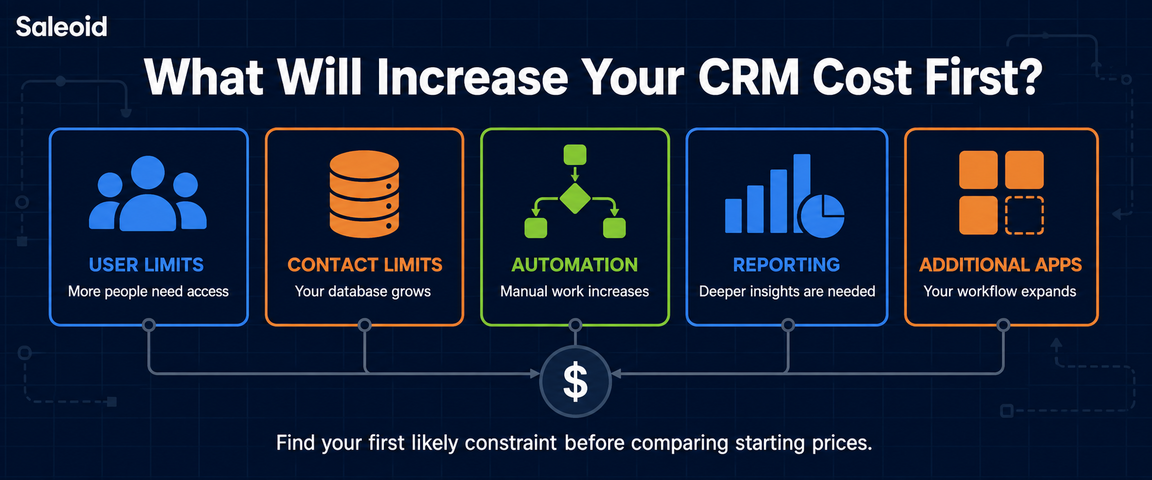
Free CRM vs $5 CRM: Which Limits Will Your Business Hit First?
For a useful $5 CRM vs free CRM comparison, look for the first point at which your current plan stops matching the way you work.
A hard limit blocks further use of a resource, such as users, contacts, or accounts. A feature gate works differently. You can keep using the CRM, but the function you now need is reserved for a paid plan.
| Growth Question | Cost Area to Investigate |
| Will more than 2 to 3 people need access? | User and seat pricing |
| Is your contact database approaching its allowance? | Contact limits |
| Are repetitive follow-ups becoming difficult to manage? | Automation |
| Do you need forms, emails, or landing pages? | Marketing limits |
| Does your team need more detailed performance data? | Reporting tiers |
| Are sequences or campaigns becoming necessary? | Email and campaign limits |
| Will you use SMS or WhatsApp? | Communication charges |
| Do you want to invoice customers inside the CRM? | Billing tools |
| Will other software need CRM data? | Integrations and API access |
| Do separate teams or clients need their own spaces? | Account and subaccount pricing |
Your first probable constraint is the number worth planning around. It gives you a more realistic indication of when CRM spending may change.
How CRM Costs Change as Your Team Grows
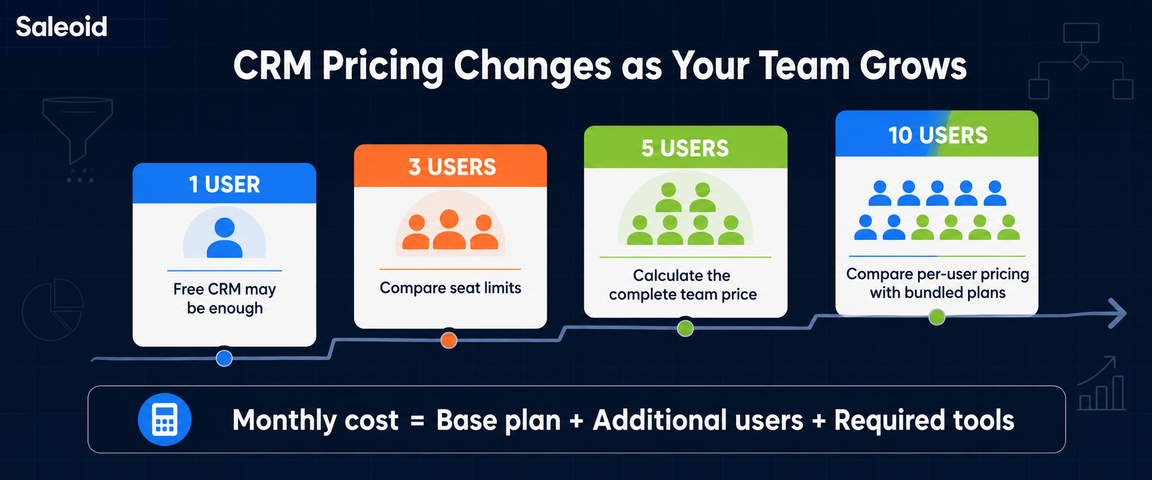
Team size can change your CRM bill quickly, especially when pricing is based on users. The right comparison is not the starting price, but what you will pay when more people need access. When evaluating the best affordable CRM, consider both the current cost and how pricing will change as your team expands.
1 User
For a solo operator, a permanent free CRM usually has the strongest cost advantage. If you only need basic contact management, deal tracking, tasks, and notes, paying for CRM may not offer much financial benefit.
3 Users
At 3 users, pricing models begin to separate. Some free plans still support a team of this size, while others require an upgrade once you move beyond 2 users.
This is the point where you should compare total seat cost rather than headline pricing.
5 Users
5 users can make per-user pricing noticeably more expensive. Adding seats one at a time may no longer be the cheapest route if a bundled tier offers several users for a fixed monthly price.
Before upgrading, calculate the full monthly amount at five active users and compare it with the next suitable plan.
10 Users
At 10 users, the difference between per-user and bundled pricing becomes much more important.
Calculate:
Monthly seat cost = base plan + additional user charges
Then work out the effective cost per active user by dividing the total monthly bill by the number of people actually using the CRM.
At this stage, businesses should also consider affordable CRM options that combine predictable pricing with the features a growing team needs. For companies looking for CRM software for small businesses, comparing the total cost at 1, 3, 5, and 10 users gives you a clearer picture of which CRM will remain affordable as your business grows.
User Growth Is Not the Only Thing That Changes CRM Cost
The $5 CRM vs free CRM comparison is not decided by team size alone. Database growth, repetitive work, and additional business tools can change your total cost even when headcount stays the same.
Contact and Database Growth
A business with two employees and 300 contacts may stay within its plan comfortably. A solo operator managing 2,000 leads could hit contact limits much sooner.
HubSpot Free currently allows up to 1,000 contacts, while Saleoid Custom includes 2,500 contacts and companies.
The useful number to track is not employee count, but how quickly your database is growing.
Automation Requirements
Manual work can be inexpensive at low volume, but repeated tasks consume staff time.
For illustration:
- 15 minutes of avoidable admin per workday
- About 5 hours per month
- At $20 per hour, roughly $100 in staff time
- At $40 per hour, roughly $200
One workflow worth examining is automated sales follow-ups, especially if your team repeatedly spends time chasing leads or reminding prospects manually.
These figures are examples, not guaranteed savings. They simply show that subscription cost and operating cost are different.
Additional Business Software
CRM expenses can also sit inside a larger software budget. Depending on your workflow, you may also pay for:
- Appointment scheduling
- Invoicing
- Marketing automation
- Electronic signatures
- SMS or WhatsApp
- Workflow automation
- Client portals
- Integrations
A useful formula is:
Total software stack cost = CRM + required business apps + communications + integrations
If you are deciding between one configurable platform and several separate subscriptions, comparing a modular CRM vs multiple tools can make the total-cost trade-off easier to understand.
For a fair $5 CRM vs free CRM decision, compare the full monthly cost of running your workflow, not only the CRM subscription.
Which CRM Costs Less at Different Business Stages?
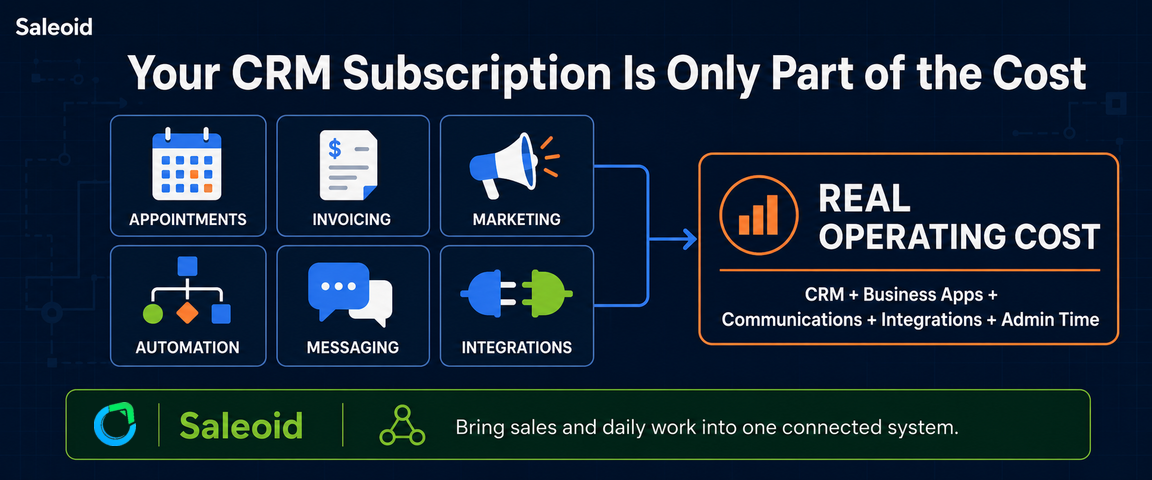
The $5 CRM vs free CRM decision becomes clearer when you look at how the business operates, not just how many people use the system.
Scenario 1: Simple Sales Process
If you mainly store contacts, track deals, record notes, and manage tasks, a permanent free CRM may remain the cheapest choice.
Paying for a CRM offers no financial advantage if the free plan already covers your complete workflow.
Scenario 2: Growing Service Workflow
Costs begin to change when the CRM must support more than record-keeping. Appointment booking, automated follow-ups, forms, invoicing, or customer communication may introduce extra subscriptions.
At this stage, compare the full workflow cost:
- CRM subscription
- Required business applications
- Automation availability
- Communication charges
- Integration costs
A paid or bundled platform may cost less overall if it includes several functions you would otherwise purchase separately.
Scenario 3: More Complex Sales and Marketing Operations
Once your business relies on automation, reporting, campaigns, larger contact volumes, and connected applications, the entry price tells you very little.
Instead, compare:
- Total monthly platform cost
- Contact and usage allowances
- Included automation and reporting
- Cost of additional applications
- Setup and migration requirements
- Contract flexibility
At this stage, the best affordable CRM for small business should be judged by the complete operating cost rather than its cheapest advertised plan.
Scenario 4: Business With Uncertain Growth
Not every company knows what its CRM requirements will look like a year from now. In that situation, flexibility can be worth more than the lowest effective monthly rate.
A shorter billing commitment may cost more each month but reduce the risk of paying for a system you later outgrow or stop using. Longer commitments can make sense when you are confident the platform will continue meeting your needs.
Looking for an Affordable CRM That Can Grow With Your Business? Try Saleoid
If your free CRM is starting to feel restrictive, moving to a paid platform does not have to mean a large monthly bill.
Saleoid is an all-in-one CRM for small businesses that brings customer management, sales, marketing, scheduling, billing, and automation into one platform. Its Custom plan currently starts at an effective $5 per month with 2-year billing and includes one user, up to 2,500 contacts and companies, and 5 automations. Additional applications can be added when needed.
You can also move to Starter, Growth, or Unlimited bundles as your requirements expand.
Saleoid gives growing businesses a practical way to bring CRM and related business tools together while keeping their software costs easier to manage.
Start your 15-day free trial to find the setup that fits your business.
FAQs
Yes, several established CRM providers offer permanent $0 plans rather than temporary trials. Limits may still apply to users, contacts, automation, email, integrations, reporting, or other capabilities, depending on the provider and plan.
Usually, yes. If one person can manage contacts, deals, tasks, and daily sales activity within the free plan, the subscription cost remains $0. Paying for CRM only makes financial sense when additional functionality becomes useful.
Yes, but the billing term matters. Saleoid Custom currently has an effective price of $5 per month with 2-year billing, making the base 24-month commitment $119.40 before additional users or applications.
HubSpot Free CRM currently supports up to two users and 1,000 contacts. If you need a third user or exceed the contact allowance, you will need to review the relevant paid options available at that time.
Consider upgrading when the free plan no longer supports the way you work. Common triggers include user or database limits, insufficient automation, restricted reporting, missing integrations, or workflows that have become difficult to manage efficiently.
That can work well when your requirements are simple and the provider offers a suitable upgrade path. If you expect rapid growth, compare future plan costs, likely limits, and the effort involved in CRM migration before choosing.
Disclaimer: Pricing, plan limits, included features, billing terms, and free plan availability may change over time. The information in this article reflects details available at the time of writing. Please check each CRM provider’s official pricing page before choosing a plan.