

You wrapped a great discovery call. The prospect said, “Send me a proposal, I’m ready to move forward.” Then a client emergency ate your afternoon, a deliverable was due, and the proposal sat in your drafts folder for six days.
By the time you sent it, they had already signed with someone else.
If you’re an independent consultant, this story probably stings a little too much. And it’s not because you’re bad at your job. It’s because being a consultant means you’re the strategist, the project manager, the biller, and the sales team all at once. Something has to give, and follow-up is usually the first thing that does.
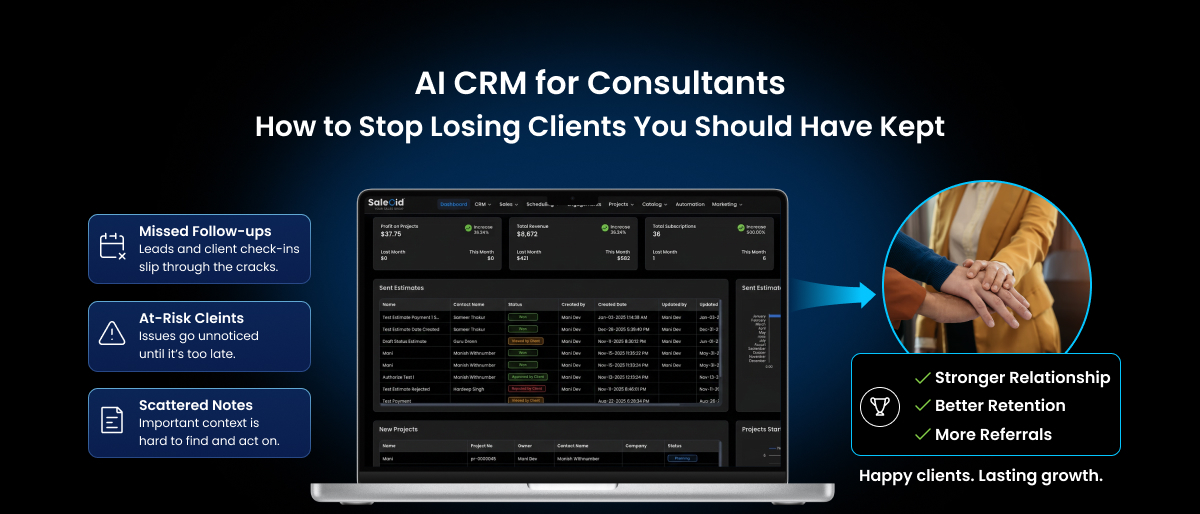
An AI CRM for consultants exists specifically to close that gap. It’s built around the reality that consultants don’t have a sales department, they have themselves, a calendar full of client work, and maybe a spreadsheet they haven’t opened in three weeks.
Why Consultants Are Uniquely Bad at Following Up
This isn’t a discipline problem but a math problem. A survey of independent consultants found that out of a 52-hour work week, roughly 10 hours go to admin tasks, things like email management, scheduling, and yes, following up with leads. That’s nearly one full workday every week spent on tasks that don’t move a single project forward.
Meanwhile, consulting firms track something called a billable utilization rate, the percentage of a consultant’s time that’s actually spent on paid client work. According to the 2025 Professional Services Maturity Benchmark Report, the average utilization rate for consultants sits at 68.9%, below the widely cited 75% target. This means nearly a third of a typical consultant’s working time goes somewhere other than client delivery, and a meaningful chunk of that is spent managing the business itself.
Consultant Time and Workload: The Numbers
| Metric | Data Point | Source |
| Weekly hours spent on admin tasks | ~10 hours out of 52 | Independent consultant survey |
| Average consultant billable utilization rate | 68.9% | Professional Services Maturity Benchmark Report |
| Target billable utilization for consultants | 75-85% | Industry benchmark data |
| US freelance and independent workforce (2026) | 76-78 million people | Upwork projections |
| Share of skilled freelancers in consulting, IT, and marketing | Over 50% of the freelance workforce | Multiple freelance economy reports |
| Time lost per interruption before refocusing | 23 minutes, 15 seconds | University of Chicago research |
Look at that last row again. Every time a client call, a Slack message, or an urgent deliverable pulls your attention away from following up on a lead, it costs you nearly 24 minutes to get back into a productive rhythm.
For a solo consultant fielding calls all day, that adds up to hours of lost focus, and it’s exactly why “I’ll follow up later” turns into “I forgot.”
The Real Problem: Consulting Runs on Relationships, and Relationships Need Follow-Up
Here’s what makes this worse for consultants specifically. Unlike a product-based business, consulting revenue is almost entirely relationship-driven. A missed follow-up doesn’t just cost you one deal, it can cost you the referrals that deal would have generated.
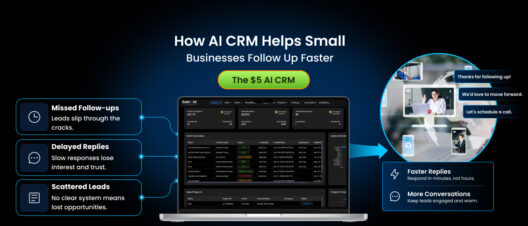
Consultants rarely get a second first impression. If a prospective client reaches out with a real need and doesn’t hear back for a week, they don’t wait around wondering if you’re just busy. They assume you’re either unavailable or uninterested, and they move on to whoever responded first. We covered the broader research behind this in our piece on how AI CRM helps small businesses follow up faster, and the pattern holds even more strongly for consultants, where trust is the entire product.
How This Shows Up for Different Types of Consultants
Solo consultants and coaches often run their entire pipeline from memory and a messy inbox. A referral comes in through LinkedIn, a discovery call goes well, and then real client work takes over for the next two weeks. There’s no system flagging that the lead has gone quiet, so it simply doesn’t get a second thought until the consultant does a random inbox cleanup and finds it, usually too late.
Small consulting teams (two to six people) face a different version of the same problem. When two or three people share responsibility for business development, everyone assumes someone else picked up the thread. A prospect who spoke with one partner during a networking event might never get logged anywhere formal, so the follow-up depends entirely on that one partner remembering, weeks later, in the middle of client delivery season.
Boutique consulting agencies juggling multiple active engagements often let new inquiries sit behind whatever client fire is burning that day. A potential retainer client emailing about ongoing advisory work competes directly with an existing client’s urgent request, and the existing client always wins that competition, even when the new inquiry represents real future revenue.
The common denominator across all three is the same one that shows up everywhere in consulting: no one has time to be the “follow-up person,” because everyone is busy being the “delivery person.”
What Is an AI CRM for Consultants, Exactly?
An artificial intelligence CRM built with consultants in mind takes the follow-up responsibility off your plate entirely and automates it in the background, without requiring you to become a sales operations expert. If you’re still getting familiar with the category, our guide on what is AI CRM covers the fundamentals in more depth.
For a consultant, the core value isn’t complex sales pipelines or enterprise dashboards. It’s a small set of capabilities that solve a very specific problem: making sure a promising lead never goes cold just because you got busy.
- Automated follow-up reminders that trigger based on time since last contact, not your memory
- Lead scoring that flags which prospects are worth prioritizing when you finally get a free hour
- AI-assisted message drafting that gives you a starting point built from your actual conversation history
- Multi-touch sequencing that keeps nudging a quiet lead without you manually tracking who’s on which touchpoint
- Simple, low-maintenance setup that doesn’t require weeks of configuration a solo consultant doesn’t have time for
How an AI Enabled CRM Actually Solves the Consultant’s Follow-Up Problem
1. It Catches the Leads You’re Too Busy to Remember
The core issue for most consultants isn’t lack of interest in new business, it’s lack of bandwidth to track it manually. An ai powered CRM logs every inquiry automatically and sets a reminder the moment a lead goes quiet, so you don’t need a mental note competing with everything else in your head.
2. It Tells You Who Actually Deserves Your Next Free Hour
Not every inquiry is equally warm. A prospect who asked detailed questions about your process is a different priority than someone who submitted a generic contact form. AI-based lead scoring ranks contacts so that when you do carve out 20 minutes between client calls, you’re spending it on the right person.
3. It Drafts the Follow-Up So You’re Editing, Not Starting Cold
Writing a thoughtful, personalized follow-up from scratch takes real mental energy, energy that’s already spent after a day of client work. AI-assisted drafting pulls from your prior conversation and gives you a message to review and send, cutting the time from twenty minutes to two.
4. It Runs the Second and Third Touch Automatically
Most consulting deals don’t close after one follow-up. They close after the third or fourth touch, spaced out over a couple of weeks. Manually tracking that cadence across a handful of active leads is realistic. Doing it across fifteen or twenty is not. Sequencing handles this without you having to think about it again.
5. It Flags Deals Going Cold Before You Lose Them
This is the feature solo consultants underestimate the most. Instead of discovering three weeks later that a warm lead never got a second email, the system surfaces it while there’s still time to save the relationship.
Manual Follow-Up vs AI CRM Follow-Up for Consultants
| Task | Manual Process | With an AI CRM |
| Tracking new inquiries | Scattered across email, LinkedIn, and memory | Logged automatically in one place |
| Remembering to follow up | Depends on catching a quiet moment | Reminder triggers based on inactivity |
| Prioritizing leads | Whoever emailed most recently gets attention | AI scoring ranks by likelihood to convert |
| Writing follow-up messages | Drafted from scratch, often delayed by fatigue | AI drafts based on conversation history |
| Multi-touch sequences | Rarely happens consistently | Runs automatically in the background |
| Spotting a lead going cold | Noticed by accident, if at all | Flagged proactively |
A Realistic Example: How This Plays Out for a Solo Consultant
Picture a marketing strategy consultant working alone, handling four active client retainers while also fielding two or three new inquiries a month through referrals and LinkedIn.
Without a system in place, a new inquiry gets a same-day reply if it arrives on a light day, or gets pushed to “later” if it lands during a client crunch. Later often becomes never.
With an AI enabled CRM in place, the inquiry is logged automatically the moment it comes in. A reminder fires within 24 hours if there’s been no reply. If the prospect goes quiet after the first exchange, an AI-drafted follow-up goes out on day four, referencing the specific service they asked about. The consultant reviews it, tweaks a line, and sends it in under a minute, work that used to mean rewriting an email from memory after a full day of client calls.
Nothing about this requires the consultant to become more disciplined. It just requires a system built for CRM for small businesses that treats follow-up as something that happens by default, not by willpower.
AI CRM vs Traditional CRM: Why the Difference Matters More for Consultants
A traditional CRM is essentially a filing cabinet. It stores contact details, notes from your last call, and maybe a deal stage. Useful, but entirely passive. You still have to remember to open it, check who needs a follow-up, and manually write every message.
For a consultant with no admin support, that passivity is the whole problem. A tool that only stores information doesn’t solve the issue of forgetting to act on it.
This is the core distinction covered in our detailed breakdown of AI CRM vs traditional CRM, but the short version for consultants is this: a traditional CRM assumes you have the time to manage it. An AI CRM assumes you don’t, and does the managing for you.
Choosing the Right AI Powered CRM as a Consultant
Most CRM platforms are built with sales teams in mind, complete with multi-stage approval workflows, team permissions, and pricing built for a dozen seats. None of that matters if you’re a consultant working solo or with one or two collaborators. What matters is speed of setup, low cost, and automation that works without a training course.
This is the exact gap Saleoid $5 AI CRM is built to fill. It brings the essentials, automated reminders, lead scoring, and AI-assisted message drafting, into a lightweight setup a consultant can start using the same day, without paying enterprise pricing for features they’ll never touch. If you’re comparing your options more broadly, our guide to the best CRM for small businesses and our roundup of the best affordable CRM tools are both good starting points.
When evaluating any AI CRM software as a consultant, a few questions matter more than a long feature list:
- Can you set it up in under an hour? If it takes a weekend to configure, you’ll likely abandon it mid-setup.
- Does the automation work immediately, or is it locked behind a pricier tier? Some platforms save the useful AI features for plans built for larger teams.
- Does the pricing make sense for one person, not twelve? Per-seat enterprise pricing rarely makes sense for a solo practice. It’s worth checking our AI CRM pricing guide before comparing options.
- Will it work if you’re not tech-savvy? As a consultant, your time is better spent on client strategy than learning software.
If you’re just starting your consulting practice or launching a new advisory firm, the same logic applies even earlier. A lightweight CRM for startups can prevent the habit of losing leads before it ever becomes a pattern.
Frequently Asked Questions
A spreadsheet can track contacts, but it can’t remind you to follow up or draft the message for you. For a consultant juggling client work, that gap is exactly where deals go cold. An AI CRM closes it without adding to your workload.
Sales-team CRMs assume you have dedicated staff managing the pipeline. A consultant-focused AI CRM assumes you don’t, and prioritizes fast setup, low cost, and automation that runs with minimal input from you.
Not if you review before sending, which most consultants do anyway. AI-assisted drafting builds messages from your actual conversation history, so they read like something you wrote, just without the twenty minutes it usually takes.
Based on typical admin time reported by independent consultants, roughly 10 hours a week goes to non-billable tasks like follow-up and scheduling. Automating even a portion of that, especially repetitive follow-up messages, can reclaim several hours a week for actual client work.
Yes. It’s built for exactly that use case, a single person who needs automated follow-up and lead prioritization without the complexity or cost of enterprise sales software.
Start with follow-up reminders alone before adding lead scoring or sequencing. Getting comfortable with one automation first avoids feeling overwhelmed and builds trust in the system faster.
Wrapping Up
Consultants don’t lose clients because their advice is bad. They lose clients because the follow-up that should have taken two minutes got buried under a day of real client work, and by the time anyone remembered, the opportunity was gone. An AI CRM for consultants doesn’t ask you to become more organized or more disciplined. It simply takes the one task that keeps slipping through the cracks and makes sure it happens automatically, so the only thing you have to focus on is the work you’re actually good at.