

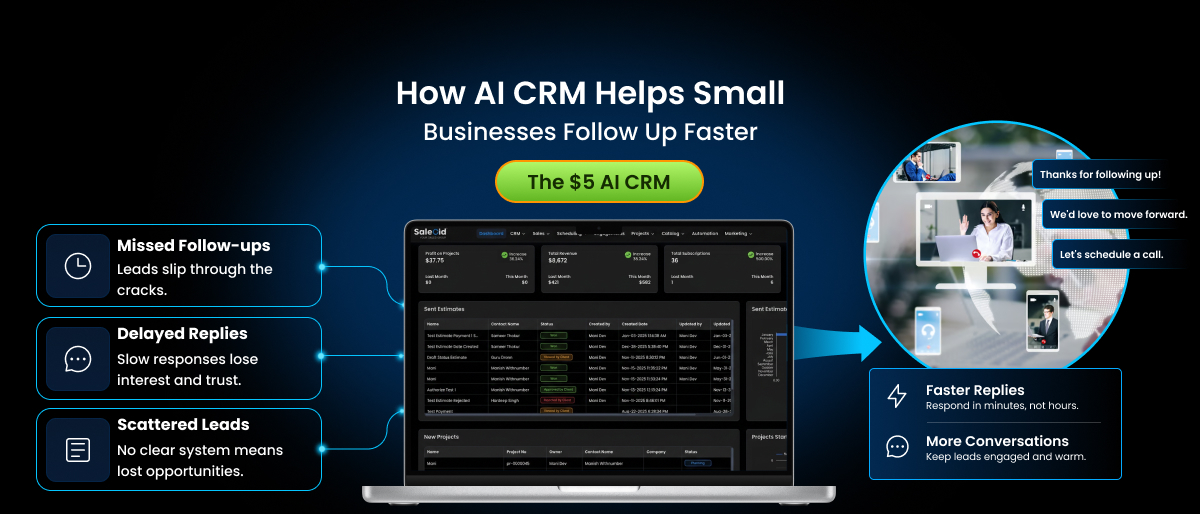

You closed the call. The prospect sounded interested. You told yourself you’d send that follow-up email “right after lunch.”
Three days later, you find the sticky note still stuck to your monitor.
If this sounds familiar, you’re not disorganized. You’re just running a small business without a system that remembers things for you. And that gap, the one between “I meant to follow up” and “I actually did,” is quietly costing small businesses, consultants, and agencies more money than almost any other part of the sales process.
This is where an ai crm changes the equation. Not by replacing your judgment, but by making sure nothing you care about ever slips through the cracks again.
Most small business owners already know they need to follow up faster. That’s not the part they’re missing. What they’re missing is a system that does the following up when they’re mid-project, on another call, or simply too stretched to remember. This article breaks down why slow follow-up happens in the first place, what the research actually says about the cost of it, and how an AI-driven approach fixes the problem without adding more work to your plate.
If you’re comparing options, it also helps to see what a purpose-built CRM for small businesses actually looks like once the AI layer is doing the heavy lifting.
The Real Cost of Slow Follow-Up and Why It’s Not Your Fault
Let’s start with the numbers, because they explain why this problem feels so universal.
Research from MIT’s Lead Response Management study found that contacting a lead within 5 minutes makes a business roughly 100 times more likely to connect with them than waiting just 30 minutes.
The most uncomfortable part is that the average business takes somewhere between 24 and 47 hours to respond to a new inquiry, depending on which study you look at. Meanwhile, research from InsideSales.com found that only about 0.1% of inbound leads get a response within five minutes.
That gap between what wins deals and what actually happens is where small businesses lose the most ground, not because the work is too hard, but because there’s no system tracking it.
Quick Stats: Why Speed Matters in Follow-Up
| Metric | Data Point | Source |
| Conversion likelihood within 5 minutes vs 30 minutes | Up to 100x higher | MIT Lead Response Management Study |
| Qualification odds after 1 hour vs same day | Drops by roughly 90% | Harvard Business Review |
| Leads that buy from the first business to respond | 78% | Lead Response Research (multi-study) |
| Leads that never get contacted at all | Roughly 30-50% | InsideSales.com Research |
| Businesses with fewer than 10 employees using a CRM | Only 50% | DemandSage, 2026 |
If you read those last two rows together, a pattern emerges. Even among businesses that do have a CRM, half of the smallest ones still don’t. And a plain CRM, one that just stores contact details, doesn’t solve the speed problem on its own. Somebody still has to remember to open it, check it, and act.
Why This Isn’t About Effort
It’s tempting to read numbers like these and assume the fix is simple: try harder, respond faster, set more reminders. But that misses what’s actually happening inside a small business day to day.
A solo consultant might have 4 client calls, 2 proposals to write, and an inbox with 40 unread messages by 10 a.m. A 5-person agency might have 3 active pitches and 2 ongoing client campaigns competing for the same afternoon. In that environment, following up “when you get a chance” almost never happens, not because anyone is careless, but because there’s no natural moment where it rises to the top of the list.
This is precisely the gap that automation is built to close. It’s not about working harder. It’s about removing the follow-up task from your memory and letting a system carry it instead.
Why Small Teams, Consultants, and Agencies Feel This the Most
Bigger companies throw people at the follow-up problem. They hire SDRs whose entire job is chasing leads within minutes of a form submission. Small businesses don’t have that luxury.
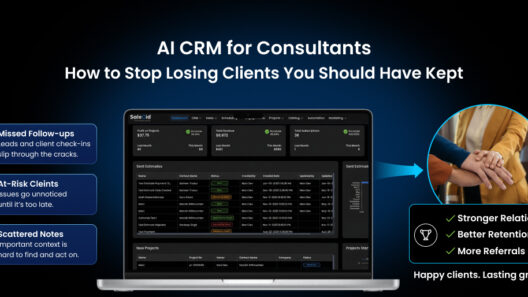
Independent consultants are usually running discovery calls, delivering client work, and managing their own invoicing in the same afternoon. A promising lead from a referral call often gets a mental note instead of an actual calendar entry, and by the time the consultant remembers, the prospect has already booked someone else. Because most solo consultants don’t run a formal pipeline, they often can’t even say how many leads they lost this way, just a vague sense that “a few people never got back to me,” when it was actually the other way around.
Small agencies juggle multiple client pipelines at once. A new inquiry for a website redesign might come in through email while the team is mid-sprint on an existing client’s campaign. Nobody is ignoring the lead on purpose. It’s just genuinely hard to track five or six different follow-up threads by memory or a shared spreadsheet, especially when inquiries arrive through different channels: a contact form here, a DM there, a forwarded email from a referral partner.
Small sales and service teams (3 to 8 people) often split responsibilities loosely. Everyone assumes someone else is handling follow-up, and that assumption is exactly how leads go cold. A study cited by Capterra found that 45% of CRM buyers now rank automation as their top priority, ahead of reporting or integrations, which tells you this isn’t a niche complaint. When responsibility for a lead isn’t assigned to one clear owner, the lead effectively belongs to no one, and that’s usually when it disappears. The common thread across all three groups isn’t lack of effort.
It’s lack of a system that acts as a second brain, one that never forgets, never gets distracted mid-call, and never assumes “someone else has it.”
Early-stage teams run into the same problem even faster, which is why a dedicated CRM for startups usually pays for itself within the first few closed deals.
What Is an AI CRM, Really?
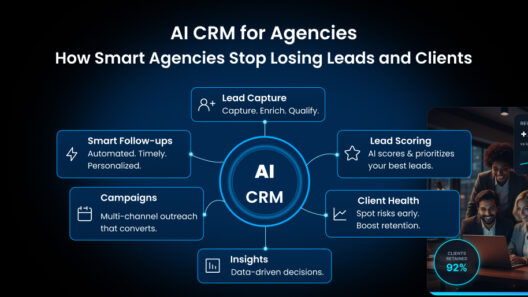
An artificial intelligence crm takes the traditional contact database and adds a layer of automation and intelligence on top of it. Instead of just storing who you talked to and when, it actively works the follow-up process for you. For a deeper breakdown of the technology itself, see our full guide on what is AI CRM.
In practice, that usually means a few core capabilities:
- Automatic follow-up reminders: Trigger the moment a lead goes quiet, instead of relying on someone remembering to check
- Lead scoring: Flag which contacts are actually worth calling back first
- AI-drafted messages: Give you a starting point instead of a blank email
- Smart sequencing: Keeps nudging a cold lead on a schedule, without anyone manually queuing up the next email
- Behavior tracking: Tells you when a prospect opened your last email or revisited your pricing page, so your follow-up lands at the right moment instead of a random one
None of this replaces the human conversation. It just makes sure the conversation actually happens when it matters.
How an AI Enabled CRM Actually Helps You Follow Up Faster
1. It Removes the “Remembering” Problem Entirely
The single biggest reason small businesses miss follow-ups isn’t laziness, it’s cognitive load. You’re doing five jobs at once. An ai powered crm takes the follow-up task off your mental to-do list and puts it on a system that fires automatically. A recent industry review of AI CRM adoption noted that one small consulting firm using AI-powered reminders cut missed follow-ups by more than 40% in a single quarter, largely because the system did the remembering instead of the team.
2. It Prioritizes Who Deserves a Reply First
Not every lead is equally warm. AI-based lead scoring looks at engagement signals like email opens, reply speed, and website activity, then ranks contacts by how likely they are to convert. Instead of working through your inbox top to bottom, you work it by priority, which changes how a two-person consulting shop spends its morning.
3. It Cuts the Time Spent Writing the Same Email Twice
Drafting a personalized follow-up from scratch every time is where a lot of small business time quietly disappears. AI-assisted drafting gives you a message built around the actual conversation history, so you’re editing instead of starting cold. Industry data from CRM automation studies shows businesses that adopt this kind of automation save an average of five to ten hours per week, time that goes straight back into client work or new business development.
4. It Keeps Multi-Touch Sequences Running Without Manual Effort
A single follow-up email rarely closes a deal. Most conversions happen after three to five touches. Manually tracking who’s on touch two versus touch four across dozens of leads is nearly impossible without help. An AI enabled follow-up sequence handles this in the background, adjusting timing based on how the prospect responds.
5. It Surfaces the Deals That Are Quietly Going Cold
This is the feature small teams underestimate the most. Instead of you having to notice that a lead hasn’t replied in eight days, the system flags it before it becomes a lost opportunity. For an agency running fifteen active prospects at once, this kind of early warning is often the difference between a closed deal and a lead that simply disappears.
Manual Follow-Up vs AI CRM Follow-Up: A Side-by-Side Look
| Task | Manual Process | With an AI CRM |
| Remembering to follow up | Relies on memory, sticky notes, or calendar blocks | Automatic reminders triggered by inactivity |
| Deciding who to contact first | Gut feeling or whoever emailed most recently | AI lead scoring ranks by likelihood to convert |
| Writing follow-up messages | Written from scratch each time | AI drafts a message based on conversation history |
| Tracking multi-touch sequences | Spreadsheet or mental tally | Automated sequencing runs in the background |
| Spotting a cold or stalled deal | Noticed only after it’s too late | Flagged proactively before it goes quiet |
| Average time spent per week on this | Several hours across the team | A fraction of that, freeing time for client work |
A Realistic Example: How This Plays Out for a Small Agency
Picture a four-person marketing agency. Leads come in from referrals, a contact form, and the occasional LinkedIn message. Historically, whoever answered first would follow up, and everyone else assumed it was handled.
With an AI enabled CRM in place, every new inquiry gets logged automatically, scored based on the type of project and budget signals mentioned, and assigned a follow-up reminder within a set window. If the prospect doesn’t reply within three days, a second, AI-drafted message goes out referencing the original conversation. No one has to remember to check.
The result isn’t magic. It’s simply that the agency stops losing deals to forgetfulness, which, according to the response-time research earlier in this article, is often the actual reason a lead goes cold in the first place.
How to Get Started with an AI CRM Without Overhauling Your Workflow
One of the biggest reasons small businesses put off adopting a new system is the assumption that it will take weeks to set up and retrain the team on. With an AI enabled CRM built for small teams, that’s rarely the case, but it still helps to go in with a clear, simple plan.
Start with one workflow, not everything at once.
Trying to automate your entire sales process on day one usually backfires. Pick the single biggest pain point, most often follow-up reminders, and get that working well before layering on lead scoring or sequencing.
Connect your existing inbox first.
Most AI CRMs sync with the email you already use, so you’re not asking your team to check a second inbox. This single step often determines whether a small team actually adopts the tool or quietly goes back to old habits within a month.
Let the system watch before you fully automate.
Many small businesses run reminders and lead scoring in an observation mode for the first week or two, just reviewing what the AI flags, before turning on fully automated messages. This builds trust in the system and surfaces any adjustments needed to scoring rules.
Set one measurable goal.
Whether it’s cutting your average response time in half or reducing the number of leads left untouched for more than 48 hours, having one number to track makes it obvious whether the switch is working.
Most teams see the first tangible improvement, fewer missed follow-ups, within two to four weeks. Deeper gains like faster deal cycles and higher conversion rates tend to show up over the following two to three months.
Common Mistakes Small Businesses Make When Switching to an AI CRM
Even a well-built AI CRM won’t help much if it’s set up carelessly. A few mistakes come up again and again among small teams making the switch.
Automating everything on day one.
Turning on every available AI feature at once, sequences, scoring, and auto-drafted replies, before your team understands how any of it works usually leads to confusion and, ironically, more missed follow-ups while everyone adjusts.
Not defining what “follow up” actually means for your business.
A consultant chasing a six-figure retainer needs a different follow-up cadence than an agency responding to a quick logo design inquiry. Spend a few minutes defining reasonable timeframes before letting automation run on autopilot.
Ignoring the human review step.
AI-drafted messages are a starting point, not a finished product. The small businesses that get the best results still glance over each message before it sends, at least in the first month, to keep the tone and details accurate.
Choosing a platform built for enterprise sales teams.
Many well-known CRM platforms bury their most useful AI features behind expensive tiers meant for teams with dozens of reps. For a business of one to ten people, that often means paying for capacity you’ll never use while missing the affordability that actually matters.
Choosing the Right AI Powered CRM When You’re a Small Team
Most CRM platforms built for enterprise sales teams come with a learning curve, an implementation timeline measured in weeks, and pricing that assumes you have a dedicated ops person to manage it. That doesn’t work for a three-person consulting firm or a boutique agency trying to close their next client this month.
This is exactly the gap Saleoid $5 AI CRM was built to fill. It brings the same core capabilities you’d expect from any modern AI CRM software, automated follow-up reminders, lead scoring, and AI-assisted messaging, into a setup small teams can actually afford and use without a training manual. For a consultant or a five-person agency, the goal isn’t more dashboards. It’s fewer dropped leads, at a price that doesn’t require a board meeting to approve.
When you’re evaluating any AI CRM for a small business, a few things matter more than flashy features:
- How fast can your team actually set it up? If onboarding takes weeks, you’ll lose momentum before you see any benefit.
- Does the automation work out of the box, or is it locked behind a higher-priced tier? Some platforms save the useful AI features for enterprise plans.
- Can it handle your actual channels? Email is the baseline, but SMS and call logging matter too, especially for consultants who close a lot of business on the phone.
- Is the pricing built for a team of one to ten people? Per-seat enterprise pricing adds up fast for a small shop. If cost is your main concern, it’s worth comparing options in our roundup of the best affordable CRM picks for small teams, and checking our AI CRM pricing guide before you commit to a plan.
Frequently Asked Questions
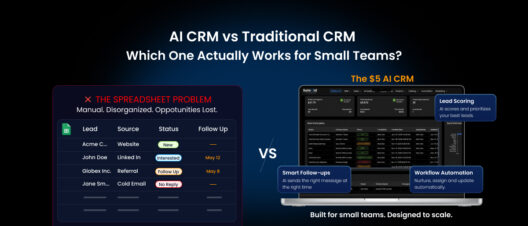
A regular CRM stores your contacts and deal history. An AI CRM actively works that data, sending reminders, scoring leads, and drafting follow-up messages so you don’t have to manually manage every step.
Yes, often more so than for larger teams. Small teams have the least room for a dropped follow-up, since there’s no one else to catch it. Automated reminders and sequencing matter most exactly when you don’t have a dedicated ops person.
No. It handles the repetitive parts, timing, reminders, and first-draft messages, so you can spend your actual time on the conversation itself, not on remembering to have it.
Most teams notice fewer missed follow-ups within the first few weeks, since that’s the most immediate automation benefit. Bigger gains in conversion rate and deal speed tend to show up over the following two to three months as the system learns your patterns.
Modern AI CRMs built for small businesses, including Saleoid $5 AI CRM, are designed for non-technical users. Most setups involve connecting your email and defining a few follow-up rules, not writing code or building complex workflows.
Free CRM tiers usually give you a contact database and basic email tracking, but leave follow-up automation, lead scoring, and AI drafting locked behind paid upgrades. Saleoid $5 AI CRM builds those capabilities in from the start, so a solo consultant or small agency gets the automation that actually prevents missed follow-ups, without needing to reach an enterprise price point to unlock it. For better clarity, we have compared Saleoid and other popular best CRM for small businesses to help you understand better.
It depends on the platform, but the more useful ones for small businesses track and prompt follow-up across multiple channels, not just email. This matters most for consultants who close a meaningful share of deals over the phone, where a missed callback can be just as costly as an unanswered email.
The Bottom Line
Speed to follow-up isn’t a nice-to-have. It’s one of the clearest, most data-backed factors separating businesses that win deals from businesses that lose them to someone who simply replied first.
For small teams, consultants, and agencies without the headcount to chase every lead manually, an AI CRM isn’t about adding more software to your stack. It’s about making sure the follow-up you always meant to send actually gets sent, on time, every time. The businesses that win the next deal aren’t always the ones with the best pitch.
Often, they’re simply the ones who replied while the prospect was still paying attention. That’s not a talent problem. It’s a systems problem, and it’s one an AI enabled CRM is built to solve, quietly, in the background, while you focus on the work that actually needs your attention.