


Zoho CRM is affordable, capable, and widely used, so searching for the best Zoho alternatives does not automatically mean something is wrong with Zoho. Sometimes, your team simply needs a CRM that feels easier to use or fits the way you sell more naturally.
For a small team, even a feature-rich platform can become frustrating if everyday tasks take too many steps or people avoid using the system altogether. Zoho has also introduced a newer interface in 2026, so some older complaints about its usability no longer tell the whole story.
Still, price alone should not decide which CRM earns a place in your workflow.
We compared a few leading options for teams of 3 to 10 people to see which ones make a stronger case depending on what your business actually needs. For most small teams weighing cost, ease of adoption, and how many tools they want to manage, Saleoid comes out as the strongest all-around replacement for Zoho.
Comparing the CRM for small businesses can help establish the right buying criteria first.
The Best Zoho Alternatives at a Glance
If you already know what your team needs from a CRM, this comparison can help narrow the options before you explore each platform in detail.
| CRM | Best For | Small Team Starting Point | Free Plan | Main Limitation |
| Saleoid | CRM plus broader business operations | $5 per month per user with two-year billing | No, 15-day free trial | Newer platform, but growing fast |
| Pipedrive | Simple visual sales pipelines | Lite, $14 per seat monthly, billed annually | 14 day trial | Email sync and automation require Growth |
| Freshsales | Low-cost traditional CRM | Growth, $9 per user monthly, billed annually | Up to 3 users | Advanced capabilities require higher plans |
| HubSpot | Inbound and marketing-focused teams | Starter, currently from $7 per seat monthly | Up to 2 users | Advanced functionality can increase costs considerably |
| monday CRM | Visual sales workflows | Basic, $12 per seat monthly, billed annually | 14-day trial | Paid plans start at 3 seats |
| Close | Calling and outbound sales | Essentials, $35 per user monthly, billed annually | Trial | Calling and SMS usage can add cost |
| Attio | Flexible relationship and data models | Plus, $35 per seat monthly with annual billing for US pricing | Up to 3 seats | Flexible setup requires more initial decisions |
| Less Annoying CRM | Maximum simplicity | $15 per user monthly | 30 day trial | Limited advanced automation and marketing |
| Nutshell | Straightforward SMB sales | Foundation, $13 per user monthly, billed annually | 14 day trial | More advanced sales automation requires upgrades |
| Salesforce Starter | Future enterprise growth | $25 per user monthly | Free plan | Higher cost for teams needing only basic CRM functions |
Note: Pricing and plan details were checked on August 20, 2026. Prices, promotions, billing terms, free plan limits, and included features may change, so confirm current details on each provider’s official website before choosing a plan.
Why Are Small Teams Looking for Zoho CRM Alternatives in 2026?
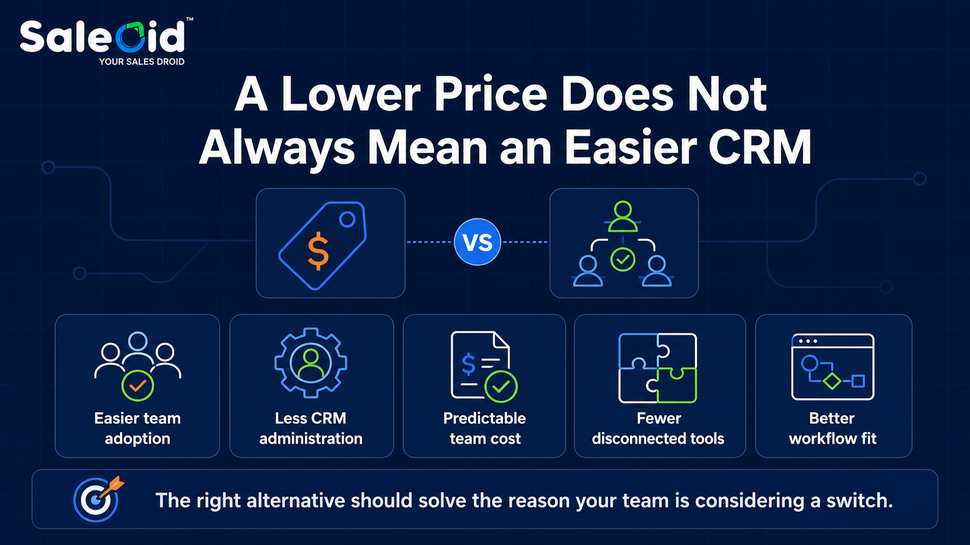
Price alone is rarely the strongest reason to leave Zoho. Its Standard plan costs $14 per user per month with annual billing, which remains competitive against several major CRMs.
Small teams usually explore alternatives to Zoho CRM when:
- Adoption remains inconsistent
- Advanced setup takes too much administrative effort
- Sales relies heavily on calling or another specialized workflow
- Marketing needs have expanded
- The business wants CRM, billing, scheduling, projects, or communications together
- Data relationships require more flexibility
- Governance and customization needs are increasing
These common CRM problems for businesses can help you separate software limitations from internal process problems.
Best Zoho Alternatives for Small Teams
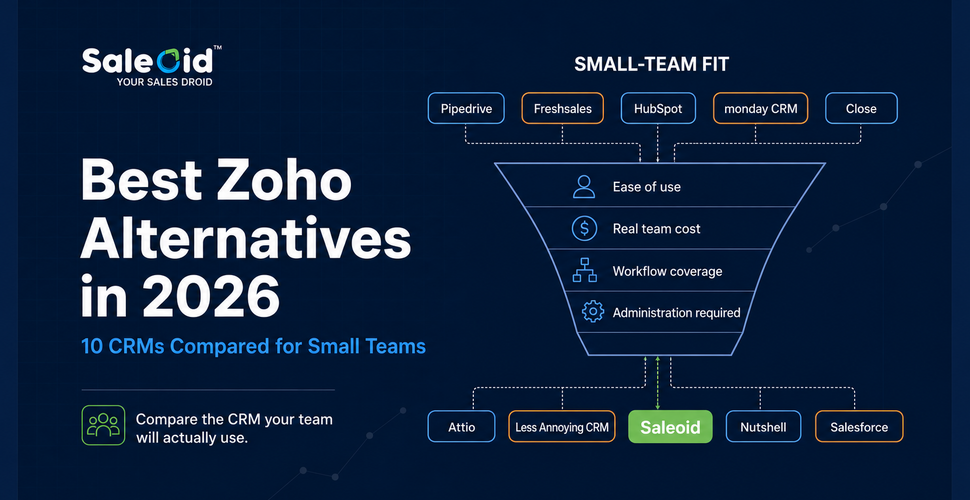
The best Zoho alternatives for small teams are not necessarily the biggest CRM platforms. This ranking focuses on how well each option works for teams of 3 to 10 people, considering usability, practical features, pricing structure, scalability, and the effort required to manage the system day-to-day.
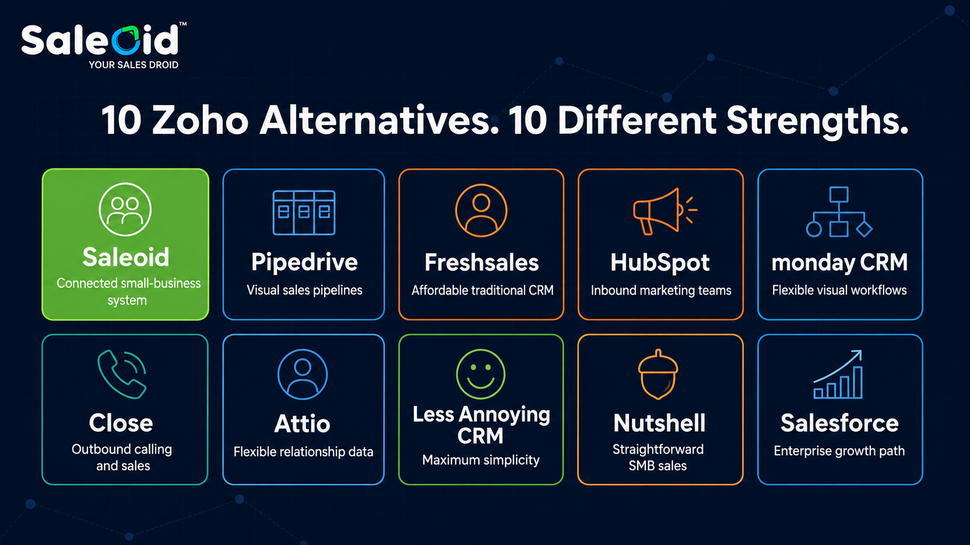
1. Saleoid: Best Zoho Alternative for Small Teams Wanting an All-in-One Business Suite
Saleoid is the best Zoho alternative overall for small teams, especially if your goal is to replace several disconnected tools with one connected system. Alongside CRM, its plans include marketing automation, appointments, billing, projects, agreements, electronic signatures, and messaging features. Saleoid may reduce the need for separate marketing, scheduling, billing, and project tools.
Current bundled pricing includes:
- Starter: $19 per month for up to 3 users
- Growth: $25 per month for up to 10 users
- Unlimited: $39 per month for up to 20 users
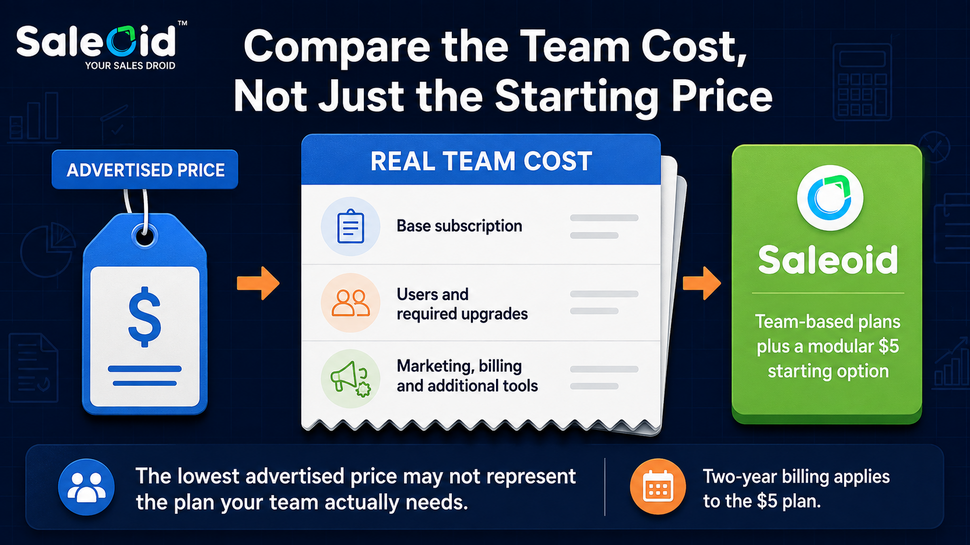
- Custom CRM: from $5 per month with two-year billing
For teams of 5 to 10 people, Growth offers the fairest comparison with Zoho because its user allowance matches the needs of a typical small team without relying on Saleoid’s lower Custom CRM headline price.
Among the best Zoho alternatives, Saleoid stands out as the strongest overall pick for small teams that want one connected system instead of several disconnected tools. It is a fast-growing platform, and its review and integration ecosystem is expanding quickly, so most small teams find everything they need already covered.
2. Pipedrive: Best for Sales Pipeline Simplicity
Pipedrive is also one of the best Zoho alternatives if your sales team needs a simpler system rather than a wider collection of business tools. Its visual pipeline keeps leads, deals, contacts, activities, and follow-ups easy to track, which can help when sales reps are struggling to adopt a more configurable CRM.
Pricing starts at $14 per seat per month with annual billing for Lite. That puts it close to Zoho Standard rather than making Pipedrive an automatically cheaper choice. Growth costs $39 per seat per month and is the more relevant plan if you need features such as:
- Full email sync
- Automations and sequences
- Meeting scheduling
- Sales forecasting
Lead generation, marketing, and other optional products can push the total cost higher. Pipedrive fits teams that want salespeople focused on a clear pipeline without managing a broader business suite.
If Pipedrive and Zoho are your final two choices, the Pipedrive vs Zoho CRM comparison goes deeper into their differences.
3. Freshsales: Best Low-Cost Traditional Zoho Alternative
Freshsales deserves attention among affordable Zoho alternatives if you want a traditional sales CRM with a lower entry price. It covers core contact and account management while also providing built-in communication tools for sales teams.
Current annual pricing is:
- Free: up to 3 users
- Growth: $9 per user per month
- Pro: $39 per user per month
- Enterprise: $59 per user per month
For a 5-person team, Growth starts below Zoho Standard on base subscription cost. However, the $9 plan may not cover every requirement. Features such as more advanced scoring, sales sequences, territory management, and deeper sales capabilities can require a higher tier.
4. HubSpot: Best for Inbound Marketing and Customer Lifecycle Management
When marketing plays a major role in how you attract and nurture customers, HubSpot becomes especially relevant among alternatives to Zoho CRM. It connects CRM, content, lead nurturing, sales, and customer management within a broader platform rather than focusing only on pipeline activity.
Sales Hub pricing currently includes:
- Free: $0 for up to 2 users
- Starter: promoted from $7 per seat per month
- Professional: $90 per seat per month annually
- Enterprise: $150 per seat per month
For a closer comparison of pricing, capabilities, and use cases, see HubSpot vs Zoho CRM.
HubSpot suits teams that expect inbound marketing and automation to become central to growth. The entry cost can look attractive, but moving into more sophisticated capabilities changes the economics considerably.
5. monday CRM: Best for Visual Sales and Custom Workflows
If your team prefers seeing deals and tasks laid out visually, monday CRM offers a more flexible way to manage sales. You can shape pipelines, activities, and related workflows around how your team already works rather than following a rigid CRM structure.
Unlike monday work management, monday CRM does not include a standard forever free plan. You can start with a 14-day trial, while paid plans begin with a three seat minimum.
Annual CRM pricing currently starts at:
- Basic: $12 per seat monthly
- Standard: $17 per seat monthly
- Pro: $28 per seat monthly
Standard is likely the better comparison with Zoho when you need stronger communication and automation features.
For very small teams, pay close attention to the seat minimum. Even if you need only one or two accounts, your subscription calculation starts with three paid seats.
6. Attio: Best for Startups Wanting a Flexible CRM Data Model
Not every startup fits neatly into a standard contacts, companies, and deals structure. Attio gives you more control over how records and relationships are organized, which can suit partnership-driven businesses or teams with less conventional sales processes.
Its current structure includes:
- Free: up to 3 seats
- Plus: aimed at small teams
- Pro: adds more advanced capabilities
For US buyers, Attio currently lists Plus from $35 per user per month with annual billing. Pricing can vary by region, so the displayed currency should be checked before publication rather than relying on older figures.
The tradeoff is setup. Greater flexibility means your team needs to make more decisions about how the CRM should be organized.
Attio is especially suitable for startups with complex relationship data that would feel restricted inside a rigid sales CRM.
7. Less Annoying CRM: Best for Teams That Want Maximum Simplicity
Some small teams do not need more CRM features. They need fewer things to configure. Less Annoying CRM keeps the essentials focused on contacts, pipelines, calendars, tasks, email logging, and day-to-day follow-ups.
Pricing is unusually straightforward:
- $15 per user per month
- 30-day free trial
- No pricing tiers
- No long-term contracts
- Phone and email support included
That predictable structure can make budgeting and administration easier because you do not need to compare several plans just to unlock core CRM functions.
The compromise is feature depth. Advanced marketing automation, sophisticated AI tools, and enterprise-level analytics are not its main focus. Less Annoying CRM suits teams that would rather keep customer management simple than administer capabilities they are unlikely to use.
8. Nutshell: Best Straightforward SMB Sales CRM
Nutshell gives small sales teams a conventional CRM without making the entry price difficult to justify. Foundation costs $13 per user per month with annual billing and includes unlimited contacts and storage, email and calendar sync, and a customizable sales pipeline.
Annual pricing starts at:
- Foundation: $13 per user monthly
- Growth: $25 per user monthly
- Pro: $42 per user monthly
Growth becomes more useful when you need lead assignment rules, sales quotas, and additional reporting. Pro adds five custom pipelines, advanced reporting, sales automation, and meeting scheduling.
9. Salesforce Starter Suite: Best for Small Teams Planning for Enterprise-Level Growth
Salesforce earns a place here for its growth path, not because every small team needs enterprise software. Starter Suite costs $25 per user per month and brings sales, service, marketing, and commerce tools into one package. It also includes lead routing and built-in sales flows.
The price difference becomes clearer at team level:
- 5 Salesforce Starter users: about $1,500 per year
- 5 Zoho Standard users: about $840 per year
Zoho Standard remains $14 per user per month with annual billing.
Paying more can make sense if you expect complex customization, tighter governance requirements, or future reliance on Salesforce’s wider platform. For a small business that mainly needs contacts, deals, and pipeline tracking, however, Starter may mean paying today for a growth path you never use.
Which Zoho Alternative Fits Your Reason for Switching?
Before replacing Zoho, match the CRM to the problem you actually want to solve. A platform that works well for an outbound sales team may be unnecessary for a business that simply wants fewer settings to manage.
| Your Main Problem With Zoho | Alternatives to Test First | Why |
| Want CRM plus broader business operations | Saleoid | Combines CRM with marketing, billing, appointments, and other tools |
| Need a lower-cost conventional paid CRM | Saleoid/Freshsales | Growth starts low per user monthly with annual billing |
| Marketing has become central | Saleoid/HubSpot | Connects CRM with inbound marketing and lead nurturing |
| Need calling and SMS for outbound sales | Saleoid/Close | Communication sits at the center of the sales workflow |
| Need more flexible relationship data | Saleoid/Attio | Gives you greater control over records and relationships |
| Want visual CRM workflows | monday CRM | Uses flexible boards and customizable workflows |
| CRM feels harder than the team needs | Pipedrive, Less Annoying CRM | Both emphasize simpler day to day sales management |
| Need straightforward SMB sales management | Saleoid/Nutshell | Keeps the focus on conventional sales CRM functions |
| Expect greater enterprise complexity later | Salesforce | Offers a broader customization and ecosystem path |
| Your only concern is price | Saleoid | Saleoid $5 CRM remains competitively priced against many rivals |
If Saleoid is on your shortlist, its Zoho Alternative page provides a closer look at how the two approaches compare.
How to Migrate From Zoho CRM Without Losing Important Data
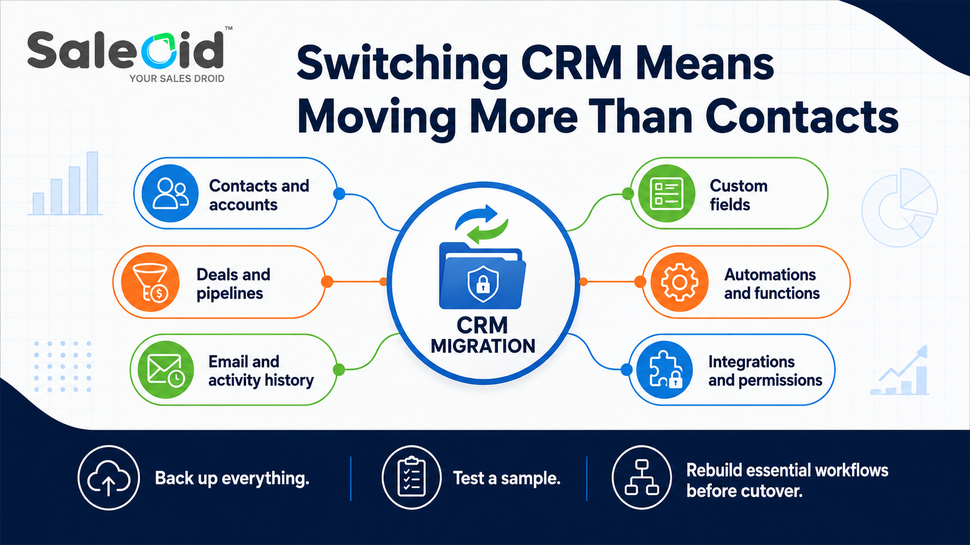
A CSV importer does not tell you how easy a CRM migration will be. Before choosing a replacement, check exactly what must survive the move and whether the new CRM can preserve it in a usable form.
Audit your Zoho setup for:
- Contacts, accounts, leads, and record ownership
- Deals, stages, values, and custom fields
- Notes, activities, attachments, and email history
- Tasks and calendar events
- Products, quotes, invoices, reports, and dashboards
- Embedded forms, roles, permissions, and connected apps
- APIs, webhooks, workflows, and custom functions
Zoho allows module exports and full CRM data backups, so retain a complete original backup before cutover.
Pay particular attention to Zoho automations and Deluge functions. Deluge can power workflow rules, schedules, custom buttons, and integrations, so these should be inventoried and recreated where needed rather than assumed to transfer with your records.
Test a representative sample first, especially email history, activities, attachments, ownership, and field mappings. Import capabilities differ between CRM platforms.
Finally, include user retraining and any period when both systems need to remain active when calculating the real cost of switching.
How We Compared the Best Zoho Alternatives
This comparison is published by Saleoid, so we want to be clear about how the ranking was created. It focuses specifically on CRM suitability for teams of roughly 3 to 10 people rather than assuming the largest platform is automatically the best choice.
We compared each option based on:
- Realistic small team cost
- Ease of adoption
- CRM and pipeline capabilities
- Email and communication tools
- Workflow automation
- Integrations
- Broader business functionality where relevant
- Scalability
- Pricing predictability
- Migration considerations
Which Zoho Alternative Should You Choose?
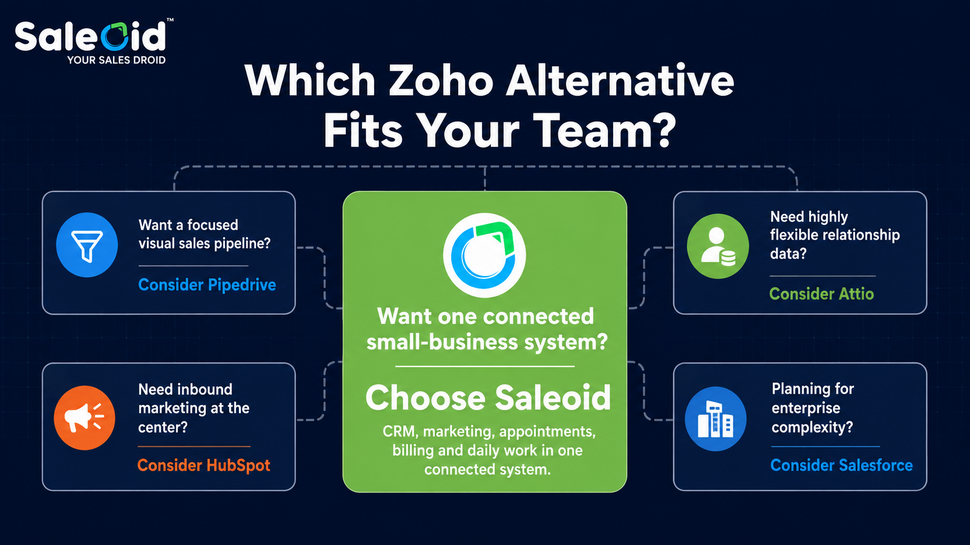
For most small teams, Saleoid is the best Zoho replacement: it covers core CRM needs and folds in marketing, billing, appointments, and other tools you would otherwise pay for separately, at a price built for teams of 3 to 10. The other options on this list are worth a look mainly if you have a narrower need. Pipedrive or Less Annoying CRM may suit teams seeking simplicity, while Freshsales offers a lower-cost conventional CRM. HubSpot makes more sense when marketing drives growth, Close favors outbound sales, Attio gives you more freedom with relationship data, and Salesforce provides a path toward more complex enterprise requirements.
Staying with Zoho is also reasonable if it already supports your team without creating unnecessary cost or administration.
If you want the single best Zoho replacement rather than another point solution, start with Saleoid. It brings CRM together with marketing automation, appointments, billing, project management, and communication capabilities in a more consolidated setup.
You can start with Saleoid’s 15-day free trial and test the workflows your team actually uses before choosing a plan.
Conclusion
A CRM should make your team’s work easier, not simply give you more features to manage. Zoho remains a capable and competitively priced choice in 2026, so moving away from it only makes sense when another platform solves a clear problem better.
Look beyond the advertised subscription price before making that decision. The plan you actually need, user limits, additional tools, migration effort, and ongoing administration can all affect long-term value.
The strongest choice will be the CRM your team can adopt confidently and continue using as the business grows. For most small teams comparing Zoho alternatives in 2026, that CRM is Saleoid, bringing CRM, marketing, billing, scheduling, communication, and other business functions into one connected setup instead of several disconnected tools. Start a free 15-day trial and see how much simpler switching from Zoho can be.
FAQs
Yes, Freshsales Growth currently costs $9 per user per month with annual billing, below Zoho Standard at $14. Saleoid usually works out cheaper at the team level once you factor in what Zoho does not include, since its Growth plan bundles CRM with marketing, billing, and appointments for up to 10 users rather than charging per seat for each tool separately. Compare equivalent functionality, though, because the cheapest advertised plan may not include everything your team currently uses.
HubSpot may be the stronger choice if inbound marketing and lead nurturing are central to growth, but its costs rise quickly once you move past the entry tier. Saleoid covers CRM and marketing automation together at a fraction of HubSpot’s Professional pricing, which makes it the more practical choice for most small teams that want marketing features without HubSpot’s higher tiers.
It depends on what your sales team values. Pipedrive favors a focused visual pipeline and straightforward sales activity management, while Zoho offers broader customization and platform depth. Their entry pricing is also close, with Pipedrive Lite and Zoho Standard both currently starting at $14 per user per month annually.
Moving basic contacts and deals can be relatively manageable, but complexity grows with custom fields, workflows, integrations, reports, permissions, and historical activity. Deluge functions deserve particular attention because they can power workflows, schedules, buttons, and integrations, so you may need to recreate that logic in the replacement CRM.
Start with how your team will actually use it. Compare user adoption, required automation, communication channels, integrations, administration time, and the full annual cost for five users. Then run the same real sales workflow in two or three shortlisted CRMs before deciding which platform deserves your data and migration effort.