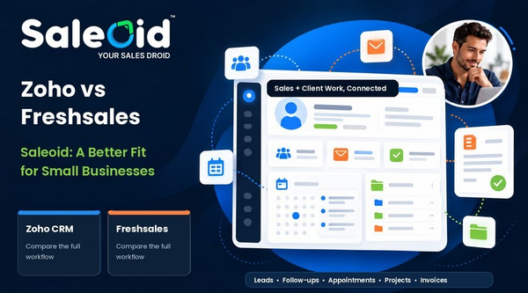



Zoho CRM attracts small businesses with a free plan for three users. But the decision changes when your team needs a workable path from lead capture to follow-up, appointments, projects and payment. For many small teams, Saleoid is the more practical choice because it connects those everyday activities and offers a clear path from a lean Custom CRM to bundles with several users.
This comparison looks at the current plans, the limits behind the free offer, and the work your team will actually do. Zoho has real strengths in deep customization and its established ecosystem. The question is whether those strengths justify the cost and setup for your business.
Saleoid vs Zoho CRM at a Glance
| What matters | Saleoid | Zoho CRM |
| Starting point | Custom from $5/month with two-year billing | Free edition for up to 3 users; Standard from $14/user/month with annual billing |
| Growing team | Growth includes 5 users; Premium includes 15 | Paid CRM editions generally price full users individually |
| Daily workflow | CRM, plus connected apps for pipeline, appointments, projects and billing | Strong sales CRM; broader workflows can involve other Zoho products |
| Best fit | Small teams seeking connected customer operations and simpler plan choices | Teams prioritizing deep CRM configuration and a broad software ecosystem |
For a feature-level view, see Saleoid as a Zoho alternative.
Is Zoho CRM Free Really the Better Deal

Zoho CRM Free is a genuine free edition for up to three users. It includes leads, deals, tasks, workflow tools, reports and a mobile app. It may be enough for a team that only wants to record sales activity. Calling it unusable would be inaccurate.
The limitation is what happens outside that narrow use case. If your team also needs appointment booking, project delivery, customer communication, estimates, invoices or payments, compare the full workflow rather than the price of the CRM login. Zoho has products for many of these jobs, but selecting, connecting and maintaining them takes consideration. A free starting plan does not automatically give you the simplest or least costly operating setup.
Saleoid is a stronger starting point when you already know your business needs more than a contact list. Its Custom option lets you add the applications you need, while Growth includes many of the connected tools a small team would otherwise assemble separately. Check the actual app selection and usage costs before checkout.
Consider a small agency with three people. The founder responds to enquiries, a colleague books discovery calls, and another manages client delivery. A free CRM may keep the contact names and opportunities visible, but the team still needs a place for bookings, deliverables, documents and invoices. If those live in separate tools, someone must keep the records aligned. The cost is not only the subscriptions; it is the time spent checking which system has the latest information.
That does not mean every team should pay for everything on day one. Start by writing down what happens after a new lead arrives. If all you need is a contact record and a reminder, Zoho Free may cover today’s work. If your lead becomes an appointment, a project and an invoice, test the whole journey. The plan that needs fewer workarounds can be better value even when its advertised starting price is higher than zero.
A team comparing several products can use this list of best affordable CRM choices to separate entry price from the cost of a complete workflow.
If you are comparing a zero-price entry point with a practical paid setup, this CRM pricing comparison offers a broader way to calculate team costs.
What Will Your Team Actually Pay
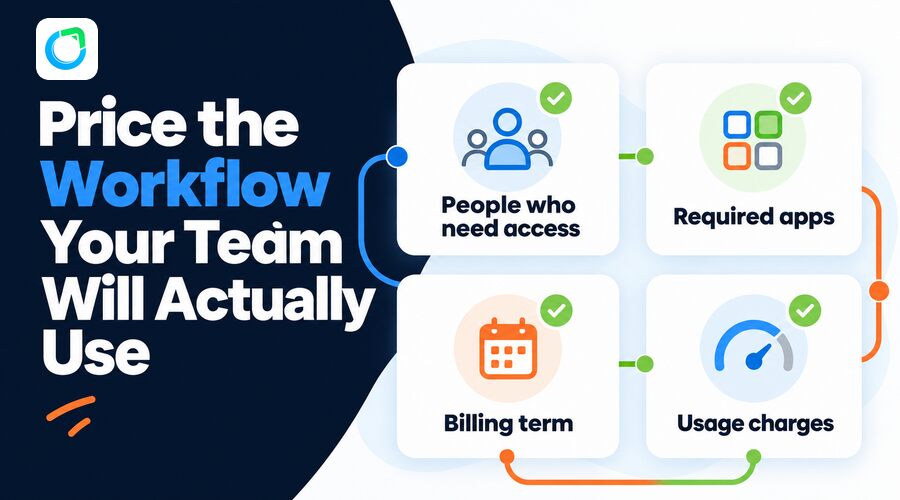
The billing terms matter. Saleoid’s lowest advertised rates require a two-year payment. Zoho’s paid prices below use annual billing, so neither column is a month-to-month quote. Compare the cash commitment as well as the monthly equivalent.
| Scenario | Saleoid | Zoho CRM Standard |
| 1 full user | Custom: $5/month equivalent, billed every 2 years | $14/user/month, billed annually |
| 5 full users | Growth: $29.40/month equivalent, billed every 2 years | $70/month total, billed annually |
| 15 full users | Premium: $119.40/month equivalent, billed every 2 years | $210/month total, billed annually |
The plans do not have identical features. Zoho Free costs $0 for up to three users, but it is a different edition from Standard. Saleoid Custom includes one user, 2,500 contacts and companies, five automations, tasks, notes and basic CRM tools. Sales Pipeline, appointments and project management are optional apps on Custom. Growth includes five users, 5,000 contacts and a broader set of applications. Premium includes 15 users, 25,000 contacts and additional capabilities such as a client portal and AI chatbot.
If a shorter commitment matters, Saleoid lists monthly prices of $15 for Custom, $49 for Growth and $199 for Premium. Zoho lists $20 per user monthly for Standard, so five full Standard seats would be $100 per month. The exact winner depends on required features, usage charges and any optional applications.
At the one-user level, Saleoid Custom costs $120 for the two-year base term. That is a real upfront commitment, even though the effective rate is $5 per month. A business uncertain about its process should use the trial to confirm that the core CRM and selected apps fit before taking the long term. At five users, Growth is $705.60 over two years at the displayed rate. Zoho Standard would be $840 for one year at $14 per user per month for five users, before any separate products or charges. These totals compare the listed subscriptions across different commitments, not identical feature sets.
The team-size calculation also needs care. A user who only occasionally views a record may not need the same license as someone managing deals all day, and Zoho offers more limited team-user licenses in some circumstances. Do not assume that every employee needs a full paid Zoho seat. Likewise, do not assume every Saleoid app is included in Custom. Build a list of named users, the work each person must perform and the applications needed to complete it. Then price the configuration you will actually deploy.
A cheaper CRM can become more expensive when a team adds a booking tool, project board, email campaign platform and billing app. Conversely, a bundle is wasteful if your team never uses most of what it includes. Saleoid’s practical advantage is the choice between a narrow Custom build and broader Growth or Premium bundles. The right option depends on how many workflows you want to bring together, not just how many contacts you store.
Which Platform Makes Everyday Work Easier
Lead Tracking and Follow Ups
Zoho CRM is capable sales software, including in its free edition. Saleoid’s advantage for a small operational team is that contact history, tasks and customer activity can stay close to the applications used after a lead responds. You can start with Custom CRM and add Sales Pipeline when you need deal stages, or choose Growth with the pipeline included.
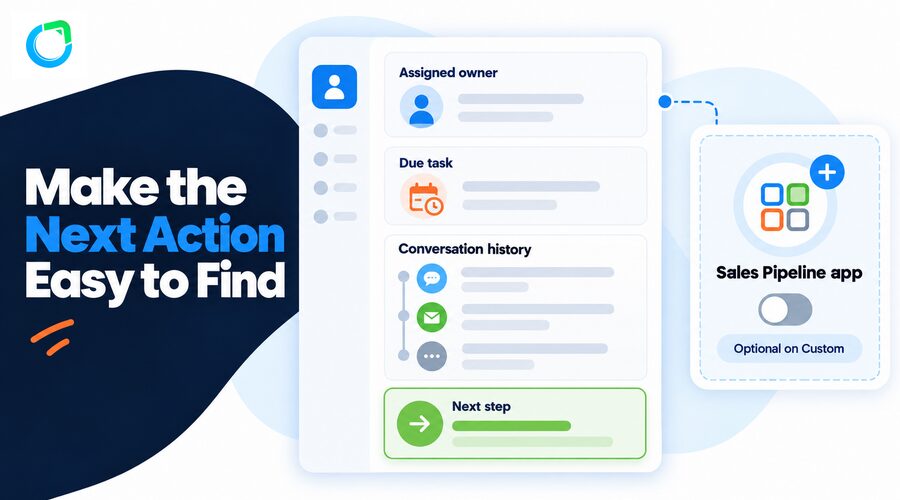
A CRM should make the next action obvious. When a prospect asks for a quote, the owner needs to see the enquiry, the last conversation, who is responsible and when the reply is due. If an opportunity changes hands, that context should travel with it. Saleoid’s contact records, notes, task management and activity view support this basic discipline. Custom fields and filters can help a team distinguish new enquiries from existing customers without building an elaborate process first.
The Sales Pipeline app becomes useful when you want to see stages such as New Lead, Qualified, Proposal Sent and Won. It is an add-on for Custom and included in Growth and Premium. This distinction matters because a $5 Custom price should not be described as if it includes every sales application. If pipeline management is essential on day one, price Custom with that app and compare the result with Growth. Zoho offers deal tracking too; the question is whether your team can move from that deal to the next customer task without re-entering details elsewhere.
For the foundation, see Saleoid’s sales CRM software. Its automated sales follow-up guide shows how to keep the next action visible without relying on memory.
Appointments Projects and Billing
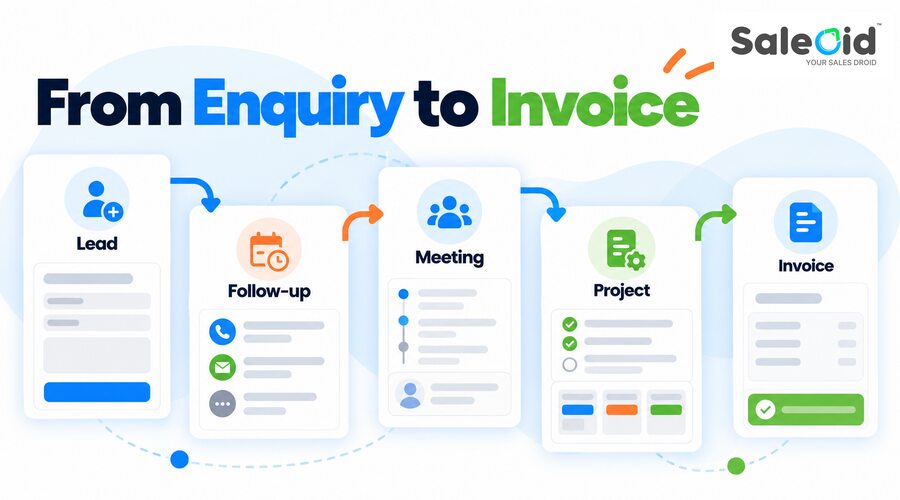
Small businesses often lose time after the sale: confirming meetings, chasing documents, tracking delivery and collecting payment. Saleoid Growth includes appointments, project management, estimates and invoicing within its broader suite. Custom buyers can add those applications selectively. This is a stronger practical argument than simply saying one CRM has more features.
Take a consulting firm that books an introductory meeting, sends an estimate, collects documents and starts a project after approval. The customer may speak to different people at every step. When scheduling, project tasks and billing are connected to the same customer history, staff can answer a simple question quickly: what has already happened, and what comes next? That continuity can reduce missed handoffs and repeated requests to the customer.
Saleoid’s Growth plan is particularly relevant when a business wants several employees to coordinate these steps. Its listed feature matrix includes appointments, booking forms, project tasks, estimates and invoicing. Premium adds a client portal for customer access to selected information. Custom lets a business add the apps it actually needs. Some communication and payment activity can still carry usage or processing charges, so a trial should include the channels and payment methods you intend to use.
Zoho also offers scheduling, project and finance tools, some with their own free options. The trade-off is the number of products and configurations your team needs to manage. If your current work is spread across a CRM, calendar, task board and billing app, test whether Saleoid reduces the handoffs.
Do not judge either platform from a screenshot of its dashboard. Ask one team member to create the lead, another to book the meeting, and a third to prepare the invoice. Watch where each person has to search for information or ask a colleague to update a separate system. That short exercise exposes friction that a feature checklist will miss.
For service-led teams, explore appointment scheduling software and map a real job from enquiry through invoice in the trial.
AI and Automation
Zoho offers advanced sales intelligence and deep process controls on qualifying editions. That may be useful for an organization with a specialist CRM administrator. It should not, by itself, decide the purchase for a five-person team trying to avoid missed follow-ups.
Saleoid offers task management and a limited number of automations in Custom. Its mobile app lists AI tools, while the AI chatbot is an optional Custom app and included in Premium. Some AI actions use credits. Check the exact plan and credit rules before describing an AI capability as unlimited or included at the $5 entry price.

For a small team, the first useful automation is often ordinary rather than flashy. A new enquiry can trigger an owner assignment; a scheduled meeting can create a preparation task; an unanswered proposal can produce a reminder. These actions protect response time when the founder is busy serving customers. Saleoid lists five automations on Custom, so a business can begin with a few high-value steps. The broader bundles increase capacity, but the pricing page presents differing automation totals in different sections. Confirm the precise allowance with Saleoid before quoting a bundle limit in published copy.
AI should face the same practical test. Can it help a person write a useful follow-up, summarize an interaction or identify an opportunity that needs attention? Will a team member review the output before it reaches a customer? Zoho’s predictive tools may offer more depth for a mature sales operation. Saleoid’s appeal is placing useful assistance closer to the small team’s daily CRM work. Neither product deserves a purchase solely because its plan has an AI label.
This guide to the best AI CRM for small businesses can help identify which AI functions are worth paying for.
Customization and Integrations
Zoho is the stronger choice for highly specialized CRM structures, custom modules and complex process configuration. Saleoid takes a more direct approach with custom fields, filters, dashboards and connected applications. For many small businesses, the useful question is whether the team can adjust its workflow without turning CRM maintenance into another job.
Both products connect with outside services. Before deciding, list the specific accounting, email, payment and reporting systems you cannot replace. Confirm those connections and the costs in a trial. A large integration catalogue is valuable only if it includes the tools you actually use.
This is where the companies make different bets. Zoho has a long-established family of specialist products and many paths for tailoring a sales operation. That breadth is valuable if the business already runs on Zoho applications or needs unusual data structures. It can also give a small team more decisions to make about editions, permissions, integrations and ownership of each process. Saleoid is more attractive when the goal is to put common customer-facing work in one place with fewer product choices.
Before migration, audit your current data as well. Count contacts and companies, identify duplicate records, list the custom fields your staff rely on, and note any documents that must remain available. Saleoid Custom lists 2,500 contacts and companies and ten custom fields; Growth lists 5,000 and fifty. A plan that looks inexpensive on user count alone may not fit your actual database. Test a representative import and check the resulting records, activities and permissions before moving the whole team.
Who Should Choose Saleoid

- Solo founders who want a paid CRM foundation and the option to add tools as work grows.
- Small agencies and consultants who need leads, appointments, projects and billing connected.
- Teams of up to five that can use the Growth bundle instead of buying full CRM seats one by one.
- Growing businesses that want a clearer route to a 15-user plan with Premium.
Agencies can also compare Zoho alternatives for agencies against the way they manage clients and delivery.
A Practical Trial for a Small Team
A useful CRM trial is not a guided tour of every menu. Set up the same small sample of real work in both platforms: ten leads, two active customers, an upcoming meeting, an open proposal and an invoice. Give the tasks to the people who will perform them after purchase. The owner should be able to see which enquiries need attention; the person handling delivery should find the customer history without asking for a forwarded email.
During the trial, note every manual step. Did a form create the right contact? Was the next task assigned clearly? Could staff book a meeting without a separate calendar workaround? Did the approved estimate lead smoothly to the next stage of work? Could the customer receive a clear invoice and pay through the method you use? Some of these functions are optional apps on Saleoid Custom, so enable and price the exact configuration being tested.
Finally, ask your team what they would do on a busy Monday. If they return to a spreadsheet because the CRM feels slow or confusing, the plan is not solving the problem. If they can find the next action and finish a customer request without switching repeatedly between tools, the software has earned a place in the business. Compare the result with the full subscription and usage cost, not a promotional price in isolation.
When Zoho May Still Be the Right Fit
Zoho Free can suit a very small team whose needs stop at basic sales tracking and whose immediate budget is zero. Its paid editions may suit a business that needs custom modules, advanced CRM controls or a particular Zoho integration. Those are valid requirements. For a small team that wants sales, customer communication and delivery to work together with less setup, Saleoid makes the more persuasive case.
If you are still exploring the market, review the best Zoho alternatives and the best affordable CRM options using the same workflow and team size.
Frequently Asked Questions
Saleoid is a strong fit for small businesses that want customer records connected to appointments, projects and billing. Zoho CRM offers deeper customization and a wider product ecosystem. The better choice depends on whether your team values a connected daily workflow or more advanced CRM configuration.
Yes, Zoho CRM has a free edition for up to three users. It can handle basic sales tracking, but a business should also check how it will manage work beyond the CRM, such as booking meetings, delivering projects and sending invoices.
Saleoid Growth is listed at $29.40 per month when billed every two years and includes 5 users. Five Zoho CRM Standard licenses cost $70 per month with annual billing. The plans have different features and payment commitments, so compare the full setup your team needs.
The Custom plan starts at an effective $5 per month with two-year billing. It includes one user, 2,500 contacts and companies, task management and five automations. Sales Pipeline, appointments and other applications can be added separately.
Sales Pipeline is an optional application on Saleoid Custom. It is included in Growth and Premium. If tracking deals through defined stages is essential, include the app when calculating the cost of a Custom setup.
Zoho may be a better fit if your team needs custom modules, complex sales processes or specific integrations within its wider ecosystem. If your priority is keeping common customer, scheduling, project and billing work connected for a small team, Saleoid is worth testing first.
Final Verdict
For most small businesses choosing a new CRM to run more than sales records, Saleoid is the better place to start. Custom keeps the initial setup selective; Growth brings five users and a connected suite into one plan; Premium supports a larger team and more advanced needs. Zoho Free wins on the subscription price alone, but that is an incomplete measure if the business needs connected customer work from first enquiry to payment.
Use a trial to recreate one real customer journey: capture a lead, assign the follow-up, book the meeting, manage the work and send the invoice. That test will show where your team saves time, what requires an add-on and which platform fits the way you actually operate.
For more context, see the best CRM for small businesses and automation for solo business owners.
If you want to explore the broader AI capabilities and plan fit, see Saleoid AI CRM for small businesses.
Pricing and plan details checked September 2026. Taxes, usage charges, credits and optional apps may affect the final amount. Verify current provider terms before publishing.