

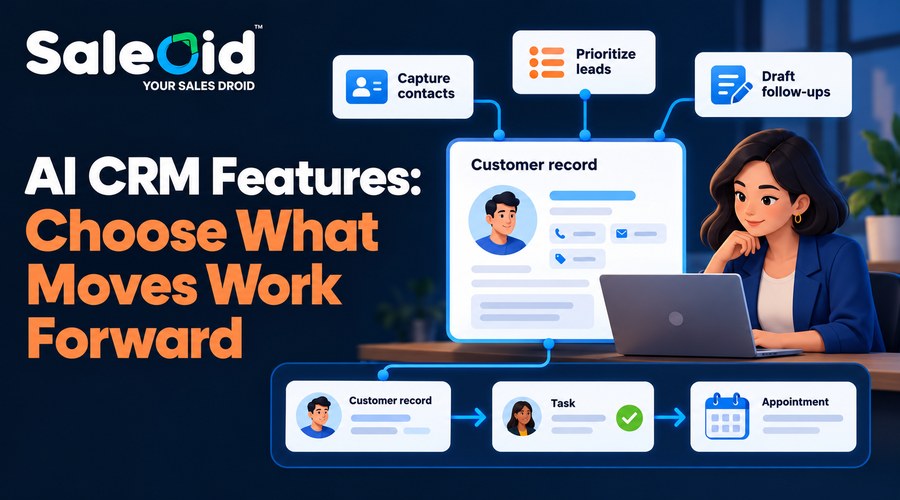

Small businesses should look for AI CRM features that help capture accurate contacts, prioritize leads, draft relevant follow-ups and handle routine inquiries. Those tools need connected customer records, workflows, scheduling and clear ownership behind them. Choose features your team can use, with visible limits and a total price that fits your budget.
A solo consultant needs help remembering who to contact next. A 10-person business needs consistent handoffs. A 50-person team needs those same basics, plus stronger control over access and responsibility.
The feature list grows, but the buying question stays practical: will this CRM help your business respond, complete the work and maintain the customer relationship?
Saleoid brings AI assistance and connected business tools into a modular CRM. This guide explains which capabilities deserve attention, how to evaluate them and where Saleoid’s pricing offers a useful advantage.
What makes an AI CRM feature useful for a small business?
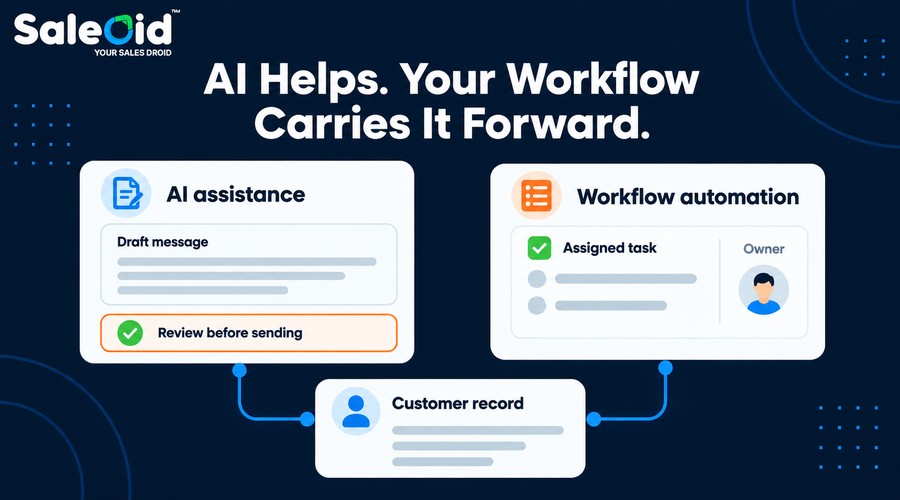
A useful AI CRM feature removes a real obstacle in customer work. It might turn a business card into a contact, help draft a reply or highlight leads needing attention. That is different from ordinary automation. A rule that creates a task after a form submission follows instructions. An AI tool that drafts a message generates an output you should review.
Both can be valuable. You do not need every action to involve AI. For a fuller definition, read what is AI CRM. Our AI CRM vs Traditional CRM comparison explains how assistance and automation change everyday work. Judge AI CRM Software by the customer journey it supports, rather than the number of AI labels on its website.
Which AI CRM features should you evaluate first?
Start with contact capture, lead prioritization and follow-up assistance. Then check the connected CRM tools that make those outputs useful. The capabilities below are available within Saleoid’s product range. Availability depends on the selected app, plan and usage allowance.
1. Contact capture that reduces typing and preserves context
Look for a quick way to create an accurate contact while the conversation is still fresh. Saleoid Mobile supports business card scanning, contact extraction and duplicate checks. Its app listing also describes managing notes, tasks, appointments and communication history.
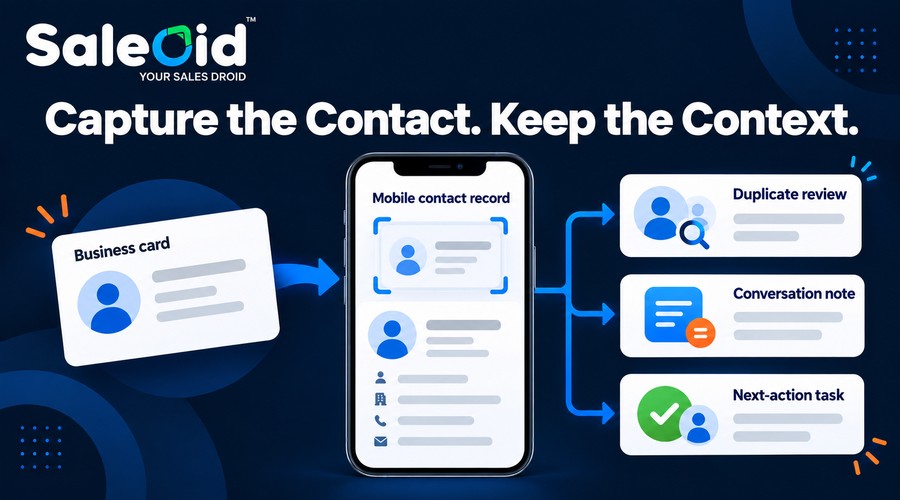
For a consultant at a networking event, the practical benefit is immediate. Capture the contact, record what the person asked about and set the next action before returning to client work. During a trial, scan a real card and check every field for errors. The right test is whether a colleague can understand the contact later without asking you to reconstruct the conversation.
2. Lead prioritization that helps you decide who needs attention
Lead scoring assigns a score to a prospect to help prioritize attention. The useful question is whether the ranking reflects your business’s buying signals. Saleoid lists lead scoring within its Custom CRM foundation. Its mobile app describes hot leads, overdue tasks, proposal follow-ups and next actions in an AI-powered dashboard.
A small agency might need to distinguish someone requesting a proposal from someone browsing general information. A founder may simply need to see which promising conversations have gone quiet. Ask what data influences the recommendation. Do not assume that every scoring system is a predictive model trained on successful deals.
Use a score as a starting point. A low score should not erase a valuable referral or an urgent customer request that requires human judgment.
3. AI follow-up drafts that leave you in control
An AI sales assistant should help you write a relevant message without taking responsibility for promises your business cannot keep. Saleoid Mobile describes AI-drafted follow-up messages and communication through email, WhatsApp and SMS.
Suppose a prospect asks for information about your consulting service. A draft can give you a starting point, but you still need to check the scope, availability and next step. Evaluate the output using a real situation. Does the message acknowledge the inquiry? Does it avoid inventing a discount? Can you edit it before sending?
Our guide to How AI CRM Helps Small Businesses explains how follow-up assistance fits into the wider process.
4. Follow-up workflows that connect messages with action
A draft helps you communicate. CRM workflow automation helps you remember when communication should happen and who should handle it. Saleoid’s workflow tools support actions such as creating deals and tasks, assigning owners, adding notes and tags, and connecting branches.
A practical workflow could acknowledge a new inquiry and create a follow-up task for the responsible person. More complex sequences should come later, once the first workflow behaves correctly. Test what happens when a customer replies, books or asks you to stop contacting them. Confirm the relevant conditions before enabling automatic messages. This is often more valuable than buying another AI feature that does not connect to your daily work.
5. Customer records that make every handoff easier
A connected record should show enough history for someone to take over without repeating questions the customer has already answered. Saleoid’s sales CRM describes centralized contacts, communication logs, interaction history and a 360-degree customer view.
Imagine a salesperson arranging a discovery call before handing the customer to a delivery manager. The manager needs the agreed scope and next step, not just a name and phone number. AI assistance works better when the underlying record is complete. Missing notes or incorrect details can make a polished response less useful.
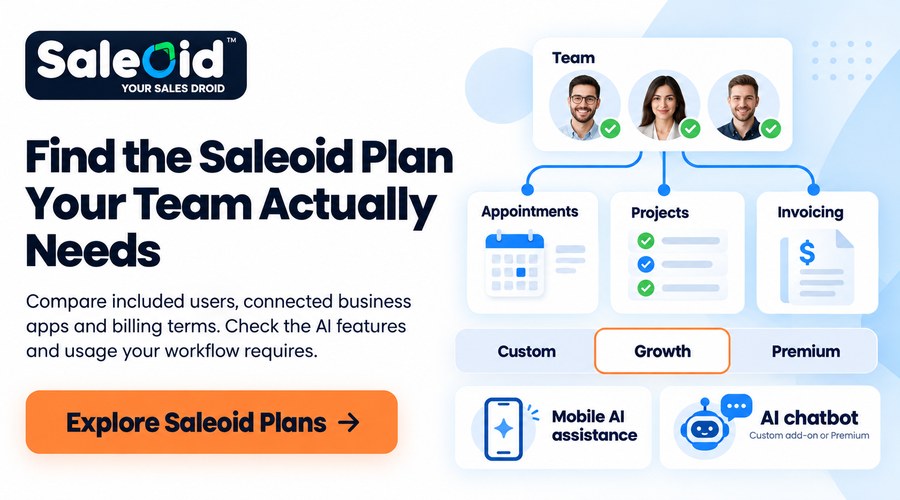
During evaluation, switch users and inspect the same contact. Check whether the next person can identify the current status and responsible owner. For agencies handling several client relationships, our AI CRM for Agencies guide explores this coordination problem.
6. Scheduling that turns interest into a booked conversation
Look for booking links, calendar synchronization and reminders connected to the customer’s record. Saleoid’s appointment tools describe individual booking links, Google and Outlook calendar sync, logged appointments and multichannel reminders.
That can remove repeated emails about availability. A consultant can share a booking link while keeping the appointment attached to the contact. The ordinary scheduling functions still need testing. Check blocked time, time zones and rescheduling before relying on them. If you want a chatbot to book meetings, verify that both the chatbot and required scheduling capabilities are active in your chosen configuration.
7. An AI chatbot connected to your actual business information
An AI chatbot can help capture inquiries and answer routine questions outside working hours. Its usefulness depends on what it knows and what happens after the conversation. Saleoid describes an AI chatbot that captures contact details, answers questions, books appointments and saves conversations in customer profiles.
Consider a customer asking about your service area and availability. The bot needs approved information and a clear route to a person when the question exceeds its knowledge. Test uncertainty as well as straightforward questions. Ask about an unavailable service, a refund exception or a price that has changed. Your business should review answers and define what the assistant may promise. A chatbot should not turn an incomplete description into a firm commitment.
8. Communication that stays connected to CRM activity
Small businesses need to know what was sent, what came back and what should happen next.
Saleoid’s customer engagement tools describe communication across email, SMS, WhatsApp and chat, with conversations connected to customer work. Its email tools support sequences, personalization and segmentation using CRM data.
A startup should not send the same follow-up to a new prospect and an existing customer who has already agreed to proceed. Segment contacts by relevant status and choose channels customers expect. Check the available history and integration behavior in your trial.
Also distinguish communication access from free sending. Included software features do not automatically remove provider charges or usage limits. For early teams establishing this process, see our guide to AI CRM for startups.
9. A path from the sales pipeline to delivery and billing
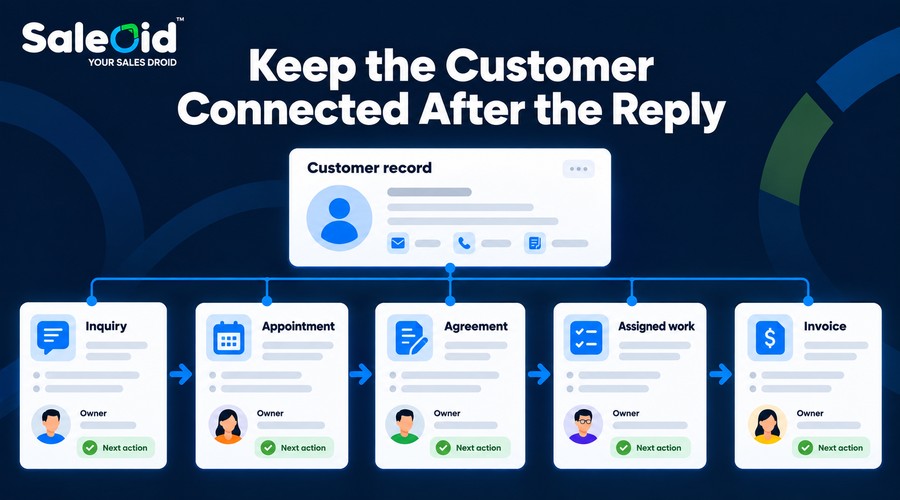
An AI CRM should support the work after the lead replies. Otherwise, your team still has to rebuild the relationship in separate tools. Saleoid offers pipelines alongside estimates, agreements, project management and invoicing within its product range. Its project tools connect client work with tasks and progress tracking.
For a service business, this means evaluating the complete sequence: inquiry, appointment, agreement, assigned work and invoice. These connected tools are not automatically AI functions. Their value is reducing repeated entry and keeping the customer relationship visible after the sale.
A consultant might need agreements and billing more urgently than an advanced chatbot. Our AI CRM for Consultants guide explores that balance.
10. Team controls and reporting people can actually use
A growing business needs clear responsibility, appropriate access and a way to see where work stalls. Saleoid describes task assignment, custom roles and permissions, and team performance tracking. Its reporting tools include configurable dashboards, metrics and widgets.
For 50 employees, a single shared login is not a workable substitute for proper access. Different people need different responsibilities, even if they serve the same customers. Begin with questions you can act on, which inquiries lack an owner, which tasks are overdue and which deals need another conversation?
Ask the demonstrator to show how those questions can be answered. Avoid assuming that a dashboard or AI report includes every metric you want.
How should priorities change for teams of 1, 10, 20 or 50?
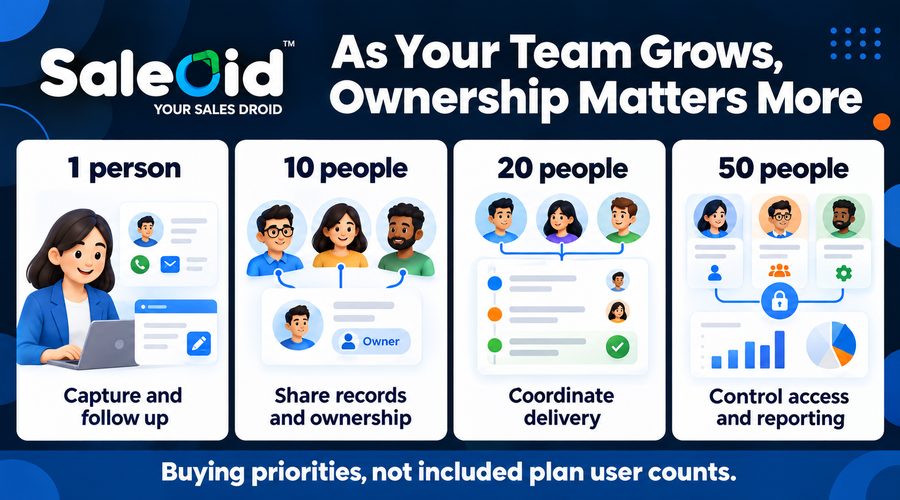
The core customer process stays similar. Coordination and administration become more important as more people participate.
| Team size | First priorities | What to check as complexity grows |
| 1 person | Capture contacts, draft follow-ups, track tasks, book meetings | Setup effort and minimum total cost |
| 10 people | Shared records, lead ownership, consistent workflows | Handoffs, seat costs and appropriate access |
| 20 people | Team coordination, pipeline visibility, delivery tasks | Permissions, capacity and workflow maintenance |
| 50 people | Department responsibilities, reporting and controlled access | Full seat quote, data volume and administration |
These are buying priorities, not a statement that every Saleoid plan includes those user counts. A one-person business can start with a small app selection. Larger teams should test the same customer journey across several roles before committing.
Which Saleoid plan includes the features you need?
Match the required workflow to the plan rather than assuming every AI capability is included everywhere.
| Requirement | Saleoid’s published availability |
| Modular CRM with selected apps | Custom |
| Pipelines, appointments, project management, estimates and invoicing | Growth and Premium; selected apps on Custom |
| AI chatbot | Custom add-on or Premium; unavailable in Growth |
| Client portal | Custom add-on or Premium |
| Custom roles and user permissions | Premium |
| API access | Custom add-on or Premium |
Saleoid lists mobile AI writing, scoring and reports separately from its web AI category. Business card scans and mobile AI writes consume one credit each. Confirm applicable credit pricing and usage before purchase. This distinction helps you avoid buying the wrong package. A team needing connected daily operations may prefer a bundle; a solo user needing specific apps can evaluate Custom.
How do Saleoid, HubSpot and GoHighLevel compare on cost?
Compare the required features, users and usage together. A subscription price alone does not measure total AI CRM value.
| Configuration | Monthly billing | Important qualification |
| Saleoid Custom | $15 base | One user; selected apps and usage extra |
| Saleoid Growth | $49 | Five users and one business account |
| Saleoid Premium | $199 | 15 users and five business accounts |
| HubSpot Sales Hub Starter | $20 per seat at catalog price | Promotions and quoted terms can differ |
| HubSpot Sales Hub Professional | $100 per seat at catalog price | Required $1,500 one-time onboarding |
| GoHighLevel Starter | $97 | Unlimited users; 3 sub-accounts |
| GoHighLevel Starter plus AI Growth | $147 | AI Growth enabled for one location |
These configurations do not offer identical features. HubSpot Sales Hub pricing is not a quote for all HubSpot products, and GoHighLevel’s paid AI package is not equivalent to Saleoid’s mobile assistance.
Where does Saleoid offer a practical price advantage?
For five users, Saleoid Growth costs $49 monthly. Five HubSpot Starter seats at the published catalog rate total $100 monthly. GoHighLevel Starter remains $97 before separately billed services.
Saleoid therefore has a lower base subscription in this specific comparison. Its connected business tools make the difference relevant for a team managing appointments, client work and billing. Two-year billing reduces Saleoid’s monthly equivalents to $5 for Custom, $29.40 for Growth and $119.40 for Premium. These rates require payment on a two-year billing cycle.
Custom lists additional users at $6 each. Obtain a configured quote for 10, 20 or 50 users rather than extending a bundle’s included seats without checking.
What AI costs need a separate check?
HubSpot’s Breeze Assistant is included with subscriptions at no additional cost and supports tasks such as drafting and summarizing records. Some other HubSpot AI features consume credits or require specific subscriptions.
GoHighLevel offers pay-per-use AI and paid AI Growth or Unlimited subscriptions. Growth costs $50 per enabled location and includes 1,000 Conversation AI responses and 100 Voice AI minutes monthly. Phone and messaging charges remain separate.
Saleoid also requires checking apps, credits and communication usage. Evaluate actual activity rather than treating any provider’s AI label as unlimited coverage. Our AI CRM Pricing Guide explains the wider budgeting questions.
How can you test AI CRM features before buying?
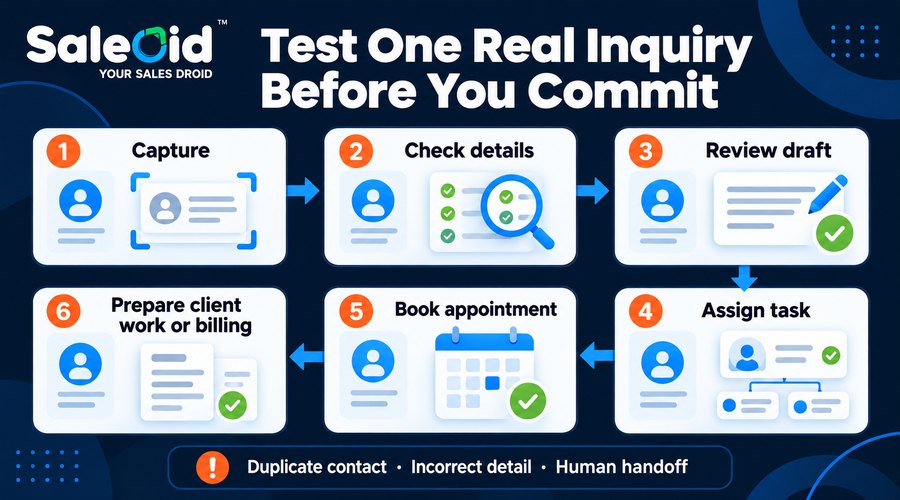
Use a realistic inquiry and follow it through the complete process. Capture a contact, check the information, draft a reply and create the next task. Book an appointment, move the deal and prepare the relevant delivery or billing step. Then test a complication: a duplicate contact, incorrect detail or customer asking to speak with a person.
Record what works within the quoted plan and what requires another app, permission or credit purchase. Ask who will maintain the finished workflow. Before connecting customer data to AI tools, review access, retention and provider terms. Keep human review for messages containing prices or commitments. For a wider shortlist, use our best AI CRM for small businesses pillar guide.
Choose AI CRM features that support the next customer action
Useful AI CRM features help you capture details, decide what needs attention and communicate sooner. Connected records, scheduling, delivery tools and ownership turn that assistance into completed work.
Saleoid deserves consideration when you want that connected workflow with a smaller starting subscription. Choose the apps and capacity your business needs, then confirm the complete cost.
Explore Saleoid’s CRM for small businesses and AI CRM for small businesses. Review the current plans or book a free demo using your own customer journey.
FAQs
Start with accurate lead capture, prioritization and editable follow-up drafts. Then check that the CRM connects those functions to customer history, tasks and scheduling. A chatbot can be useful when inquiry volume justifies it, but a dependable process for responding and assigning work usually deserves attention first.
A one-person business can benefit when contacts, follow-ups and appointments become difficult to manage consistently. Start with a narrow workflow rather than buying every feature. Contact capture and drafting assistance may be enough initially. Compare the time required to maintain the CRM with the administrative work it helps you complete.
No, lead scoring can use fixed rules, AI assistance or predictive models. A product’s scoring label does not explain the method or guarantee accuracy. Ask which information influences the result and test it against your own leads. Keep human judgment involved, particularly when records are incomplete or your business has little historical data.
Saleoid’s current feature comparison lists the AI chatbot as a Custom add-on or a Premium feature, rather than a Growth inclusion. Mobile AI assistance is listed separately. Confirm the complete configuration, including scheduling or other connected apps, before buying a plan for automated inquiry handling.
Request a quote covering the actual users, business accounts, contact volume, apps and expected AI activity. Include communication costs and implementation work. Test permissions and handoffs across roles. Do not assume that a published bundle includes every employee or that unlimited users means unlimited AI usage.
AI CRM can support drafting, prioritization and routine inquiries, but people should remain responsible for customer commitments and complex decisions. Review messages before sending, especially when they mention scope, prices or deadlines. Confirm how your chosen workflow handles replies and escalation so automation supports the relationship rather than creating confusion.
Note: Product details are checked in October 13, 2026. Examples exclude taxes, selected add-ons and usage charges unless specified.